Get unlimited access to 5000+ Templates for Google Docs, Slides and Sheets
Unlimited Access
All Templates

Simple Clothing Inventory Template

Use this free template with Google Sheets and Microsoft Excel
4.17 (2 reviews)
Last updated Updated June 20, 2026
Created by John Doe
Type Spreadsheet
ADVERTISEMENT

Template Specification

Format Google Sheets
Created January 23, 2022
Last Updated June 20, 2026
Community Added to collections by 59 Users
Usage Stats 180 downloads this month

Key Features of This Template

Style Simple

About this template

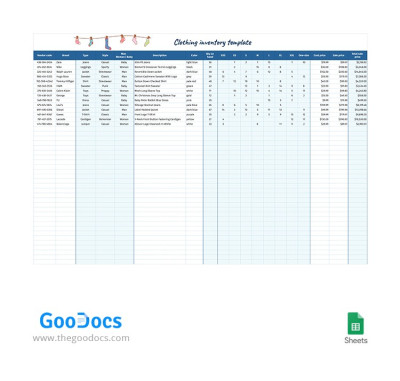
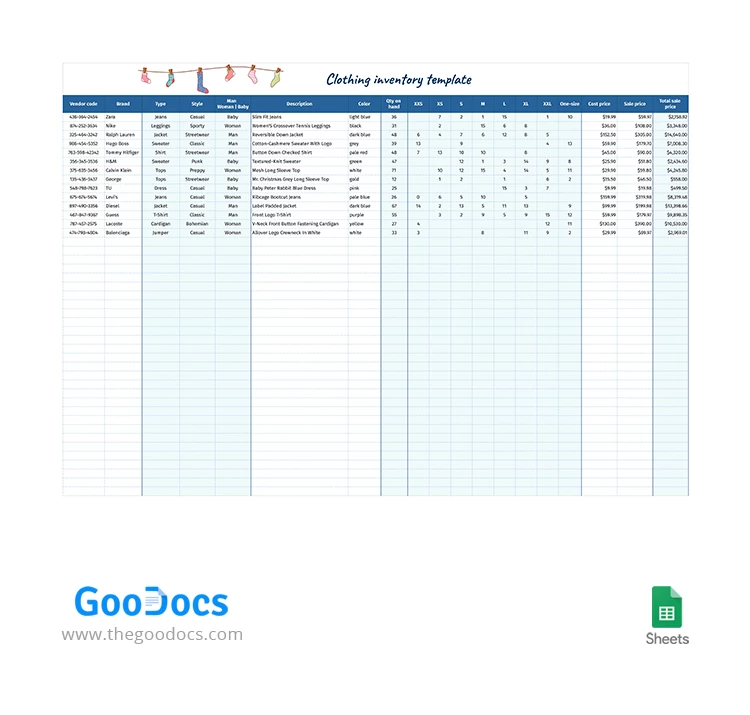
All your store's inventory information can be organized and systematized in minutes with our Simple Clothing Inventory Template. This template allows you to gather every detail about every item in one place. We've prepared pre-made editable drop-down lists and calculations for key parameters to make your task more straightforward.

Create Your Simple Clothing Inventory

You can enter the vendor code, brand, description, color, quantity for each item in a specific size, cost price, and sale price in the pre-made table columns. Our inventory sheet template will immediately calculate the total sale price and quantity for each item in all sizes.

Also, you can select the type (coat, corset, jeans, jacket, and more), style, and category (Men, Women, or Kids) from the drop-down lists. These lists are customizable on the fly, so you can add more categories or delete unnecessary ones.

The template is fully editable:

  • Add information about each item in your inventory using Google Sheets or Excel.
  • Grant access to relevant employees at different locations.
  • Update your inventory on any device.

Grab our inventory spreadsheet template for free and try it out right away.

ADVERTISEMENT
Free Template

Download Free Template

Choose your platform and start editing right away
PLATFORM

Google Sheets

Opens in browser
PAPER SIZE
US Letter
Google Sheets – US Letter
No account required • Attribution required

WHAT’S INCLUDED

Pre-made editable drop-down lists
Automatic total sale calculations
Multiple size column entries
Customizable clothing categories

Inventory Tips

1
Regularly update inventory for accuracy.
2
Customize categories to fit your needs.
3
Utilize drop-down lists for efficiency.
4
Review calculations for correct totals.

FAQ

Is the template compatible with Excel? Yes, download and use it in Excel or Google Sheets.
How easy is it to use? Very easy, with user-friendly editable fields and lists.
Can I customize the categories? Yes, categories and lists are fully customizable.
Is this template free? Yes, you can download and use it for free.
Does it calculate total sales automatically? Yes, all sales totals are calculated automatically.
ADVERTISEMENT

How to Use and Edit This Template

Get Your Document

1

Get Your Document

Click the "Edit Template" button to create your own editable copy in Google Sheets or download for Microsoft Excel
Customize Everything
2

Customize Everything

Easily change colors, fonts, and layouts to match your unique style or brand identity
Add Your Content
3

Add Your Content

Fill in your data, upload images, and replace the placeholder text with your own information
Print, Export, or Share
4

Print, Export, or Share

Print, export as PDF, or share instantly

Related Templates

Recently Viewed