
Certificate of Graduation Templates
Our formal and modern Certificate of Graduation Templates are available to users in Google Docs, Word, Slides, PowerPoint, and other formats. Choose from ready-made designs in dark or light shades, multi-colored backgrounds, and black and white options. You can easily download, customize, and print any blank for free or with a premium subscription.
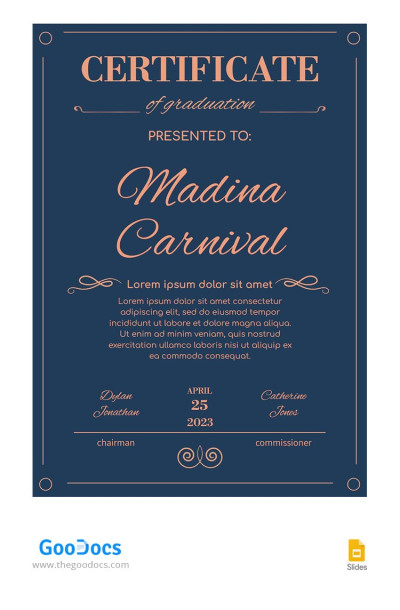
Modern Graduation Certificate

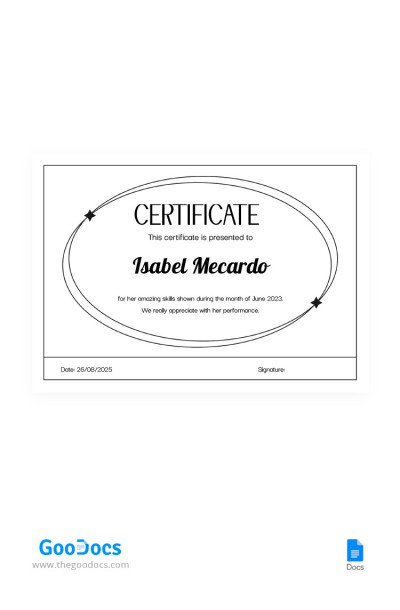
Black Graduation Certificate
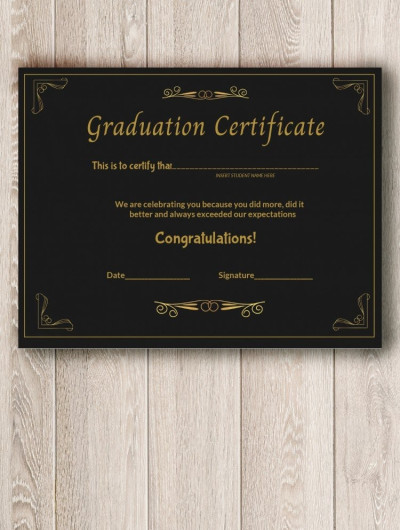
Graduation Certificate
Please try different filters or clear all to start over.
Explore our collection of fully editable and ready-to-print graduation certificate templates. Here you'll find everything you may need, from simple black-and-white layouts to fancy designs in blue and gold color palettes with decorative borders and elegant fonts. Use ready-made templates now or find even more relevant diploma certificate templates at the link.
Take advantage of our graduation certificate templates:
- Choose a design that suits your educational institution and ceremony. Most layouts are designed to create a formal yet celebratory feel for your event. You'll easily find options with elegant typography, classic school symbols, watermarks, and more. Create an official, memorable document in just a few minutes.
- Use a pre-made structure and placeholders. Each template includes placeholders for the graduate's name, educational institution, degree or level of study, ceremony date, and official signatures. You can also use the sample congratulatory text as inspiration to write your own version or leave it as is.
- Personalize a certificate for every graduate. You can download or make a copy of any free graduation certificate template right now. Our templates are compatible with Google Docs, Word, Google Slides, and PowerPoint, so you can edit them in familiar and easy-to-use applications. Simply click on any field, replace the text, add the graduate's name, and create as many copies as you need.
Our graduation certificate templates are ready for you to use. In addition to all the above advantages, these blanks are fully configured for high-quality printing in landscape and portrait orientations on standard A4 and US Letter paper. Check out our main certificate templates category for even more options.
Graduation Certificates Templates FAQ
A graduation certificate template is a ready-to-fill, printable document with a pre-made design and structure that serves as a starting point for creating a graduation certificate. Our templates include placeholders for the recipient's name, course, class, or completed program, the school or educational institution, the issue date, and administrator signatures and seals. Additionally, among dozens of options, you can find elegant templates in blue, black, and gold, minimalist black-and-white layouts, and more fully customizable designs.
Our graduation certificate templates are available in Google Docs, Word, Google Slides, and PowerPoint. This allows you to easily fill in all the placeholders, replace the congratulatory text, make as many copies as needed to create a certificate for each graduate, and more. Finally, you can use any graduation certificate template on this page for free right now.
To create a graduation certificate in Word, Google Docs, or PowerPoint, simply use a ready-made template from TheGoodocs:
- Download or make a copy of the template from this page. All templates are editable in Word and Google Docs, or PowerPoint and Google Slides; you can also filter options by format and style in the top menu.
- Fill in the placeholders using your preferred editor. After downloading or making a copy of the template, enter the recipient's name, educational institution name, issue date, name of the signing authority, and a description of the completed program.
- Customize the design (optional). You can leave the color palette, fonts, and layout unchanged, or easily customize your template to match your school or company's branding.
- Make as many copies as you need. You can copy the template (File > Make a copy) and paste each recipient's name and program details into separate copies to create certificates for all graduates.
- Print the template. Save the final version as a PDF (File > Download > PDF Document) and print it immediately without extra setup.
Our templates are your best starting point, saving you tons of time without compromising on design and print quality. Download for free and start customizing in Word, Google Docs, or PowerPoint now.
There's a significant difference between a graduation certificate and a diploma:
- A graduation certificate is typically awarded for completing a short-term training program. These programs usually last from a few weeks to a year. A graduation certificate can be awarded for makeup, video editing, SMM, and Photoshop courses, professional development programs, or other specialized training.
- A diploma is usually awarded after completing a longer academic program. These programs last from one to four years or more. For example, you can earn a high school diploma, a career pathway diploma, or a post-secondary diploma.
In short, the main difference is the duration and scope of the program. A certificate can be earned in just a few weeks to confirm completion of a specific course, while a diploma is granted for longer programs that cover a much broader curriculum.
