
Certificate of Service Templates
Check out our unique collection of certificate of service templates in Google Docs, Word, and other formats. You can pick any sample, download it, and customize it. We have dog service certificates, elegant, simple, floral designs, and more.
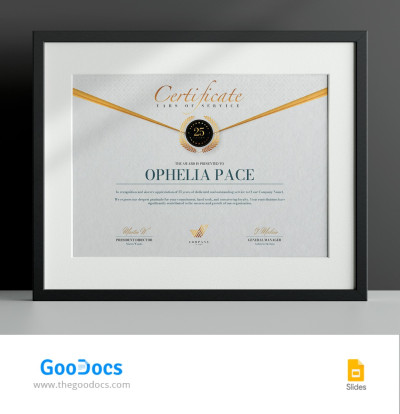
Years of Service Award Certificate
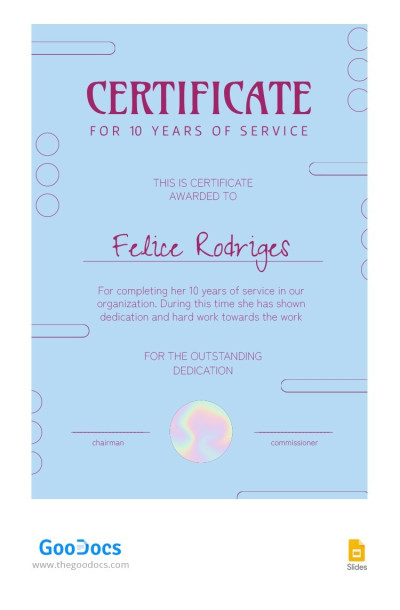
Blue Employee Service Certificate
Please try different filters or clear all to start over.
Show your gratitude for your employees' years of service using our certificate of service templates. We've prepared many designs in different styles so you can find a layout that fits your organization's brand and is sure to delight your employees. We offer ready-made options personalized for 5, 10, 20, and other years of service, but you can easily customize any of them for your occasion. You can also download a gift certificate template for free on our website.
Grab your free sample certificate of service and get the benefits:
- Don't waste time creating your certificate from scratch. We've taken care of everything that could otherwise take you hours of design time. There are more formal options with gold elements and frames, elegant fonts, and background ornaments, as well as more friendly, colorful, and charming designs available right on this page. Download any of them for free now.
- Use a ready-made structure with placeholders for your notes. Our layouts are designed with the specifics of a years of service certificate in mind. Each template is divided into many sections, including a "Certificate of Service" title, placeholders for the employee's name and position, length of service, and sample thank-you text. In the bottom section, you can also add the anniversary date, along with the names and signatures of top management and an official seal.
- Brand the template in minutes. Instead of complex design software, you can use Google Docs, Word, Google Slides, or PowerPoint to customize our certificate of service templates. Simply open the template in your favorite app and click on the placeholders to change the text, choose new fonts, and adjust the background to personalize it.
Finished filling out your certificate of service? All that's left to do is save it as a PDF and print it on any printer; all settings are preset, and you can choose the template size and orientation before downloading. Choose from the best free certificate templates at the link.
Service Certificates Templates FAQ
A certificate of service confirms that an employee worked at a company for a specific period. Such documents can be formal (used to verify work experience for future job applications) or ceremonial (presented to thank an employee for their years of service). Typically, a certificate of service includes the company name, recipient's name, employment dates, and space for signatures from company leaders or managers.
You can create both formal and ceremonial certificates using our certificate of service templates right on this page. Our versatile, elegant, or modern designs can serve as a foundation for your document. Simply open the template in your preferred format (Google Docs, Word, Google Slides, or PowerPoint), fill in the details, add your branding, and print as many copies as you need.
You can create a years of service certificate in Word or Google Docs using a pre-made template from TheGoodocs:
- Choose a suitable work anniversary certificate on this page. You can filter for elegant or modern templates and select your preferred format in the top menu bar.
- Download or save a copy of the template. Go to the template page, choose Word or Google Docs next to the preview, pick a paper size for printing, and download the file or save a copy to your Google Drive.
- Personalize the template. Replace the number of years worked, add the recipient's name, a custom message of appreciation, the manager's name and position, and signatures or seals.
- Brand the design (optional). You can change the fonts and spacing, add decorative elements, or keep the original design untouched.
- Print the template or send it digitally. After filling it out, save the file as a PDF and print it right away. Orientation, margins, and page sizes are pre-configured.
Create a years of service certificate in Word or Google Docs in just a few minutes without compromising on quality. Try our free templates today.
The difference between a years of service certificate and an employee award certificate lies in the reason for issuing the certificate:
- A years of service certificate is awarded to an employee for long-term service and loyalty over an extended period (usually five or more years with the same company).
- An employee award certificate is given to employees for specific achievements, from receiving the Employee of the Month award to making a significant contribution to project development.
Both certificates motivate employees, but they are awarded for different accomplishments.