
Modern Class Schedule Template
Use this free template with Google Docs and Microsoft Word
4.53 (2 reviews)
•
Last updated
Updated
September 19, 2026
•
Created by
John Doe
•
Type
Weekly
ADVERTISEMENT
Log in
Sign up
ADVERTISEMENT
Save
Template Specification
Format
Google Docs
Created
October 11, 2021
Last Updated
September 19, 2026
Community
Added to collections by 3 Users
Usage Stats
1 downloads this month
Key Features of This Template
About this template
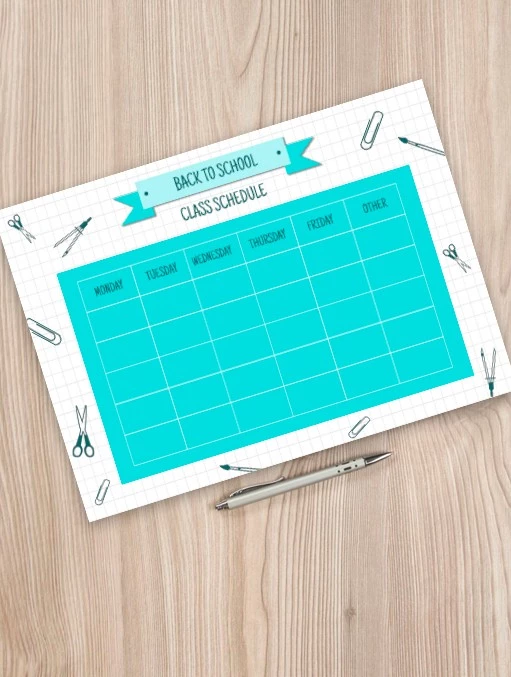
To make your students happy, you should provide them with a class schedule written on the nice background. Here is a wonderful template where even some boring classes will look attractive. You also can use it for yourself not to forget about anything. The blue colors of the layout will make you feel calm every time you are looking at it. You don't have to print the google docs template to use it. Just type the names of the classes and save it on your computer. However, you also can print it on A4 paper - the quality of the layout allows you to use even bigger formats and still have the schedule in high quality.
ADVERTISEMENT
Free Template
Download Free Template
Choose your platform and start editing right away
Edit in Google Docs
Add to Google Classroom
No account required • Attribution required
Add to Collection
Facebook
Pinterest
Twitter
Copy link
Customize text, images, and colors
Print-ready for home or office
ADVERTISEMENT
How to Use and Edit This Template

1
Get Your Document
Click the "Edit Template" button to create your own editable copy in Google Docs or download for Microsoft Word

2
Customize Everything
Easily change colors, fonts, and layouts to match your unique style or brand identity

3
Add Your Content
Fill in your data, upload images, and replace the placeholder text with your own information

4
Print, Export, or Share
Print, export as PDF, or share instantly
Related Templates
Recently Viewed
Modern Class Schedule
Open in Google Docs and Microsoft Word
Modern Class Schedule
Open in Microsoft Word
Your session has ended!
This may be due to prolonged inactivity or your account being used on another device.
OK
Link copied to clipboard