Fitness Trainer Resume Template
Use this free template with Google Docs and Microsoft Word
Template Specification
Key Features of This Template
About this template
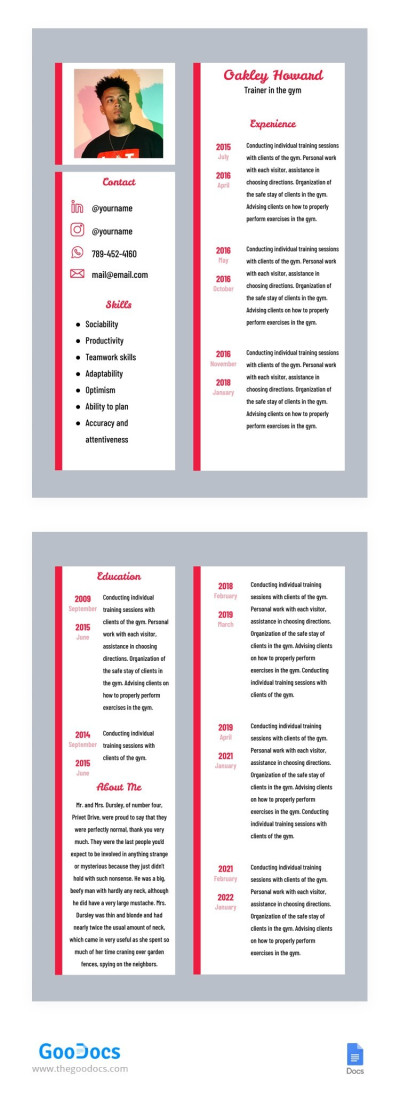
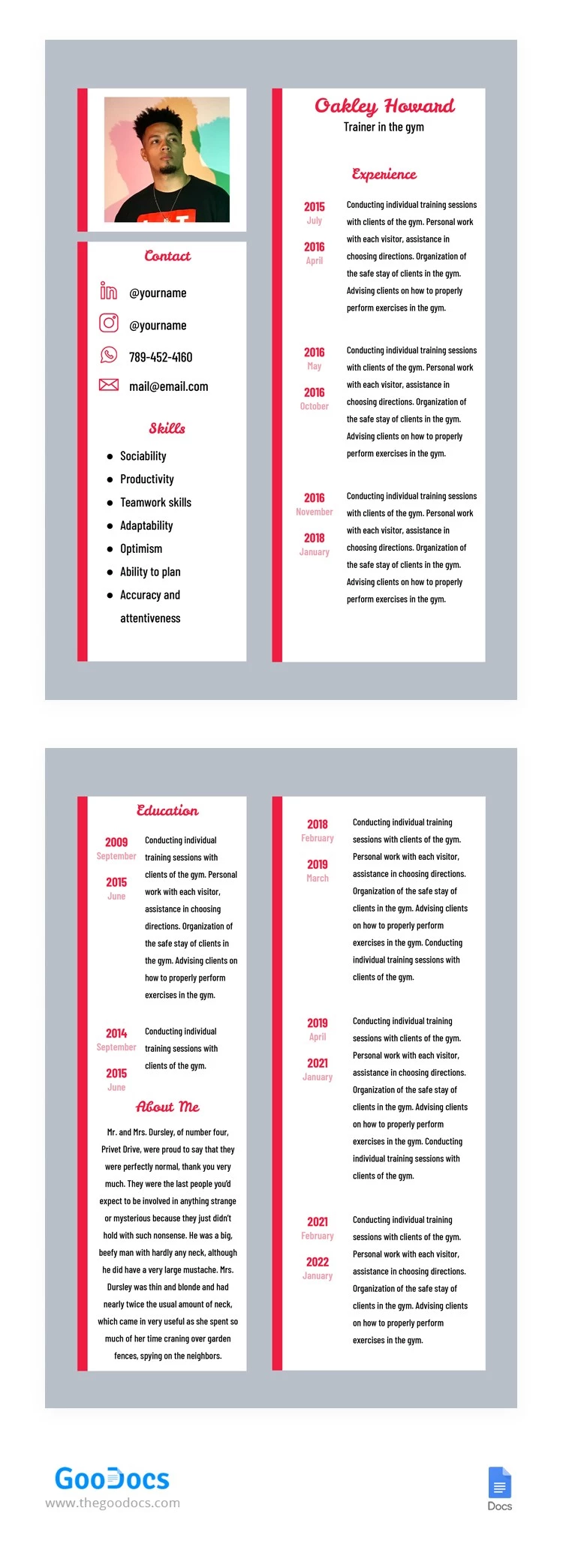
Step into the world of professional excellence with this resume template in Google Docs. The dynamic two-page layout is crafted to leave a lasting impression across industries. The contemporary fitness trainer resume design features a minimalist gray backdrop adorned with striking red dividers.
Versatile Option for Diverse Roles
This design and structure are tailored initially for sports roles yet it proves its versatility. This sample is ideal for those with extensive work experience. The strategic layout optimizes space to highlight your skills, accomplishments, and educational journey effectively.
Efficient layout:
- Page One: It serves as a concise introduction, featuring your photograph, contact details, and a comprehensive list of key skills.
- Page Two: The right side of both pages is dedicated to showing your work history.
- Page Two (Continued): The left side of the second page provides an opportunity to emphasize your educational background and craft a compelling narrative in the "About Me" section.
Professional Design
With its sleek design and attention to detail, our professional resume template sets you apart from the competition.
Are you ready to make a statement with your resume? Empower your job search journey by harnessing the potential of this form. Choose our 2 page resume template to apply for a senior position.
Download Free Template
Google Docs
Opens in browserMicrosoft Word
.docsWHAT’S INCLUDED
Resume Tips
FAQ
How to Use and Edit This Template

Get Your Document

Customize Everything

Add Your Content

Print, Export, or Share
Related Templates
Recently Viewed