
Log in
Sign up
ADVERTISEMENT
ADVERTISEMENT
Barbeque Restaurant Menu Template
Use this free template with Google Slides and Microsoft PowerPoint
4.22 (2 reviews)
•
Last updated
Updated
August 8, 2026
•
Created by
Sophia Carter
•
Type
Bifold
ADVERTISEMENT
Save
Template Specification
Format
Google Slides
Created
November 11, 2021
Last Updated
August 8, 2026
Community
Added to collections by 1 Users
Usage Stats
0 downloads this month
Key Features of This Template
Layout
Bifold Menu Templates
Suitable For
Restaurant
About this template
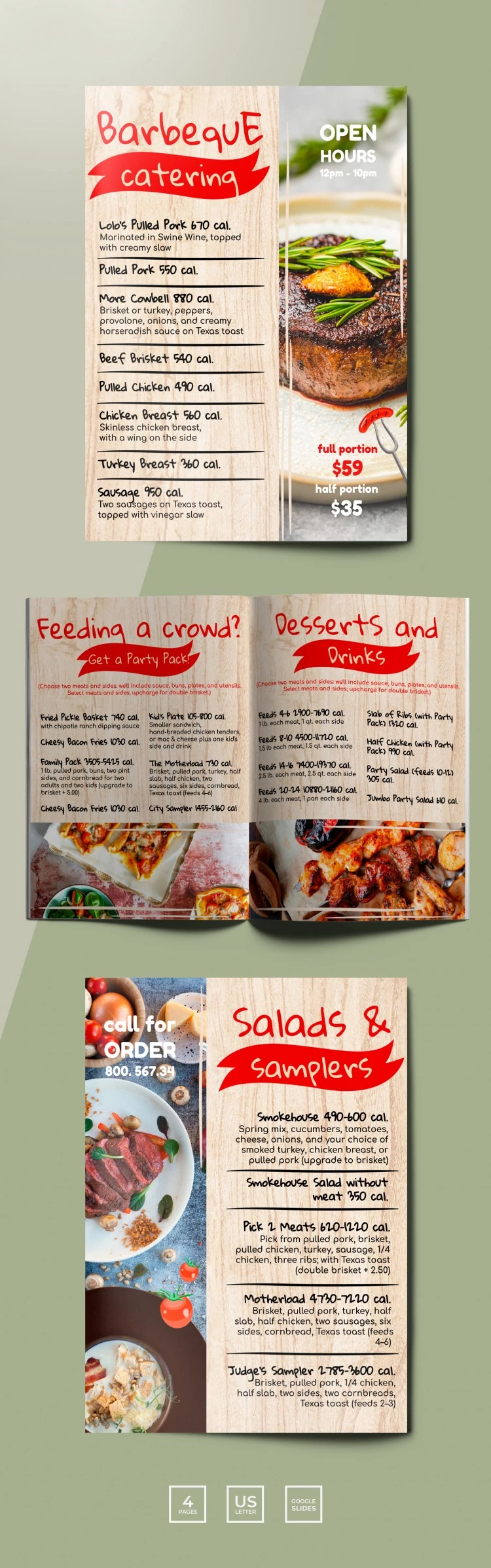
Barbeque and grill restaurant menu is your chance to increase the number of visitors in your place. If you offer your dishes in a nice way, you will get a lot of orders and new clients. Our google docs template will certainly help you to achieve such a goal. The manu we made consists of two parts each of which looks nice. The left side of it shows the list of dishes that are served in the restaurant. Meanwhile, we placed a picture of a delicious steak on the right side. You can make a separate page for drinks and replace our picture with a photograph of great cocktails you are offering to your guests. This template is fully editable and 100% free.
ADVERTISEMENT
Free Template
Download Free Template
Choose your platform and start editing right away
PLATFORM
Google Slides
Opens in browser
PAPER SIZE
US Letter
Google Slides – US Letter
No account required • Attribution required
Add to Collection
Facebook
Pinterest
Twitter
Copy link
WHAT’S INCLUDED
4-page customizable menu design
High-quality food photography options
Editable text and section headers
Suitable for Google Slides format
Menu Tips
1
Customize dish names to suit your offerings.
2
Use high-quality images for a professional look.
3
Highlight popular meals for customer attraction.
4
Keep calorie information accurate for customer trust.
FAQ
Is this template compatible with both Google Slides and PowerPoint?
Yes, it works seamlessly with both platforms.
Can I customize the template with my restaurant's details?
Absolutely, all text and images can be fully customized.
Is this template user-friendly for beginners?
Yes, it's designed to be intuitive and easy to edit.
Is the template free to download?
Yes, it's completely free and ready to use.
Can I change the color scheme to fit my brand?
Yes, easily modify colors to match your branding.
ADVERTISEMENT
How to Use and Edit This Template

1
Get Your Document
Click the "Edit Template" button to create your own editable copy in Google Slides or download for Microsoft PowerPoint

2
Customize Everything
Easily change colors, fonts, and layouts to match your unique style or brand identity

3
Add Your Content
Fill in your data, upload images, and replace the placeholder text with your own information

4
Print, Export, or Share
Print, export as PDF, or share instantly
Related Templates
Recently Viewed
Barbeque Restaurant Menu
Open in Google Slides and Microsoft PowerPoint
Barbeque Restaurant Menu
Open in Microsoft PowerPoint
Your session has ended!
This may be due to prolonged inactivity or your account being used on another device.
OK
Link copied to clipboard