Get unlimited access to 5000+ Templates for Google Docs, Slides and Sheets
Unlimited Access
All Templates

Corporate Annual Report Template

Use this free template with Google Docs and Microsoft Word
4.22 (2 reviews)
Last updated Updated June 20, 2026
Created by Avery Bailey
Type Annual
ADVERTISEMENT

Template Specification

Format Google Docs
Created November 16, 2021
Last Updated June 20, 2026
Community Added to collections by 43 Users
Usage Stats 91 downloads this month

Key Features of This Template

About this template

Our Corporate Annual Report Template is an essential tool for creating professional reports. It features a modern design paired with easy-to-read fonts and a ready-made three-page structure. You can easily customize fonts, edit content, and add your logo or other custom details in both Google Docs and Word formats.

Professional Business Report Template

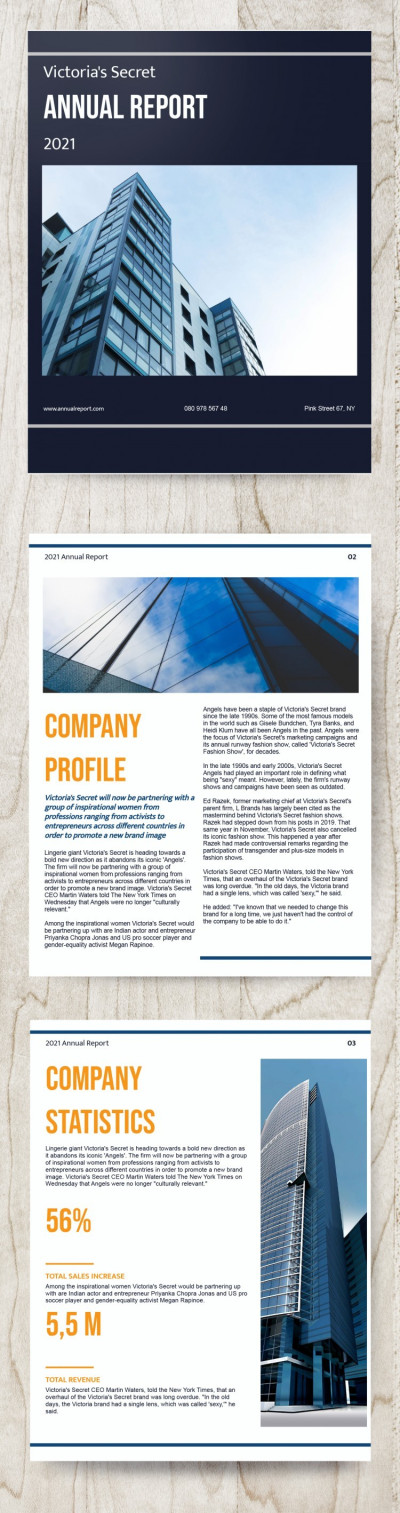
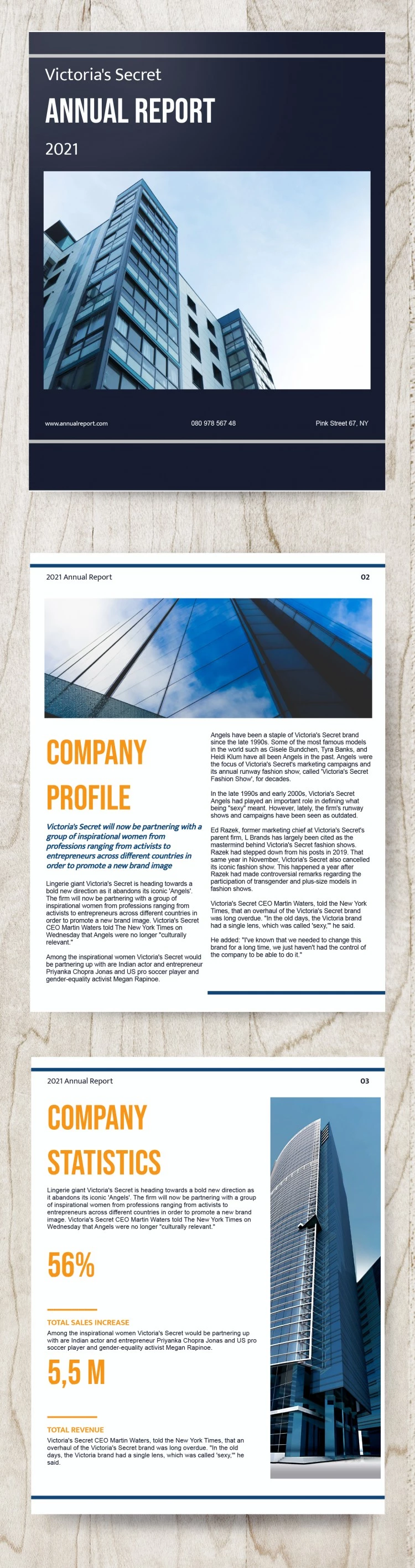
The cover page of our business report template features a modern office building, which you can keep or replace with a photo of your own headquarters. It also includes placeholders for the report title and year, as well as company details like your website, phone number, and address.

The second page includes a landscape-oriented header and a professional two-column layout for your text. The third page features a portrait-oriented photo on the right, with space for bold headings and annual statistics on the left.

To personalize the template:

  • Open it directly in the Google Docs editor.
  • Add your logo and swap out the photos.
  • Replace the placeholder text with your own statistics and summaries.

You can save your finished report as a PDF for printing in US Letter size or for digital presentations. Your free annual report template is ready for download on our website!

ADVERTISEMENT
Free Template

Download Free Template

Choose your platform and start editing right away
PLATFORM

Google Docs

Opens in browser
PAPER SIZE
US Letter
Google Docs – US Letter
No account required • Attribution required

WHAT’S INCLUDED

Modern office building cover design
Three-page structured layout
Landscape and portrait orientations
Editable placeholders for easy customization

Report Tips

1
Customize with your logo for brand consistency.
2
Replace placeholder text with your company data.
3
Use high-quality images for a professional touch.
4
Finalize by exporting as a PDF for printing.

FAQ

Is this template Google Docs compatible? Yes, it is compatible with both Google Docs and Microsoft Word.
Is this template easy to use? Yes, it's designed for intuitive editing and customization.
Can I customize the layout and text? Absolutely, you can easily modify fonts, images, and content.
Is this annual report template free? Yes, it's available for free download on our website.
Does it include charts for data visualization? No charts included, but space for statistics and summaries is provided.
ADVERTISEMENT

How to Use and Edit This Template

Get Your Document

1

Get Your Document

Click the "Edit Template" button to create your own editable copy in Google Docs or download for Microsoft Word
Customize Everything
2

Customize Everything

Easily change colors, fonts, and layouts to match your unique style or brand identity
Add Your Content
3

Add Your Content

Fill in your data, upload images, and replace the placeholder text with your own information
Print, Export, or Share
4

Print, Export, or Share

Print, export as PDF, or share instantly

Related Templates

Recently Viewed