Get unlimited access to 5000+ Templates for Google Docs, Slides and Sheets
Unlimited Access
All Templates

Abstract Weekly Report Template

Use this free template with Google Docs and Microsoft Word
4.12 (2 reviews)
Last updated Updated June 18, 2026
Created by Joseph Parker
Type Weekly
ADVERTISEMENT

Template Specification

Format Google Docs
Created September 13, 2022
Last Updated June 18, 2026
Community Added to collections by 4 Users
Usage Stats 6 downloads this month

Key Features of This Template

Style Abstract

About this template

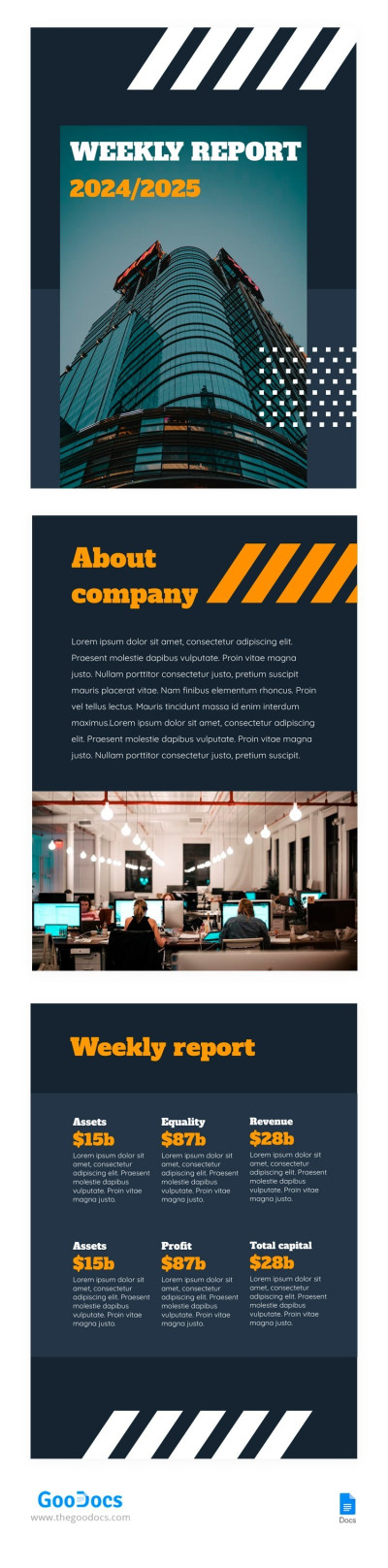
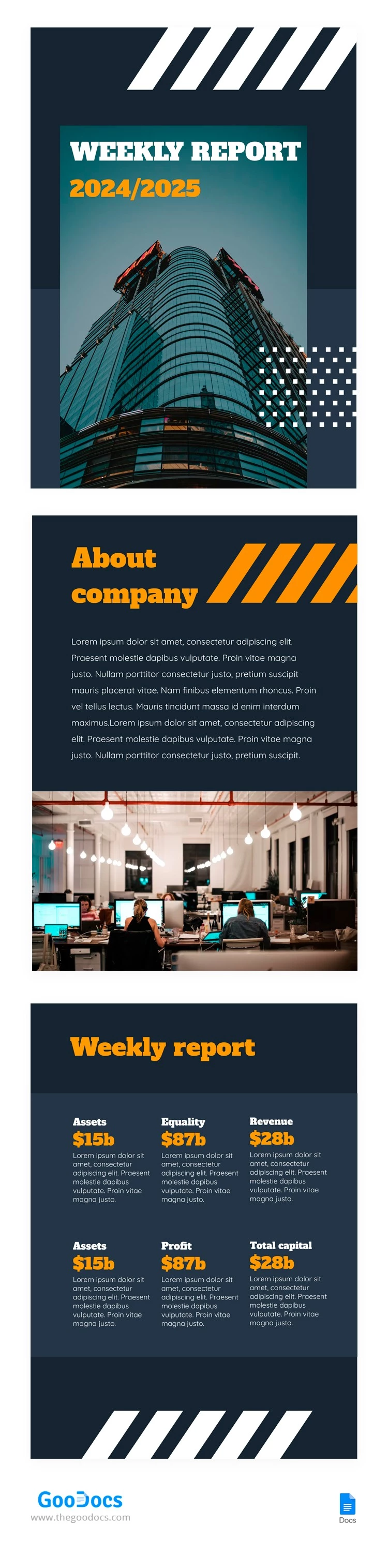
This Abstract Weekly Report Template is a versatile three-page document that will bring a fresh look to your reporting. You can use a well-organized structure instead of plain forms or lengthy presentations. The template is fully editable in Google Docs, so all you have to do is replace the placeholder text and numbers.

Organize Your Weekly Data Across Three Pages

Create a summary that's as stylish as it is practical using this business report template. The cover page features a modern architectural photo, easy-to-read typography, and a gray-blue background that sets the tone for the entire report.

On the second page, you can add company updates, such as overall performance indicators, new processes introduced this week, progress against your plan, and more. The third page features six separate blocks for any metrics of your choice, from assets and equity to revenue and profit.

This template is easy to use:

  • Open it in Google Docs and replace the placeholder text and numbers with your actual data.
  • Save it as a PDF to send online or print it in A4 or US Letter size.

Get your weekly report done in just a few minutes by using professional templates from our website.

ADVERTISEMENT
Free Template

Download Free Template

Choose your platform and start editing right away
PLATFORM

Google Docs

Opens in browser
PAPER SIZE
A4
US Letter
Google Docs – A4
No account required • Attribution required

WHAT’S INCLUDED

Modern three-page report design
Customizable metrics and sections
Stylish cover photo feature
Editable text for company updates

Report Tips

1
Use clear headings for each section.
2
Include visuals to enhance data clarity.
3
Summarize key findings on the cover page.
4
Update metrics weekly for accuracy.

FAQ

Is it compatible with Google Docs? Yes, it works seamlessly with Google Docs.
Is this template easy to customize? Absolutely, just replace the placeholder text with your data.
Can I use this template for free? Yes, it's free to download and use.
Is it compatible with Microsoft Word? Yes, you can also use it in Microsoft Word.
How detailed should my report be? The template allows for a broad overview or detailed metrics.
ADVERTISEMENT

How to Use and Edit This Template

Get Your Document

1

Get Your Document

Click the "Edit Template" button to create your own editable copy in Google Docs or download for Microsoft Word
Customize Everything
2

Customize Everything

Easily change colors, fonts, and layouts to match your unique style or brand identity
Add Your Content
3

Add Your Content

Fill in your data, upload images, and replace the placeholder text with your own information
Print, Export, or Share
4

Print, Export, or Share

Print, export as PDF, or share instantly

Related Templates

Recently Viewed