Get unlimited access to 5000+ Templates for Google Docs, Slides and Sheets
Unlimited Access
All Templates
ADVERTISEMENT
ADVERTISEMENT

Sleek Event Flyer

Use this free template with Google Slides and Microsoft PowerPoint
4.25 (1 reviews)
Last updated Updated August 4, 2026
Created by Alevtina Shavlach
ADVERTISEMENT

Template Specification

Format Google Slides, Microsoft PowerPoint
Created June 1, 2024
Last Updated August 4, 2026
Community Added to collections by 1 Users
Usage Stats 1 downloads this month

About this template

Promote your event online and offline using our Event Flyer template! Use two designs at once in warm or cool shades for free!

Two Different Professional Designs

Choose this Google Slide flyer template and get two layout options at once.

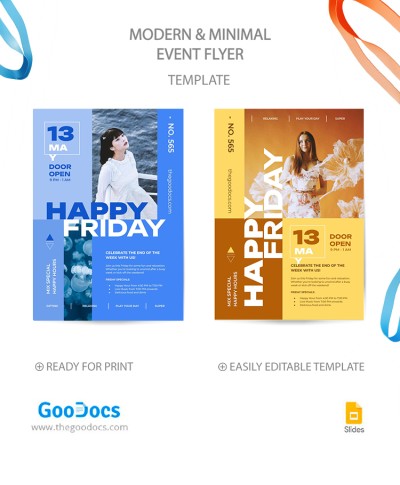
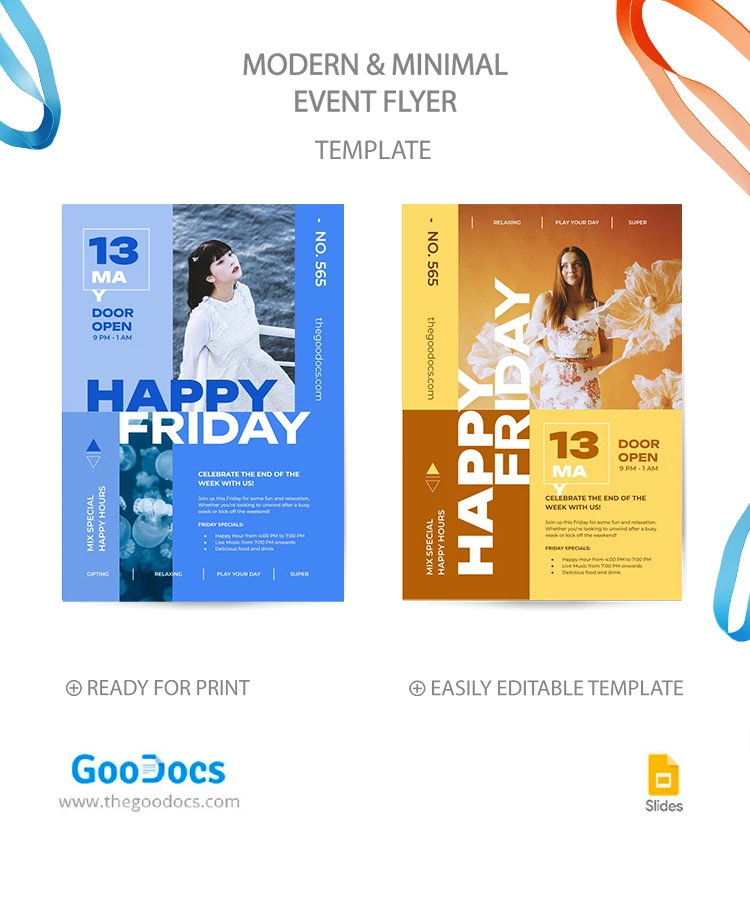
The first is in warm orange and yellow shades, with a vertical title and a large placeholder for a stock or your promotional picture. The placeholder for the date and location is in the left corner below the middle, where you can fill in more information about the event.

The second flyer design in blue and cool blue shades is different from the previous one. Placeholders for the date and time are in the upper left corner, and the space for a photo is narrower than in the first case. Titles are written horizontally, and event information is in the same place.

Use the first, second, or both designs to see which works best to promote your event! Get even more flyer templates in our dedicated category.

ADVERTISEMENT
Free Template

Download Free Template

Choose your platform and start editing right away
PLATFORM

Google Slides

Opens in browser

Microsoft PowerPoint

.pptx
PAPER SIZE
A4
US Letter
Google Slides – A4
No account required • Attribution required

WHAT’S INCLUDED

Two customizable flyer designs
Warm and cool color themes
Photo and text placeholders
Editable in Google Slides and PowerPoint

Flyer Tips

1
Choose the color scheme that fits your event theme.
2
Replace the images with high-quality event photos.
3
Add your event details using the text placeholders.
4
Preview both designs to select the best one.

FAQ

Is this template compatible with Google Slides? Yes, it's fully compatible with Google Slides.
Can I edit the colors in the template? Yes, both color themes are customizable.
Is this template free to use? Yes, it is completely free to download and use.
How many flyer designs are included? There are two distinct designs included.
Can I use it in Microsoft PowerPoint? Yes, it's also compatible with PowerPoint.
ADVERTISEMENT

How to Use and Edit This Template

Get Your Document

1

Get Your Document

Click the "Edit Template" button to create your own editable copy in Google Slides or download for Microsoft PowerPoint
Customize Everything
2

Customize Everything

Easily change colors, fonts, and layouts to match your unique style or brand identity
Add Your Content
3

Add Your Content

Fill in your data, upload images, and replace the placeholder text with your own information
Print, Export, or Share
4

Print, Export, or Share

Print, export as PDF, or share instantly

Related Templates

Recently Viewed