Get unlimited access to 5000+ Templates for Google Docs, Slides and Sheets
Unlimited Access
All Templates
ADVERTISEMENT
ADVERTISEMENT

Funny Family Tree Template

Use this free template with Google Docs and Microsoft Word
4.22 (2 reviews)
Last updated Updated August 4, 2026
Created by Michael Allen
Type 3 Generations
ADVERTISEMENT

Template Specification

Format Google Docs
Created October 21, 2021
Last Updated August 4, 2026
Community Added to collections by 3 Users
Usage Stats 4 downloads this month

Key Features of This Template

Suitable For Family

About this template

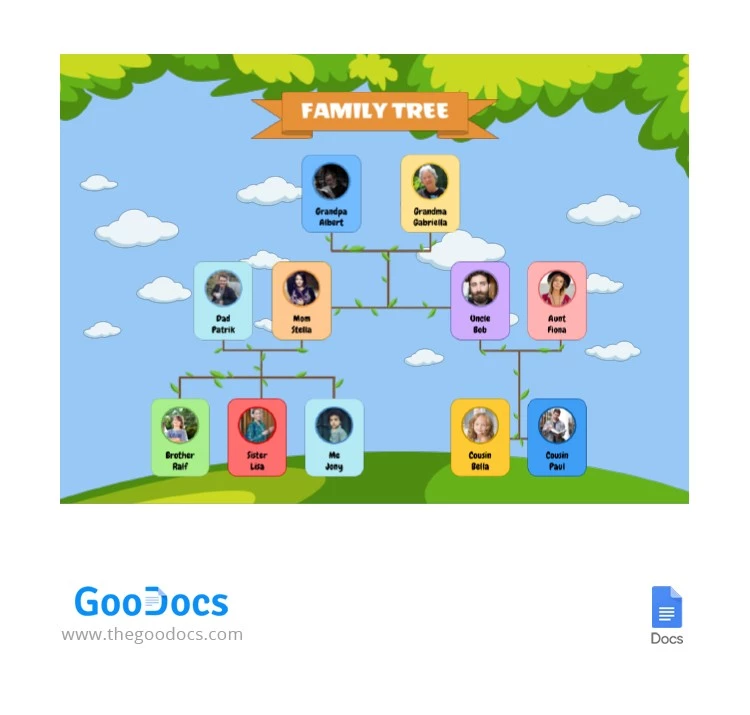
This Funny Family Tree Template features a playful and simple design that's perfect for kids. A nice blue sky, cute white clouds, and plenty of greenery—it looks great! The completed template can be easily printed on any printer in A4 and US Letter sizes.

Fun Cartoon Family Tree Design

Using our blank family tree, you can create a completely personalized poster. It's sure to look great framed anywhere in your home. The layout accommodates three generations and includes frames for adding photos and names of siblings, parents, aunts, uncles, cousins, and grandparents.

Each frame has its own color, from green and blue to yellow and purple. With this 3-generation family tree template, you can:

  • Customize the placement, number, and size of frames.
  • Change the color of each placeholder.
  • Add a family name and choose new fonts for all text.
  • Add the best photo of each relative.

On our website, you can find unique editable family tree slides and options in other formats.

ADVERTISEMENT
Free Template

Download Free Template

Choose your platform and start editing right away
PLATFORM

Google Docs

Opens in browser
PAPER SIZE
A4
US Letter
Google Docs – A4
No account required • Attribution required

WHAT’S INCLUDED

Playful design with photo placeholders
Editable names and family relations
Print-ready A4 and US Letter sizes
Vibrant color-coded sections

Family Tree Tips

1
Add memorable photos to each frame for a personal touch.
2
Customize text styles to highlight family names.
3
Use different colors for each generation for clarity.
4
Print on high-quality paper for a better finish.

FAQ

Is this template compatible with any device? Yes, use it with Google Docs and Microsoft Word on any device.
How easy is it to customize? Very easy, simply click and edit text and images.
Can I change the color scheme? Yes, you can choose new colors for each section.
Is this template free? Yes, it is free to download and use.
What page sizes are supported? The template supports A4 and US Letter sizes.
ADVERTISEMENT

How to Use and Edit This Template

Get Your Document

1

Get Your Document

Click the "Edit Template" button to create your own editable copy in Google Docs or download for Microsoft Word
Customize Everything
2

Customize Everything

Easily change colors, fonts, and layouts to match your unique style or brand identity
Add Your Content
3

Add Your Content

Fill in your data, upload images, and replace the placeholder text with your own information
Print, Export, or Share
4

Print, Export, or Share

Print, export as PDF, or share instantly

Related Templates

Recently Viewed