
Log in
Sign up
ADVERTISEMENT
ADVERTISEMENT
Green and Pink Budget Tracker Template
Use this free template with Google Sheets and Microsoft Excel
4.53 (2 reviews)
•
Last updated
Updated
July 25, 2026
•
Created by
Liam Anderson
•
Type
Monthly
ADVERTISEMENT
Save
Template Specification
Format
Google Sheets
Created
December 6, 2021
Last Updated
July 25, 2026
Community
Added to collections by 0 Users
Usage Stats
0 downloads this month
Key Features of This Template
Period
Monthly Tracker Templates
About this template
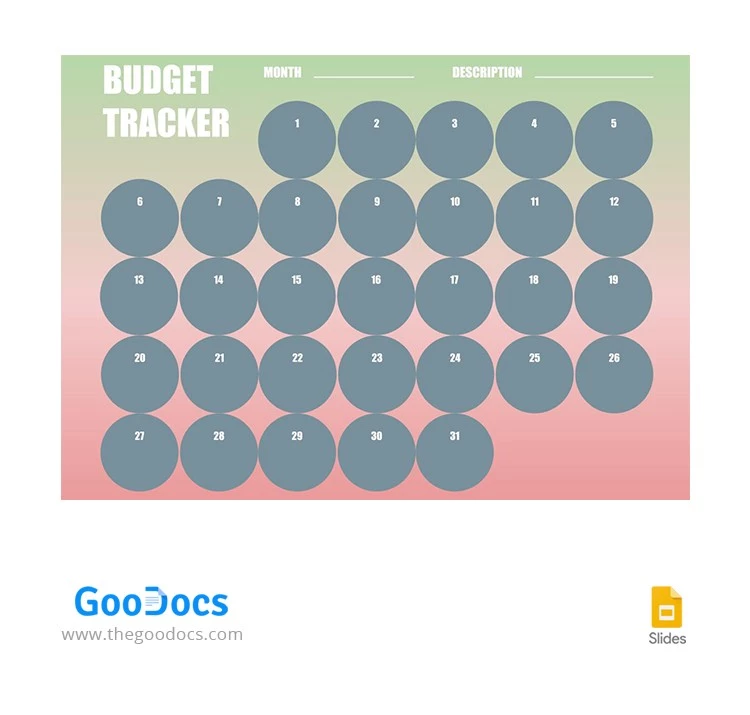
The budget tracker with a gradient background that combines green and pink is perfect for those who want to manage their finances in a wise way. Write the approximate amount of money you are planning to spend every day of the month and then, add the amounts you actually spent. Comparing these two numbers in every circle will give you a lot of information about your relationship with money.
ADVERTISEMENT
Free Template
Download Free Template
Choose your platform and start editing right away
PLATFORM
Google Sheets
Opens in browser
PAPER SIZE
A4
US Letter
Google Sheets – A4
No account required • Attribution required
Add to Collection
Facebook
Pinterest
Twitter
Copy link
WHAT’S INCLUDED
Daily expense tracking circles
Color-coded spending gradient
Monthly budget overview section
Space for personalized descriptions
Tracker Tips
1
Update your expenses daily for accuracy.
2
Set a specific time each week to review spending.
3
Use the color gradient to spot overspending.
4
Describe major expenses for better tracking.
FAQ
Is this template compatible with Excel?
Yes, it works with both Google Sheets and Excel.
Is the template easy to customize?
Yes, you can easily personalize fields and descriptions.
Is this budget tracker free to download?
Yes, it is free to download and use.
Can I use this for business expenses?
Yes, adapt the template for personal or business use.
Does it include automatic calculations?
No, you need to enter your calculations manually.
ADVERTISEMENT
How to Use and Edit This Template

1
Get Your Document
Click the "Edit Template" button to create your own editable copy in Google Sheets or download for Microsoft Excel

2
Customize Everything
Easily change colors, fonts, and layouts to match your unique style or brand identity

3
Add Your Content
Fill in your data, upload images, and replace the placeholder text with your own information

4
Print, Export, or Share
Print, export as PDF, or share instantly
Related Templates
Recently Viewed
Green and Pink Budget Tracker
Open in Google Sheets and Microsoft Excel
Green and Pink Budget Tracker
Open in Microsoft Excel
Your session has ended!
This may be due to prolonged inactivity or your account being used on another device.
OK
Link copied to clipboard