Get unlimited access to 5000+ Templates for Google Docs, Slides and Sheets
Unlimited Access
All Templates

Basic Gradebook and Attendance Tracker Template

Use this free template with Google Sheets and Microsoft Excel
4.25 (1 reviews)
Last updated Updated June 20, 2026
Created by Natalia Prokhorenko
ADVERTISEMENT

Template Specification

Format Google Sheets, Microsoft Excel
Created October 30, 2024
Last Updated June 20, 2026
Community Added to collections by 11 Users
Usage Stats 9 downloads this month

About this template

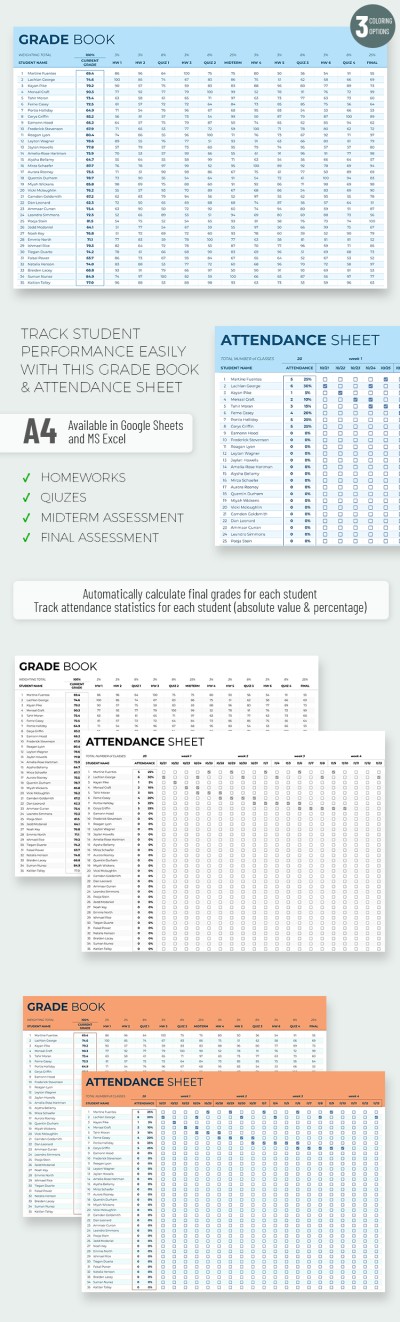
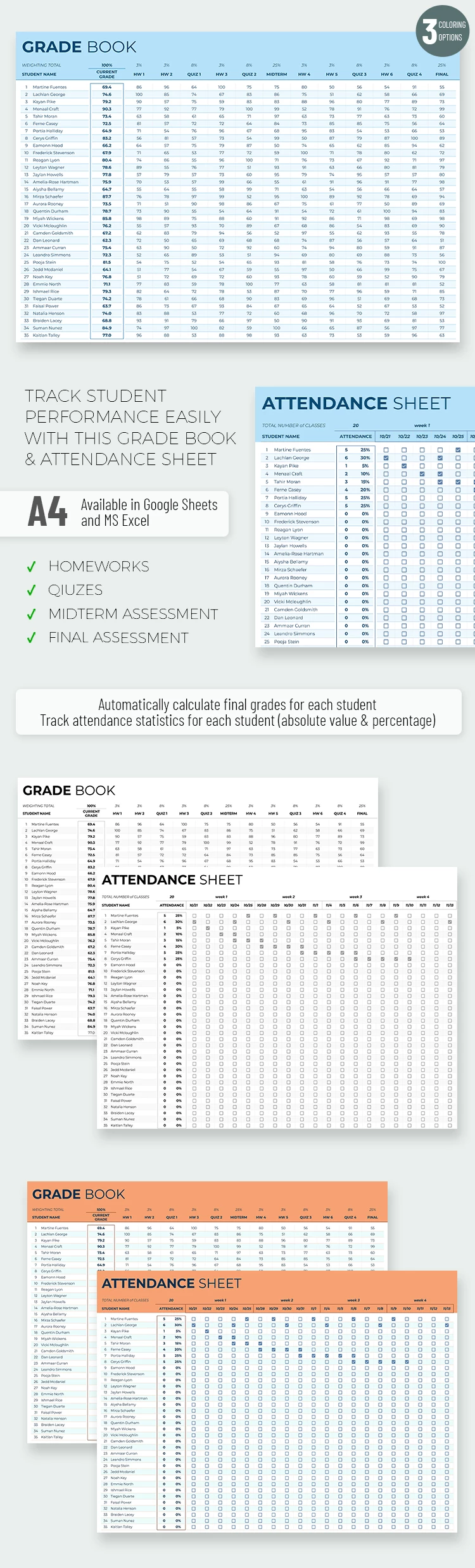
Check out our Basic Gradebook and Attendance Sheet Template with three coloring options! With this spreadsheet, you can record grades and attendance of students in one place, using the convenient functionalities of Google Sheets and Excel editors.

Three Design Options

The blank includes three design options: black and white and maximally formal, blue, and orange. You can choose the one that suits you or alternate them according to your mood or the classes you teach.

Overall Grade Calculations Included

Our Excel attendance tracker template comes with formulas for quickly calculating the final grade. Just add the marks that students get for homework, class activities, and exams into 12 columns, and the final grade will be calculated automatically!

Moreover, the template is 100% editable, so you can customize it to the required number of grades and scholars.

Additional Attendance Sheet

The second sheet also has built-in formulas for calculating attendance as a percentage. Select students who were in class using checklists, and the template will do the rest for you!

ADVERTISEMENT
Free Template

Download Free Template

Choose your platform and start editing right away
PLATFORM

Google Sheets

Opens in browser

Microsoft Excel

.xlsx
PAPER SIZE
A4 Landscape
Google Sheets – A4 Landscape
No account required • Attribution required

WHAT’S INCLUDED

Three design options: blue, black, orange
Automatic grade calculation formulas
Attendance tracking with percentage
Editable for customized grading needs

Tracker Tips

1
Update grades immediately for accurate results
2
Customize design to match class mood
3
Regularly check attendance to spot trends
4
Use percentage view for quick insights

FAQ

Is this template compatible with Excel? Yes, it works with both Excel and Google Sheets.
How easy is it to use? It's user-friendly with built-in formulas and simple design.
Can I customize the template? Yes, it's fully editable for your needs.
Is this template free? Yes, it is available for free download.
What if I have more grading columns? You can easily add more columns as needed.
ADVERTISEMENT

How to Use and Edit This Template

Get Your Document

1

Get Your Document

Click the "Edit Template" button to create your own editable copy in Google Sheets or download for Microsoft Excel
Customize Everything
2

Customize Everything

Easily change colors, fonts, and layouts to match your unique style or brand identity
Add Your Content
3

Add Your Content

Fill in your data, upload images, and replace the placeholder text with your own information
Print, Export, or Share
4

Print, Export, or Share

Print, export as PDF, or share instantly

Related Templates

Recently Viewed