Professional Purchase Order Template
Use this free template with Google Sheets and Microsoft Excel
Template Specification
About this template
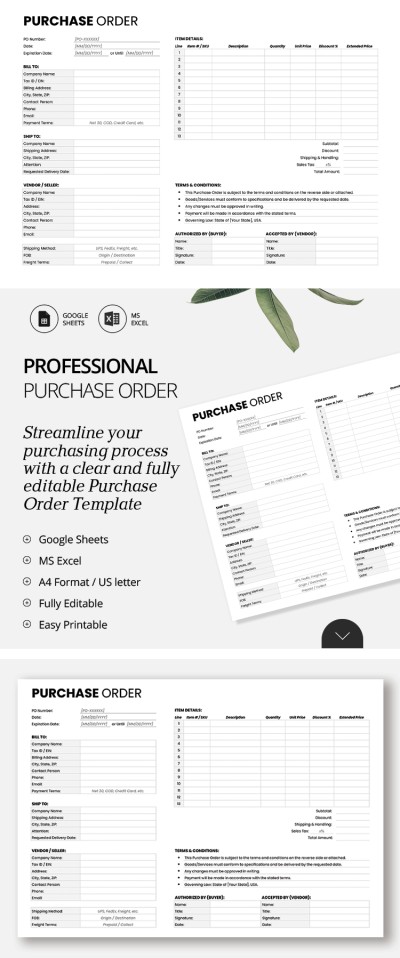
Get free access to this ready-to-fill Professional Purchase Order Template. Our universal template is suitable for creating purchase orders in any industry. It comes with dedicated sections for your itemized list, shipping and billing details, authorization info, and more.
Use This Structured B2B Purchase Order
Using a purchase order template is much easier than creating a layout from scratch. You don't need to design sections or figure out what a PO must include; you can simply use a ready-made layout and fill it in with your details.
Our template features:
- Dedicated fields for the PO number, order date, and expiration date.
- A Billing & Shipping section with company names, tax IDs, contact details, requested delivery dates, and shipping addresses.
- A Vendor/Seller section to outline information about the company you're purchasing from.
- An Item Details table with placeholders for line number, item number or SKU, description, quantity, unit price, discount, and extended price.
The template concludes with a totals section for the subtotal, shipping and handling costs, sales tax, and total amount. Below that, you can specify the PO terms and conditions and include fields for authorized signatures and approvals. Use this template or find more free Google Sheets templates on our website.
How to Use and Edit This Template

Get Your Document

Customize Everything

Add Your Content

Print, Export, or Share
Related Templates
Recently Viewed