Electrical Estimate Template
Use this free template with Google Sheets and Microsoft Excel
Template Specification
About this template
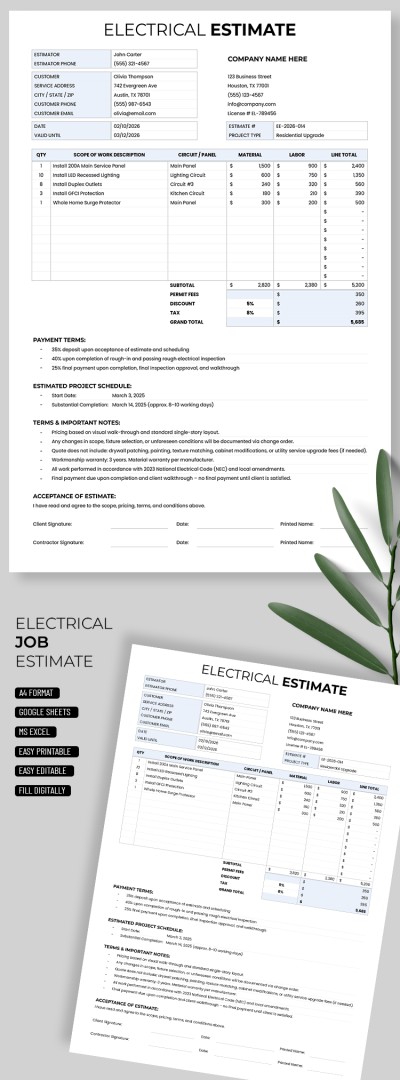
Calculate your estimate quickly and accurately, and submit it in a clear, structured format using our Electrical Estimate Template. This spreadsheet not only comes with a pre-made layout for all your project details, but also includes built-in formulas. You can easily use and customize it in Google Sheets and Excel.
Easily Calculate Your Electrical Job Pricing
Our estimate template consists of three main sections. In the header, you can enter customer information (name, service address, contact details, date, etc.) and your company details in dedicated fields.
Below is the main table where you can:
- Add hours, services, or the number of people required to complete the job.
- Enter a detailed description of the job, circuits or panels, materials, and labor.
- Add line totals for each item.
Below the table, the subtotal, discount, tax, and grand total are automatically calculated. Further down, you can specify payment terms, the estimated project schedule, notes, and estimate acceptance details. Try this template for free or find more Google Sheet templates on our website.
How to Use and Edit This Template

Get Your Document

Customize Everything

Add Your Content

Print, Export, or Share
Related Templates
Recently Viewed