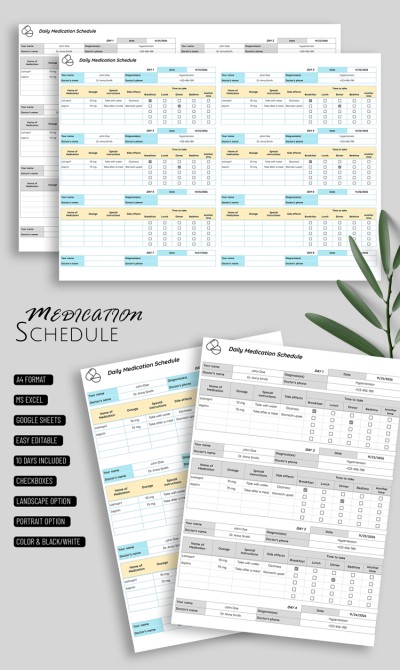
Daily Medication Schedule Template
Use this free template with Google Sheets and Microsoft Excel
Template Specification
Key Features of This Template
About this template
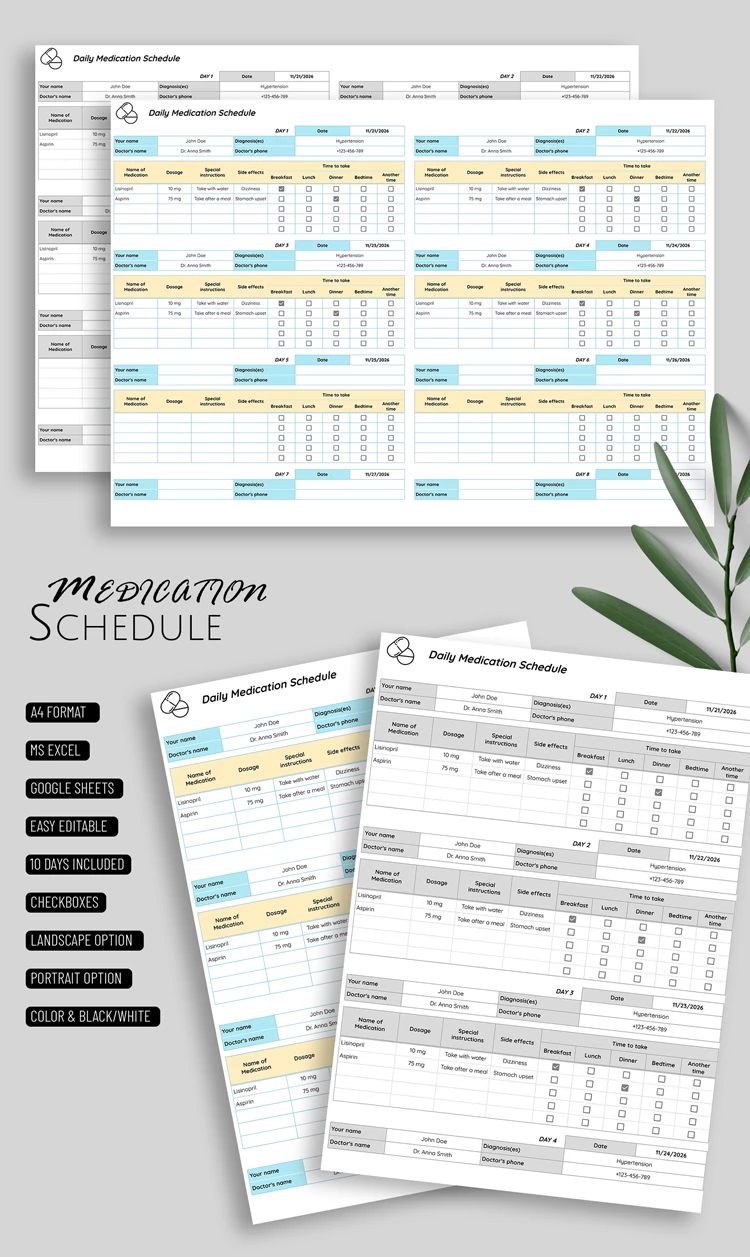
Our Daily Medication Schedule Template allows you to keep a complete list of your medications or supplements in a structured format on a single page. Use separate, fully editable, ready-to-fill sheets for days 1-10 in Google Sheets and Excel. This medication list template comes in four versions, including black-and-white and color options in both portrait and landscape layouts.
Easily Create a Comprehensive Daily Medication Schedule
Our sample features separate sheets for each day, allowing you to quickly enter all the necessary information:
- Enter the patient and doctor names, diagnosis, date, and doctor's phone number in the header of each sheet.
- Add the medication name, dosage, special instructions, and side effects.
- Select the intake time (breakfast, lunch, dinner, bedtime, or other) by checking the boxes.
This way, you can fill out the 10-day schedule to keep an accurate record of your medications, instructions, and contraindications all in one place. The black-and-white version is perfect for printing, while the color templates make filling it out digitally more enjoyable. Find a template for daily schedule on our website.
How to Use and Edit This Template

Get Your Document

Customize Everything

Add Your Content

Print, Export, or Share
Related Templates
Recently Viewed