Get unlimited access to 5000+ Templates for Google Docs, Slides and Sheets
Unlimited Access
All Templates
ADVERTISEMENT
ADVERTISEMENT

Harvard Business School Resume Template

Use this free template with Google Docs and Microsoft Word
4.25 (1 reviews)
Last updated Updated September 17, 2026
Type Simple, 2 Pages, Harvard
ADVERTISEMENT

Template Specification

Format Google Docs, Microsoft Word
Created September 23, 2024
Last Updated September 17, 2026
Community Added to collections by 28 Users
Usage Stats 51 downloads this month

Key Features of This Template

Compatibility Harvard Resume Templates
Suitable For Students

About this template

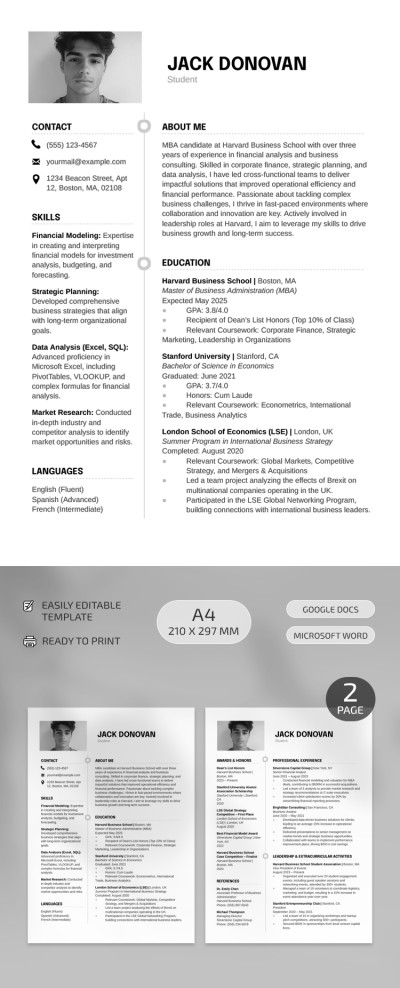
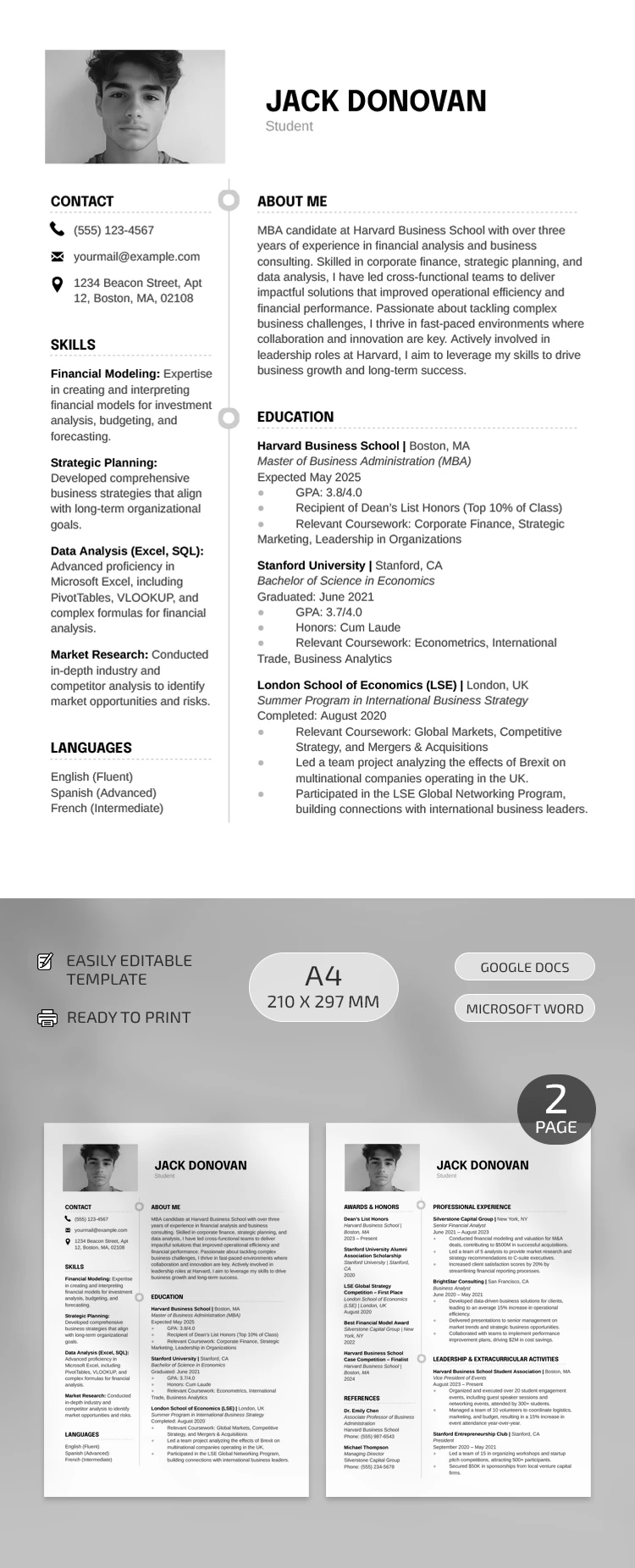
This Harvard Business School Resume Template includes two templates. Depending on your task, you can use either of them for free.

Editable and Printable Sample

You can customize our Harvard resume template for any profession. It will take much less time to add relevant data to your document! The template is available in Google Docs and Word formats, and after customization, you can print it.

Only Important Details

If you want to focus on soft and hard skills, then the first college student resume template will suit you better. It consists of Contacts, Skills, Languages, About Me, and Education sections. This choice is preferable for candidates without previous work experience.

The second blank features other sections, such as Awards and Honors, References, Professional Experience, and Extracurricular Activities. Both options have a strict and formal design, and don't forget that you can find even more free resume templates on our website!

ADVERTISEMENT
Free Template

Download Free Template

Choose your platform and start editing right away
PLATFORM

Google Docs

Opens in browser

Microsoft Word

.docs
PAPER SIZE
A4
Google Docs – A4
No account required • Attribution required

WHAT’S INCLUDED

Two-page professional resume template
Customizable sections for easy editing
Complete with skills and experience areas
A4 optimized, print-ready format

Resume Tips

1
Personalize each section to match your achievements.
2
Use bullet points for concise information delivery.
3
Highlight key skills relevant to your industry.
4
Update regularly to reflect recent experiences.

FAQ

Is this template compatible with Google Docs? Yes, use it seamlessly in Google Docs and Microsoft Word.
How easy is it to customize? Very easy; edit sections to suit your profile effortlessly.
Is the template free to download? Yes, it’s free to download and use.
Can I edit the text styles and headings? Absolutely, all text styles and headings are editable.
Which page sizes does it support? The template is optimized for A4 and print-ready.
ADVERTISEMENT

How to Use and Edit This Template

Get Your Document

1

Get Your Document

Click the "Edit Template" button to create your own editable copy in Google Docs or download for Microsoft Word
Customize Everything
2

Customize Everything

Easily change colors, fonts, and layouts to match your unique style or brand identity
Add Your Content
3

Add Your Content

Fill in your data, upload images, and replace the placeholder text with your own information
Print, Export, or Share
4

Print, Export, or Share

Print, export as PDF, or share instantly

Related Templates

Recently Viewed