Get unlimited access to 5000+ Templates for Google Docs, Slides and Sheets
Unlimited Access
All Templates

Restaurant Menu Design Template

Use this free template with Google Docs and Microsoft Word
4.22 (2 reviews)
Last updated Updated June 18, 2026
Created by Sophia Carter
ADVERTISEMENT

Template Specification

Format Google Docs
Created May 26, 2021
Last Updated June 18, 2026
Community Added to collections by 24 Users
Usage Stats 3 downloads this month

Key Features of This Template

Suitable For Restaurant

About this template

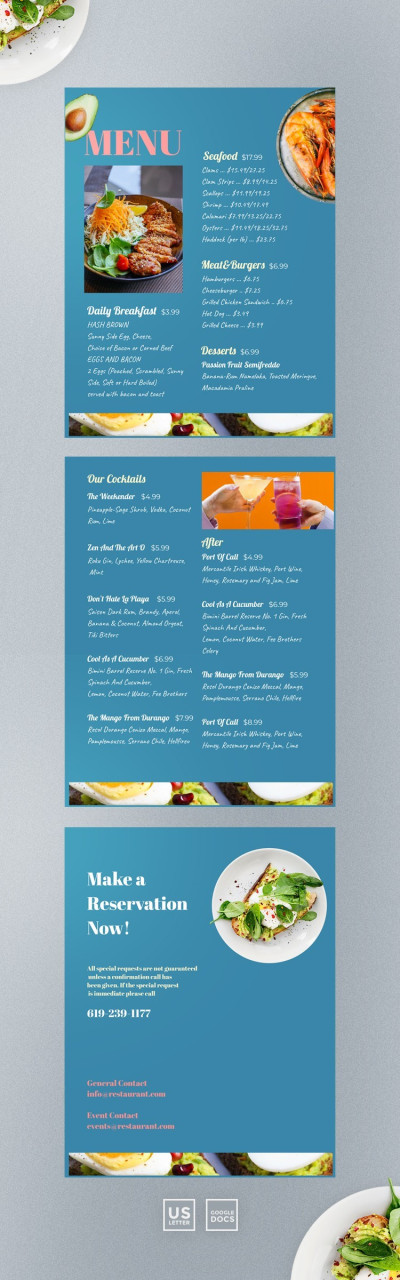
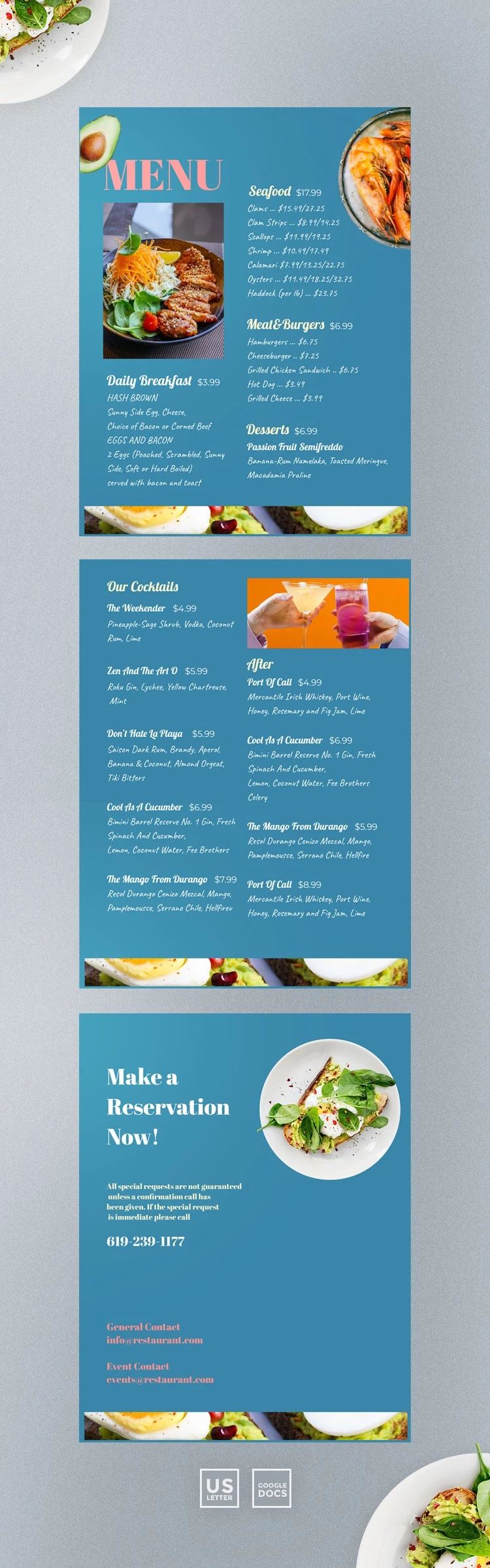
Looking for a perfect restaurant menu design? Check out our new restaurant menu template for google docs. It is fully customizable and instantly downloadable. No special editing skills needed. Free for either personal or business use. The design of the template is bright and eye-catching. The text is white and placed on a blue background, so the information is easy to read. There are 3 images on the sheet that you can replace with photos of the most photogenic dishes. The meal on the menu is divided into 4 types: seafood, meat&burgers, daily breakfast, and desserts. Therefore, clients will not have problems in choosing a dish. This restaurant menu template will come in handy for you and your colleagues. If you want to change the look of the template, you can edit that using Google Documents. It is quite simple and fast so you should not ask for help. Also, you can download and print the template in any quantity. Keep in mind that we often launch new collections of free templates for google docs. If you want to stay tuned with our updates, subscribe to our social media. Besides, you can specify a link to our service. We are grateful for any type of contribution.

ADVERTISEMENT
Free Template

Download Free Template

Choose your platform and start editing right away
PLATFORM

Google Docs

Opens in browser
PAPER SIZE
US Letter
Google Docs – US Letter
No account required • Attribution required

WHAT’S INCLUDED

Four main dish categories included
Bright, eye-catching design layout
Customizable images and text sections
Printable and downloadable formats

Menu Tips

1
Replace images with your best-selling dishes.
2
Update menu seasonally for fresh appeal.
3
Highlight specials with bold fonts.
4
Add contact info for easy reservations.

FAQ

Is this template compatible with Google Docs? Yes, it's fully compatible with Google Docs.
Can I easily customize this template? Yes, it is easily customizable without special skills.
Is the template free to use? Yes, it's free for personal and business use.
Can I print the menu directly? Yes, you can download and print it in any quantity.
How often should I update my menu? Update it regularly to reflect seasonal offerings.
ADVERTISEMENT

How to Use and Edit This Template

Get Your Document

1

Get Your Document

Click the "Edit Template" button to create your own editable copy in Google Docs or download for Microsoft Word
Customize Everything
2

Customize Everything

Easily change colors, fonts, and layouts to match your unique style or brand identity
Add Your Content
3

Add Your Content

Fill in your data, upload images, and replace the placeholder text with your own information
Print, Export, or Share
4

Print, Export, or Share

Print, export as PDF, or share instantly

Related Templates

Recently Viewed