
Log in
Sign up
ADVERTISEMENT
ADVERTISEMENT
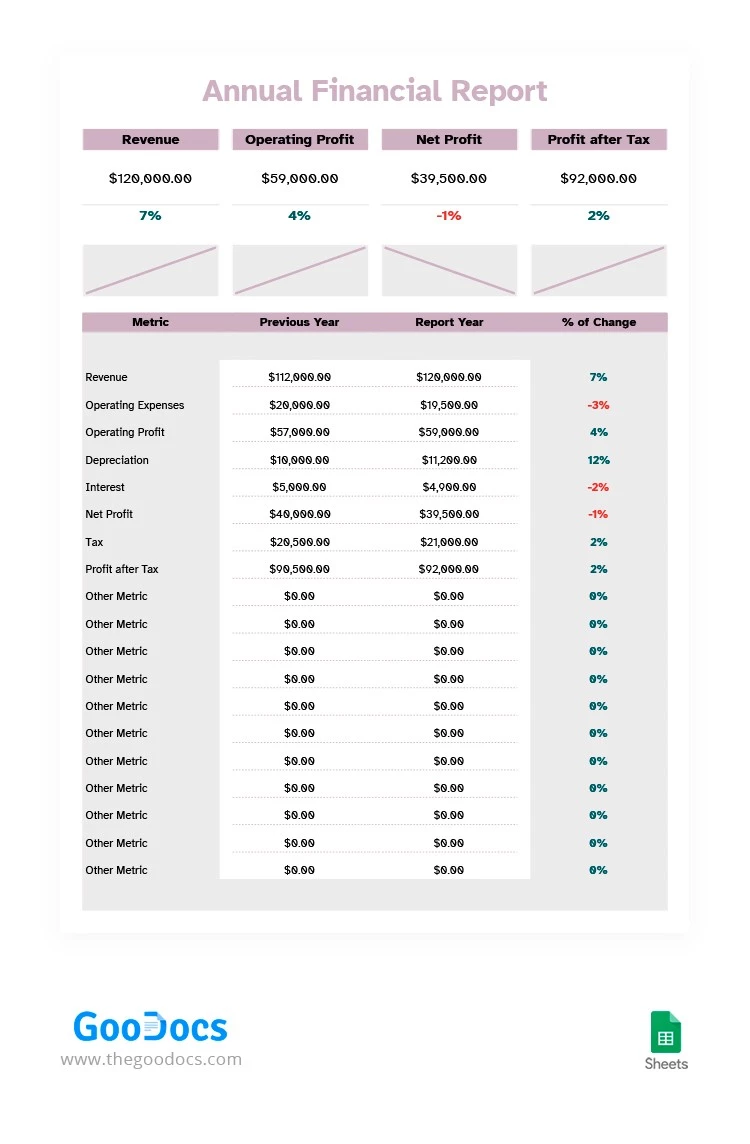
Soft Colors Financial Report Template
Use this free template with Google Sheets and Microsoft Excel
4.42 (2 reviews)
•
Last updated
Updated
October 3, 2026
•
Created by
Aiden Lewis
ADVERTISEMENT
Save
Template Specification
Format
Google Sheets
Created
January 25, 2022
Last Updated
October 3, 2026
Community
Added to collections by 9 Users
Usage Stats
1 downloads this month
About this template
The financial report template our designers made for you has a great structure that will help you to consider all the aspects of your company's profitability. Add the info about revenue, operating profit, profit after tax, etc. You can also change the names of the categories and make it your way. The template is free, so you can enjoy its benefits without spending any money.
ADVERTISEMENT
Free Template
Download Free Template
Choose your platform and start editing right away
PLATFORM
Google Sheets
Opens in browser
PAPER SIZE
US Letter
Google Sheets – US Letter
No account required • Attribution required
Add to Collection
Facebook
Pinterest
Twitter
Copy link
WHAT’S INCLUDED
Detailed financial metrics comparison
Automatic percentage change calculations
Customizable metric categories
Visual graphs for trend analysis
Report Tips
1
Update each category monthly for accurate forecasting.
2
Customize metrics to fit your specific business needs.
3
Use charts to identify profit trends over time.
4
Review expenses frequently to control operational costs.
FAQ
Is this template compatible with Excel?
Yes, it works with both Google Sheets and Excel.
Can I customize the template?
Yes, you can customize categories and metrics as needed.
Is the template free to download?
Yes, this financial report template is completely free.
How easy is it to use?
The template is user-friendly and designed for easy navigation.
Does it auto-calculate profits and losses?
Yes, it includes automatic calculations for key financial metrics.
ADVERTISEMENT
How to Use and Edit This Template

1
Get Your Document
Click the "Edit Template" button to create your own editable copy in Google Sheets or download for Microsoft Excel

2
Customize Everything
Easily change colors, fonts, and layouts to match your unique style or brand identity

3
Add Your Content
Fill in your data, upload images, and replace the placeholder text with your own information

4
Print, Export, or Share
Print, export as PDF, or share instantly
Related Templates
Recently Viewed
Soft Colors Financial Report
Open in Google Sheets and Microsoft Excel
Soft Colors Financial Report
Open in Microsoft Excel
Your session has ended!
This may be due to prolonged inactivity or your account being used on another device.
OK
Link copied to clipboard