
Log in
Sign up
ADVERTISEMENT
ADVERTISEMENT
Pastel Weekly Report Template
Use this free template with Google Docs and Microsoft Word
4.58 (2 reviews)
•
Last updated
Updated
October 17, 2026
•
Created by
Grace Green
•
Type
Weekly
ADVERTISEMENT
Save
Template Specification
Format
Google Docs
Created
November 6, 2022
Last Updated
October 17, 2026
Community
Added to collections by 17 Users
Usage Stats
20 downloads this month
Key Features of This Template
Period
Weekly Report Templates
About this template
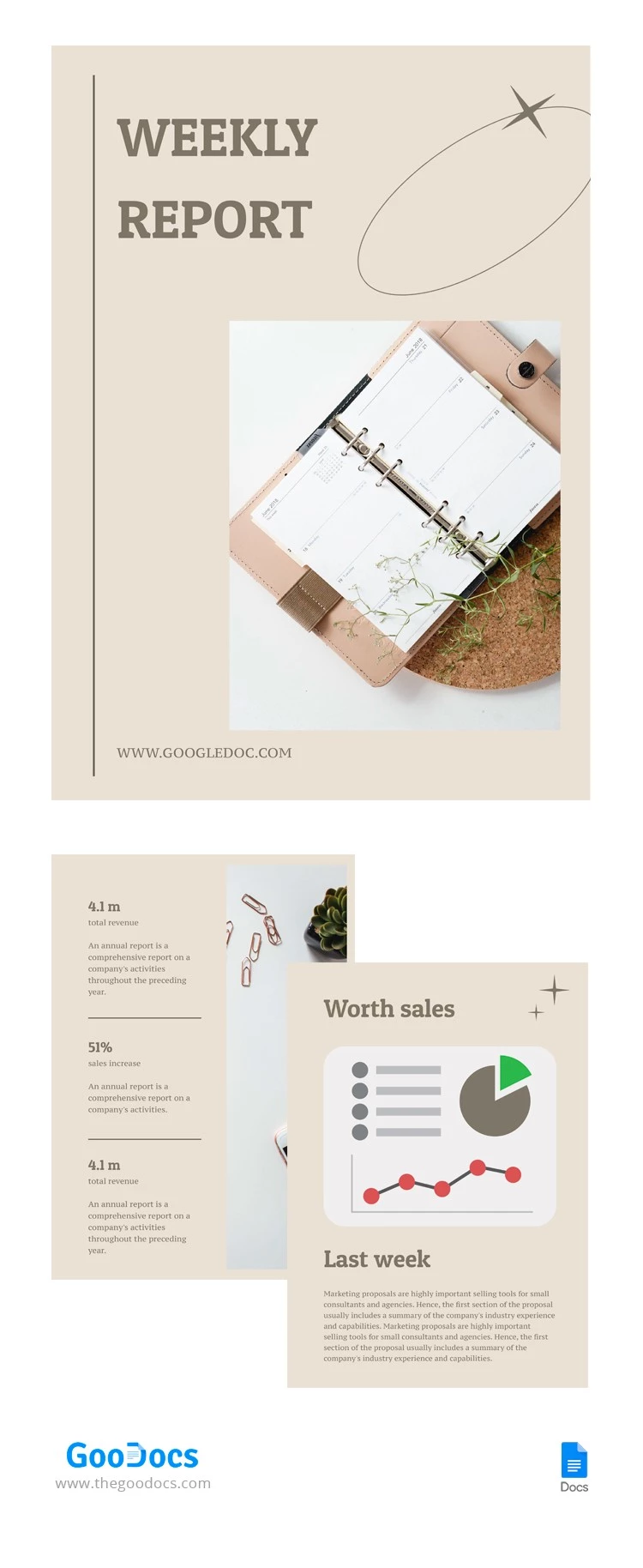
Use our Pastel Weekly Report Template instead of wasting time designing and formatting your document from scratch. This template features three pages with fully editable placeholders for headings, text, and images. All pages come with a consistent pastel design and easy-to-read fonts.
Elegant Three-Page Weekly Report
A report's visuals should highlight the most important metrics and descriptions, not distract from them. You can achieve exactly that with our business report template for Word.
Inside, you'll find three pages:
- Add your report title, contact information, and photos or illustrations (you can also keep the default ones).
- Fill in your company's key figures, including total revenue, sales growth, net profit margin, and cash flow (you can also add descriptions to explain any changes or show how they compare to your goals).
- Use the third page to provide additional information regarding the week’s progress and project success.
Our template features an aesthetic design that will complement your data and simplify the reporting process. Use this version or browse our website to find a weekly report template for your needs.
ADVERTISEMENT
Free Template
Download Free Template
Choose your platform and start editing right away
PLATFORM
Google Docs
Opens in browser
PAPER SIZE
A4
US Letter
Google Docs – A4
No account required • Attribution required
Add to Collection
Facebook
Pinterest
Twitter
Copy link
WHAT’S INCLUDED
Elegant three-page report layout
Fully editable text placeholders
Consistent pastel design theme
Sections for company performance metrics
Report Tips
1
Customize images to match your brand identity.
2
Highlight key metrics for easy reference.
3
Summarize weekly progress succinctly.
4
Use clear headings for better organization.
FAQ
Is this compatible with Google Docs?
Yes, it works with Google Docs and Microsoft Word.
How easy is it to customize?
It's fully editable, making customization easy.
Is the template free to use?
Yes, it's free to download and use.
Can I change the design elements?
Yes, you can modify design elements as needed.
Does it include charts and graphs?
Yes, there's a section for visual data representation.
ADVERTISEMENT
How to Use and Edit This Template

1
Get Your Document
Click the "Edit Template" button to create your own editable copy in Google Docs or download for Microsoft Word

2
Customize Everything
Easily change colors, fonts, and layouts to match your unique style or brand identity

3
Add Your Content
Fill in your data, upload images, and replace the placeholder text with your own information

4
Print, Export, or Share
Print, export as PDF, or share instantly
Related Templates
Recently Viewed
Pastel Weekly Report
Open in Google Docs and Microsoft Word
Pastel Weekly Report
Open in Microsoft Word
Your session has ended!
This may be due to prolonged inactivity or your account being used on another device.
OK
Link copied to clipboard