Marketing Report Template for Campaign Analytics
Use this free template with Google Sheets and Microsoft Excel

Template Specification
About this template
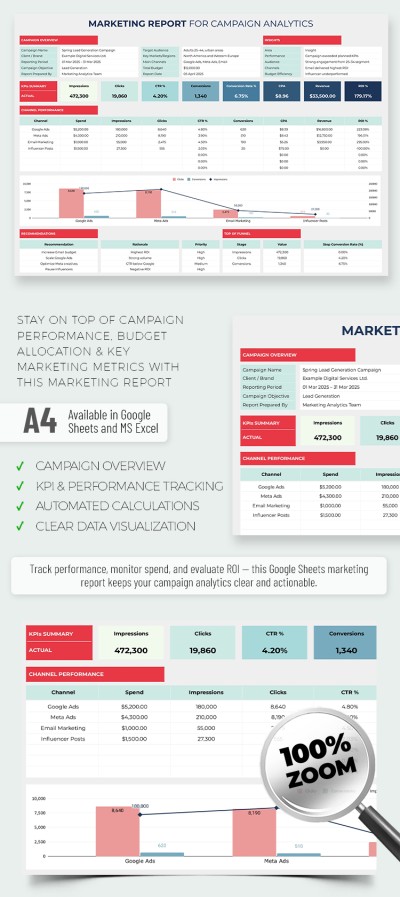
Track key metrics for your marketing campaigns using just one spreadsheet. Our Marketing Report Template features a professional structure paired with a clean and modern design. Assign budgets for each promotional channel, generate automatic conversion charts, and view full channel performance instantly. By the way, our Excel and Google Sheet report template is fully editable on all devices.
See Which Campaigns Actually Drive Sales
Our spreadsheet allows you to analyze each campaign across several key points. You can monitor data from different channels, methods, and teams in a single sheet without losing sight of the big picture.
The marketing report template is easy to use and consists of separate sections:
- Enter complete information about your campaign, including the name, objective, responsible team, target audience, key regions, and over a dozen other metrics into the Campaign Overview block.
- Add specific metrics such as channel name, budget, impressions, clicks, conversions, CTR, CPA, revenue, and ROI to Channel Performance.
- Access an automated overview and KPIs for all channels in one dedicated area.
- Use built-in charts to compare clicks, conversions, and impressions across different channels.
The template includes a separate field for adding recommendations on how to increase views and improve performance. Try this option for free or choose a report template for your next project on our website.
Download Free Template
Google Sheets
Opens in browserMicrosoft Excel
.xlsxWHAT’S INCLUDED
Report Tips
FAQ
How to Use and Edit This Template

Get Your Document

Customize Everything

Add Your Content

Print, Export, or Share
Related Templates
Recently Viewed