
Log in
Sign up
ADVERTISEMENT
ADVERTISEMENT
Electric Blue Daily Report Template
Use this free template with Google Slides and Microsoft PowerPoint
4.17 (2 reviews)
•
Last updated
Updated
June 18, 2026
•
Created by
Oliver Thompson
ADVERTISEMENT
Save
Template Specification
Format
Google Slides
Created
September 28, 2022
Last Updated
June 18, 2026
Community
Added to collections by 13 Users
Usage Stats
0 downloads this month
About this template
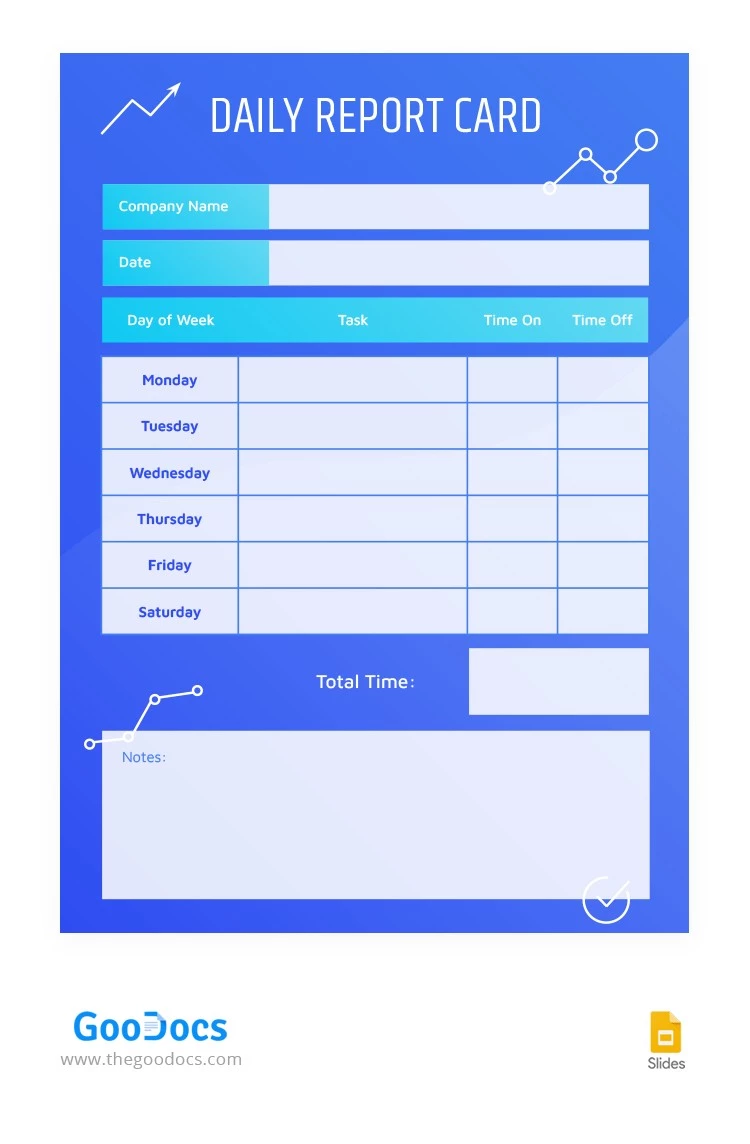
Our free Electric Blue Daily Report with an excellent, bright, modern, and strict design will suit any project manager or head of the department. Daily reporting has never been easier than with our options. It is enough to add relevant information using Google Slides or any other convenient editor for presentations.
ADVERTISEMENT
Free Template
Download Free Template
Choose your platform and start editing right away
PLATFORM
Google Slides
Opens in browser
PAPER SIZE
A4
US Letter
Google Slides – A4
No account required • Attribution required
Add to Collection
Facebook
Pinterest
Twitter
Copy link
WHAT’S INCLUDED
Weekly schedule for task tracking
Time log: record hours daily
Notes section for observations
Total time calculation feature
Report Tips
1
Fill out tasks at the start of each week.
2
Regularly update time on and off details.
3
Use the notes section for any remarks.
4
Review the total time for weekly summaries.
FAQ
Is this template compatible with Google Slides?
Yes, it's designed for use with Google Slides and PowerPoint.
Is it easy to use for beginners?
Absolutely, it's structured for straightforward data entry.
Can I customize this template?
Yes, you can modify any section to fit your needs.
Is the template free to download?
Yes, it's completely free to download and use.
How can I track my weekly tasks efficiently?
Regularly update the task and time sections daily.
ADVERTISEMENT
How to Use and Edit This Template

1
Get Your Document
Click the "Edit Template" button to create your own editable copy in Google Slides or download for Microsoft PowerPoint

2
Customize Everything
Easily change colors, fonts, and layouts to match your unique style or brand identity

3
Add Your Content
Fill in your data, upload images, and replace the placeholder text with your own information

4
Print, Export, or Share
Print, export as PDF, or share instantly
Related Templates
Recently Viewed
Electric Blue Daily Report
Open in Google Slides and Microsoft PowerPoint
Electric Blue Daily Report
Open in Microsoft PowerPoint
Your session has ended!
This may be due to prolonged inactivity or your account being used on another device.
OK
Link copied to clipboard