Dark Monthly Financial Report Template
Use this free template with Google Sheets and Microsoft Excel
Template Specification
Key Features of This Template
About this template
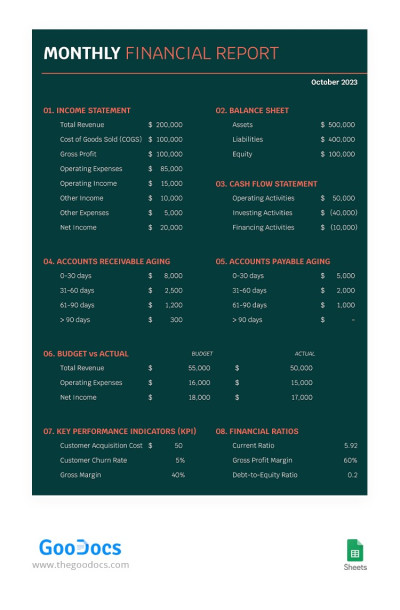
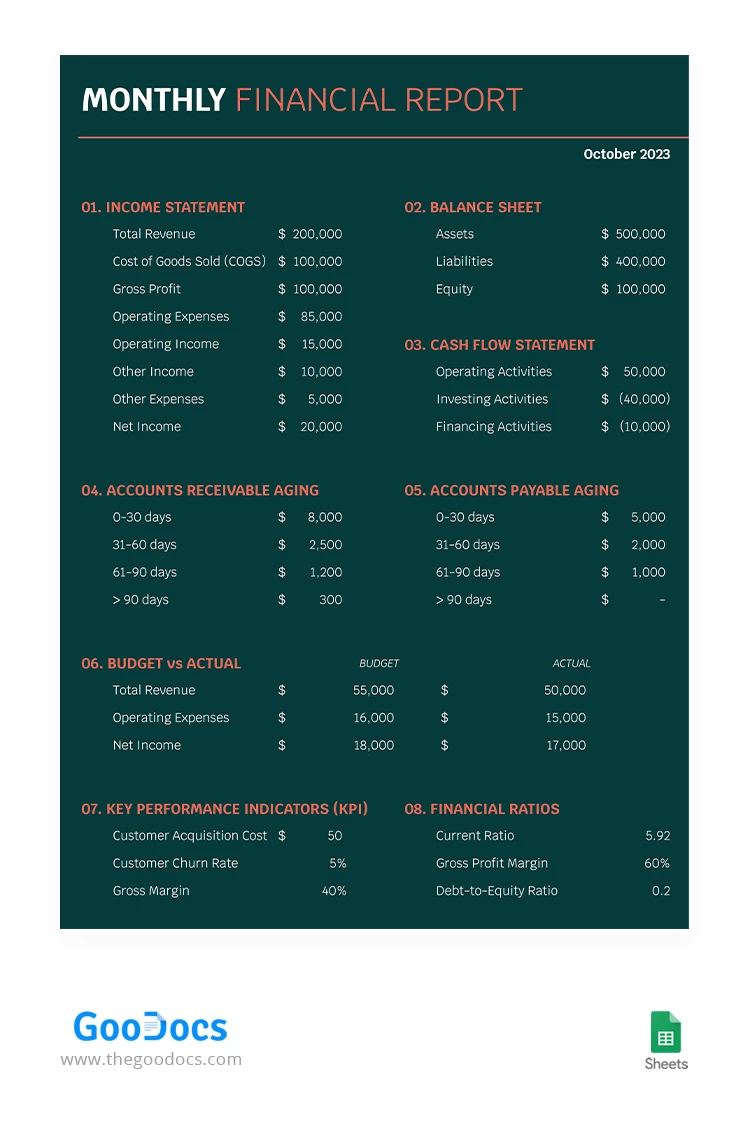
This Dark Monthly Financial Report Template helps you create a complete overview of your company’s financial performance. It is fully editable in Google Sheets and includes simple formulas to calculate your totals. The design features a professional dark green background, white fonts for numbers, and orange highlights for different accounting categories.
Track All Business Income & Expenses on a Single Sheet
Design and structure are at the heart of this financial report template. The clear layout and easy-to-read fonts allow you to fill out the necessary sections quickly.
The template features eight sections, each containing several items. You can track total revenue, gross profit, and other income indicators, as well as manage your balance sheet, cash flow statement, and accounts receivable/payable aging. It also includes space for budget vs. actuals, KPIs, and financial ratios.
Our template includes even more features:
- Net income is calculated automatically, and dates are displayed in a text format.
- Multiple employees can work on the template at the same time from different devices.
- You can save the layout as a PDF in just a few clicks or print it on A4 paper.
Start using this modern option today, or browse our website to find a monthly report template you need.
Download Free Template
Google Sheets
Opens in browserWHAT’S INCLUDED
Report Tips
FAQ
How to Use and Edit This Template

Get Your Document

Customize Everything

Add Your Content

Print, Export, or Share
Related Templates
Recently Viewed