Editable Recipe Book Template
Use this free template with Google Docs and Microsoft Word

Template Specification
Key Features of This Template
About this template
When no time to start from scratch, consider the go-to Editable Recipe Book Template featuring a sleek design and smart layout. Apply it to the restaurant and cafe menus, your creative projects, and private home culinary archives. A custom appearance, expressive visual accents, and intuitive use are just a few of their strengths.
Rich Structure Matters
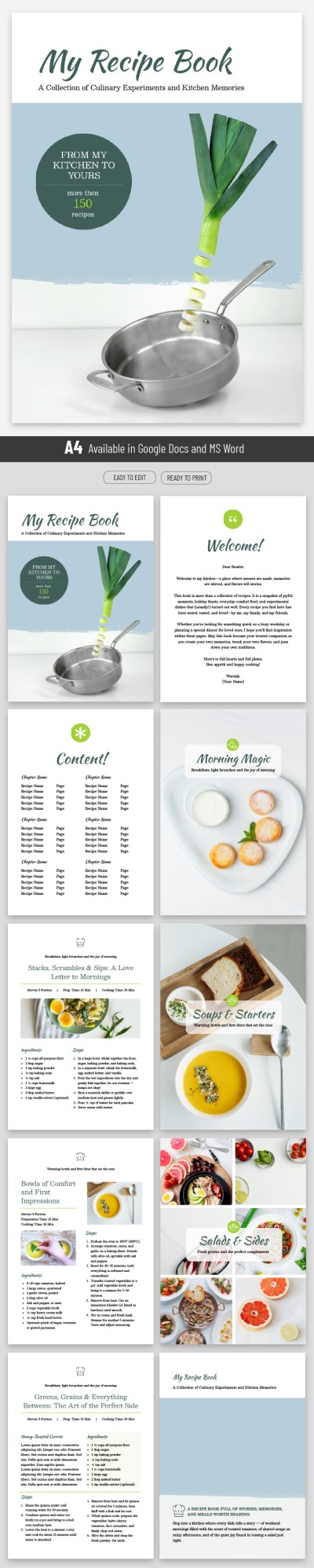
This free recipe template offers 10 adaptive pages in A4 and US letter formats. They comprise compulsory front cover, content, and back cover pages, first of all. You'll also find optional reader-facing and colorful category pages.
There are several layout options prepared for your recipes: two-column, with photo and not, shorter or longer. Each page is unique and not the same as the previous one in terms of composing, yet the styling is aligned with the same style.
Dressed up Appearance
This cookbook templatecookbook template appeals with light color schemes. Here, the white background is winningly emphasized by green and olive accents, immersing the reader in a natural, organic environment. The illustrations of ingredients and dishes are bright and colorful, perfectly compatible with the white-and-green scheme. The fonts are legible and aesthetic at once, ranging from typewriter for the main text to cursive for the headings.
By the way, look for cooking Google Slides template examples in our libraries as well.
How to Use and Edit This Template

Get Your Document

Customize Everything

Add Your Content

Print, Export, or Share
Related Templates
Recently Viewed