Sleek Old Newspaper Template
Use this free template with Google Docs and Microsoft Word
Template Specification
Key Features of This Template
About this template
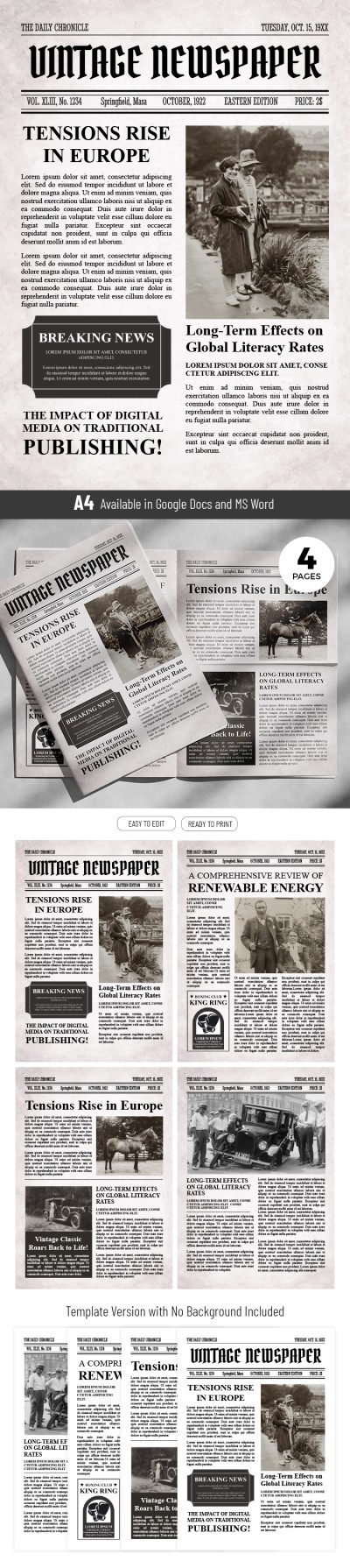
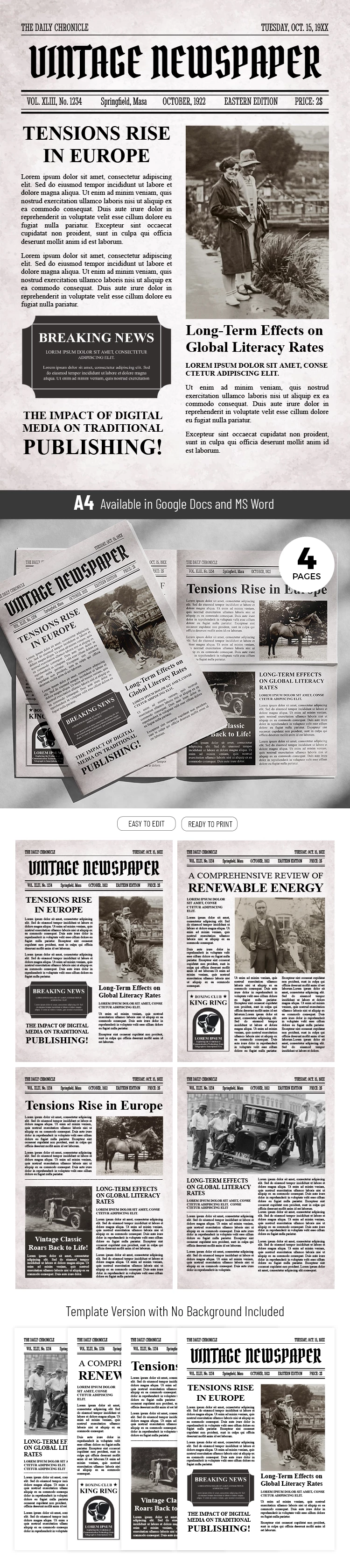
Do you want to create a unique vintage-style publication? We offer a Sleek Old Newspaper Template with a ready-made design and structure! This premium newspaper layout template in Google Docs and Word features an "old" page background and ready-made newspaper columns.
Save Time with Our Blank Newspaper
This template includes eight pages. The first four have a background that looks like vintage newspapers after printing. The second four pages feature a standard white background.
Otherwise, both options are the same:
- An eye-catching title page with a placeholder for the title, main page, photos, and breaking news.
- Three additional pages with different layouts and block arrangements - just like in professional newspapers of the 20th century.
All our templates are editable and printable, and this vintage newspaper is no exception. The settings for printing in A4 format are ready, so all that remains is to fill the template with your text and images. Grab a unique Google Slides newspaper template on our website and customize it to save time and money.
How to Use and Edit This Template

Get Your Document

Customize Everything

Add Your Content

Print, Export, or Share
Related Templates
Recently Viewed