Multi-City Flight Itinerary Template
Use this free template with Google Docs and Microsoft Word
Template Specification
Key Features of This Template
About this template
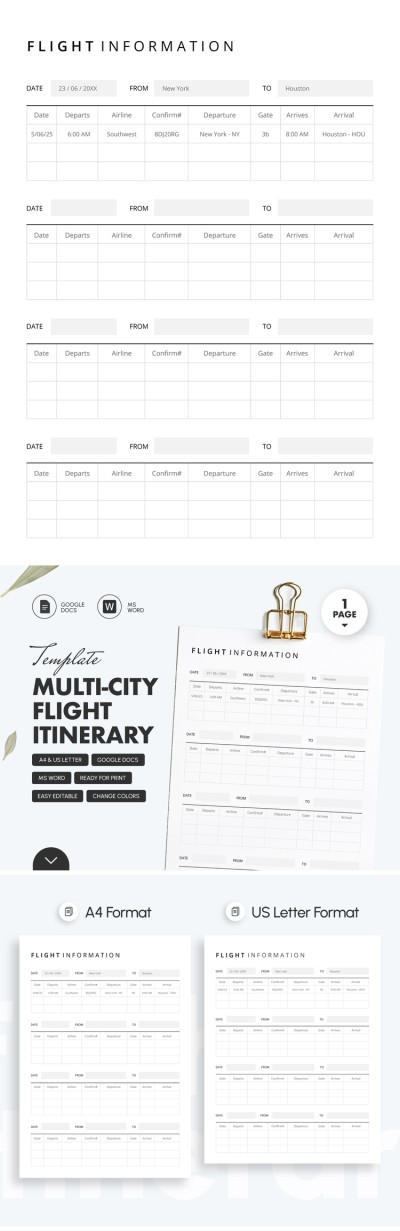
Gather important flight information in one place using our Multi-City Flight Itinerary Template. This flight itinerary template can keep any essential details regarding your flights and transfers in a convenient table. You can use it in a digital format via Google Docs and Word or print the filled-out blank in A4 and US Letter Portrait Sizes. You can also find a similar Google Sheets itinerary template.
Convenient and Comprehensive Layout
Our template offers a simple structure that is easy to use. The one-page blank is divided into four identical tables. You can enter flight information, such as date, departure, and arrival cities in placeholders above each table.
The tables offer eight columns so that all information regarding your flight can be quickly accessible. Here, you can enter the date and exact time of departure, airline, confirmation number, departure airport, gate, arrival date, and arrival airport.
In each table, you can enter up to three flights (if necessary). If you need a less formal design, we recommend exploring our section, where you can find a cute itinerary template.
How to Use and Edit This Template

Get Your Document

Customize Everything

Add Your Content

Print, Export, or Share
Related Templates
Recently Viewed