Retail Inventory Template
Use this free template with Google Sheets and Microsoft Excel
Template Specification
Key Features of This Template
About this template
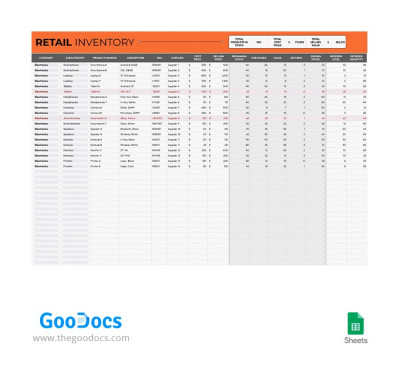
Our Retail Inventory Template is the only tool you'll need to manage your inventory. It's designed for use by stores and warehouses selling electronics, from mobile phones and cameras to headphones and smartwatches. You can also edit the pre-made drop-down lists in Google Sheets or Excel to customize them to your business needs.
Simplify Your Retail Inventory Management
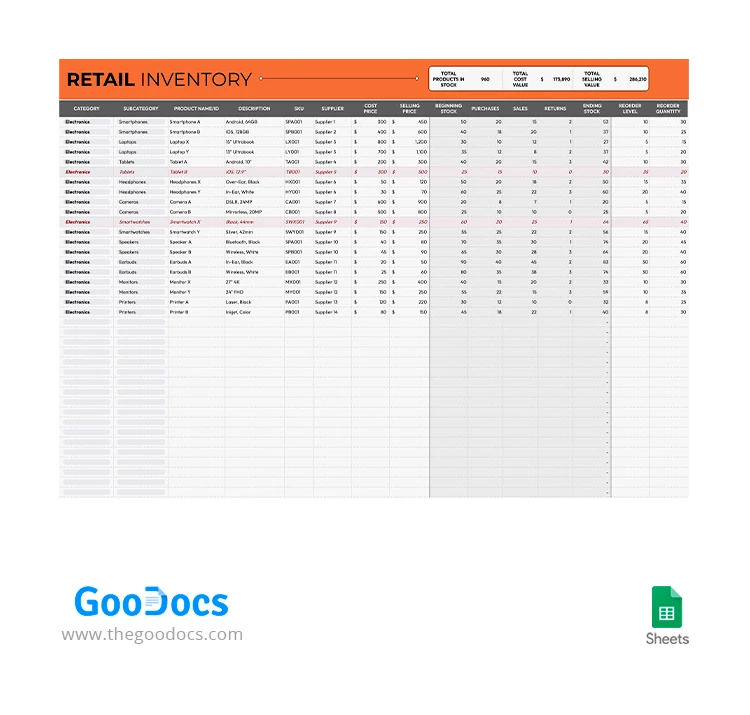
This inventory spreadsheet template consists of two sections: a header and a main table. In the top section, you'll get an automatic overview of the product quantity, total cost, and sales value of your inventory. These metrics are calculated based on the data you enter in the table.
The table itself is divided into two sections. In the first part, you only need to enter information about each product: name, description, SKU, and select a category from the drop-down list. In the second part, enter data on purchases and sales. This will be used to calculate the ending stock. Here you can also set a reorder level, and our template will automatically indicate when a restock is needed.
Our template is also:
- Fully editable and user-friendly in Google Sheets format.
- Compatible with any device.
- Features cloud-based collaboration for teams across different retail locations or warehouses.
Try out the convenience of this template for free now, or find a printable inventory sheet on our website.
Download Free Template
Google Sheets
Opens in browserWHAT’S INCLUDED
Inventory Tips
FAQ
How to Use and Edit This Template

Get Your Document

Customize Everything

Add Your Content

Print, Export, or Share
Related Templates
Recently Viewed