Restaurant Inventory Spreadsheet
Use this free template with Google Sheets and Microsoft Excel
Template Specification
Key Features of This Template
About this template
Take advantage of our free Restaurant Inventory Spreadsheet right away. Download or grab a free copy of our Excel and Google Sheets inventory template and start filling it out with no extra steps. The simple structure allows you to immediately create a complete list of kitchen items, assign them to categories, and more.
Create an Organized Restaurant Inventory List
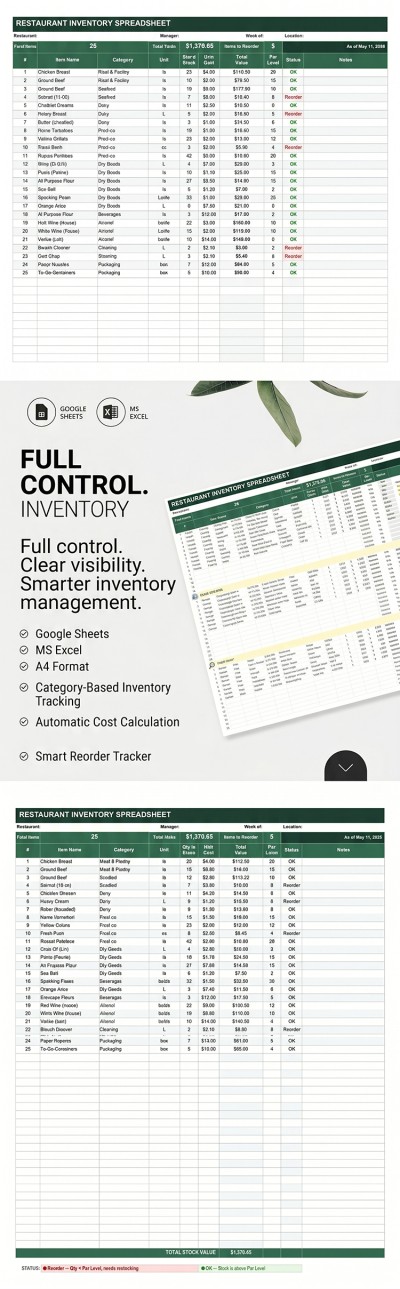
Our convenient inventory spreadsheet features a pre-made table. Each item has separate columns for you to enter basic data. Simply enter the item number, name, category, unit, stock quantity, unit cost, and reorder quantity.
Our restaurant inventory spreadsheet template comes with more features:
- Built-in formulas will automatically calculate the cost of each item based on the data you enter.
- You'll see a notification when an item needs to be reordered in the Status column, while the header will show the total number of items requiring reordering.
- You can add information about the responsible staff, the inspection week, location, and restaurant name in the header section.
This layout is perfect for use in any restaurant or cafe. Choose an inventory spreadsheet template that suits your needs on our website.
Download Free Template
Google Sheets
Opens in browserMicrosoft Excel
.xlsxWHAT’S INCLUDED
Inventory Tips
FAQ
How to Use and Edit This Template

Get Your Document

Customize Everything

Add Your Content

Print, Export, or Share
Related Templates
Recently Viewed