Get unlimited access to 5000+ Templates for Google Docs, Slides and Sheets
Unlimited Access
All Templates

Office Key & Access Inventory Template

Use this free template with Google Sheets and Microsoft Excel
4.25 (1 reviews)
Last updated Updated June 18, 2026
Created by Natalia Prokhorenko
Type Spreadsheet
ADVERTISEMENT

Template Specification

Format Google Sheets, Microsoft Excel
Created January 5, 2026
Last Updated June 18, 2026
Community Added to collections by 3 Users
Usage Stats 10 downloads this month

Key Features of This Template

Style Professional

About this template

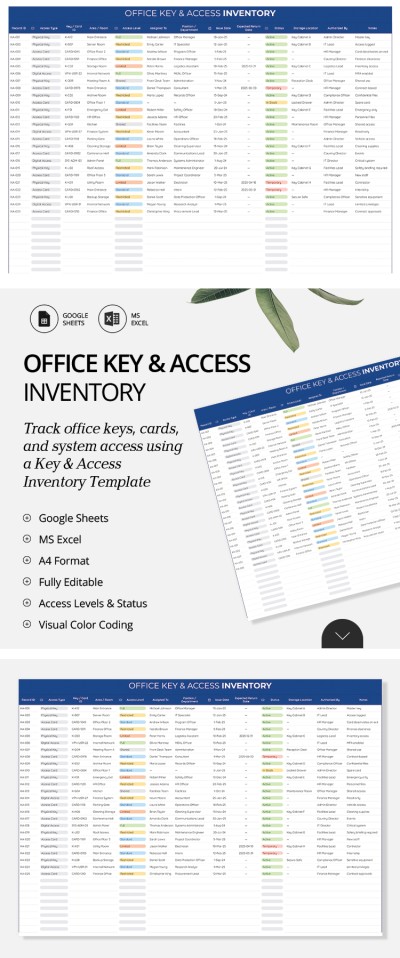
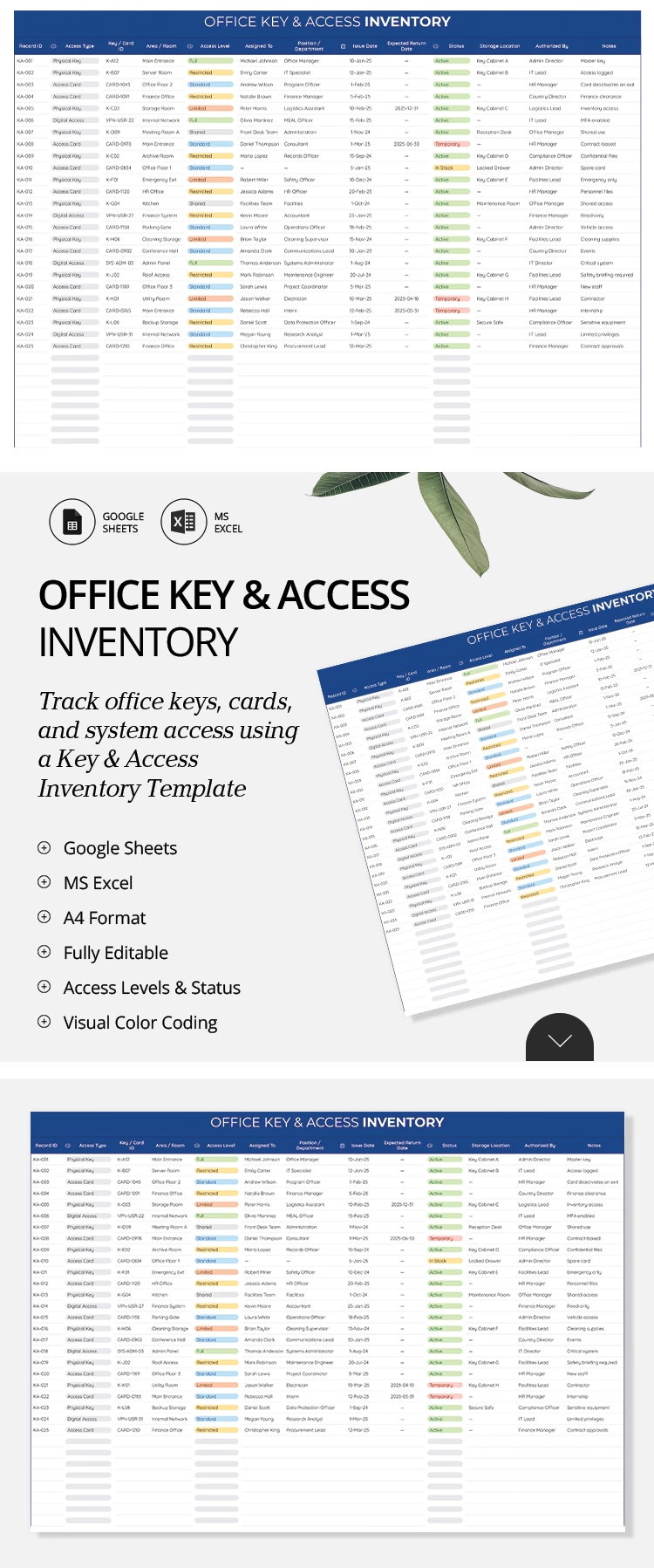
Use our Office Key & Access Inventory Template to ensure that all company employees and visitors are properly authorized. Record access types, card or key IDs, and more using a structured layout with premade drop-down lists. This inventory sheet template is fully editable and includes an additional setup sheet for your convenience.

Secure Your Office Access Log

This Google spreadsheet inventory template allows you to track every physical key, access card, or code for each area of your office. You can list an unlimited number of keys and employees, including basic data for each.

Fill in table columns, including key ID, access type, area or room, access level, assigned to, department, issue and expected return dates, status, storage location, responsible parties, and notes.

Our template also includes:

  • Customizable drop-down lists for access type, level, and status.
  • Premade fonts and a clean corporate design.
  • Sorting options for each column.

With this office inventory template from TheGoodocs, you can easily manage all your access records. More relevant templates are available at the link.

ADVERTISEMENT
Free Template

Download Free Template

Choose your platform and start editing right away
PLATFORM

Google Sheets

Opens in browser

Microsoft Excel

.xlsx
PAPER SIZE
A4 Landscape
Google Sheets – A4 Landscape
No account required • Attribution required

WHAT’S INCLUDED

Customizable drop-down lists for access details
Access control with visual color coding
Fully editable columns and fields
Compatibility with Google Sheets and Excel

Inventory Tips

1
Regularly update access logs for accurate tracking.
2
Use color coding to easily identify access levels.
3
Customize drop-down lists to suit office needs.
4
Keep the template secure for sensitive information.

FAQ

Is the template compatible with Excel? Yes, it's compatible with both Excel and Google Sheets.
Is the template user-friendly? Yes, it has a structured layout and is easy to navigate.
Can I customize the template? Absolutely, you can edit all fields and drop-downs.
Is this template free to download? Yes, it's free for personal and office use.
How does the color coding work? Colors indicate different access levels and statuses.
ADVERTISEMENT

How to Use and Edit This Template

Get Your Document

1

Get Your Document

Click the "Edit Template" button to create your own editable copy in Google Sheets or download for Microsoft Excel
Customize Everything
2

Customize Everything

Easily change colors, fonts, and layouts to match your unique style or brand identity
Add Your Content
3

Add Your Content

Fill in your data, upload images, and replace the placeholder text with your own information
Print, Export, or Share
4

Print, Export, or Share

Print, export as PDF, or share instantly

Related Templates

Recently Viewed