Get unlimited access to 5000+ Templates for Google Docs, Slides and Sheets
Unlimited Access
All Templates

Food Inventory Template for Restaurants

Use this free template with Google Sheets and Microsoft Excel
4.25 (1 reviews)
Last updated Updated June 20, 2026
Created by Natalia Prokhorenko
Type Spreadsheet
ADVERTISEMENT

Template Specification

Format Google Sheets, Microsoft Excel
Created October 10, 2025
Last Updated June 20, 2026
Community Added to collections by 5 Users
Usage Stats 15 downloads this month

Key Features of This Template

Style Simple

About this template

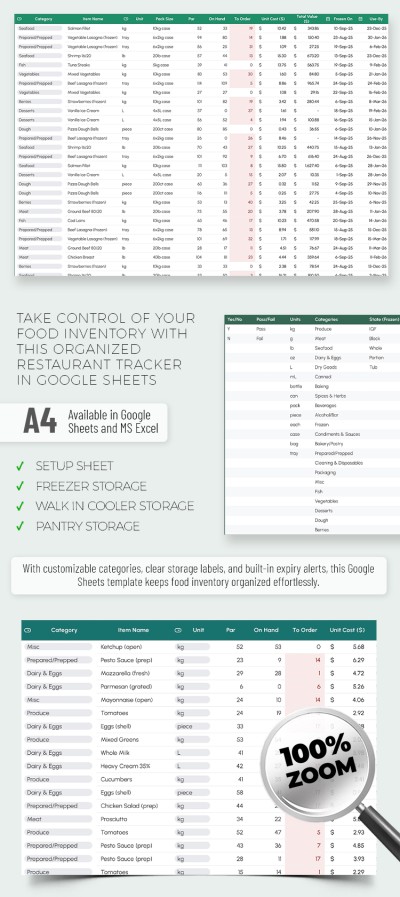
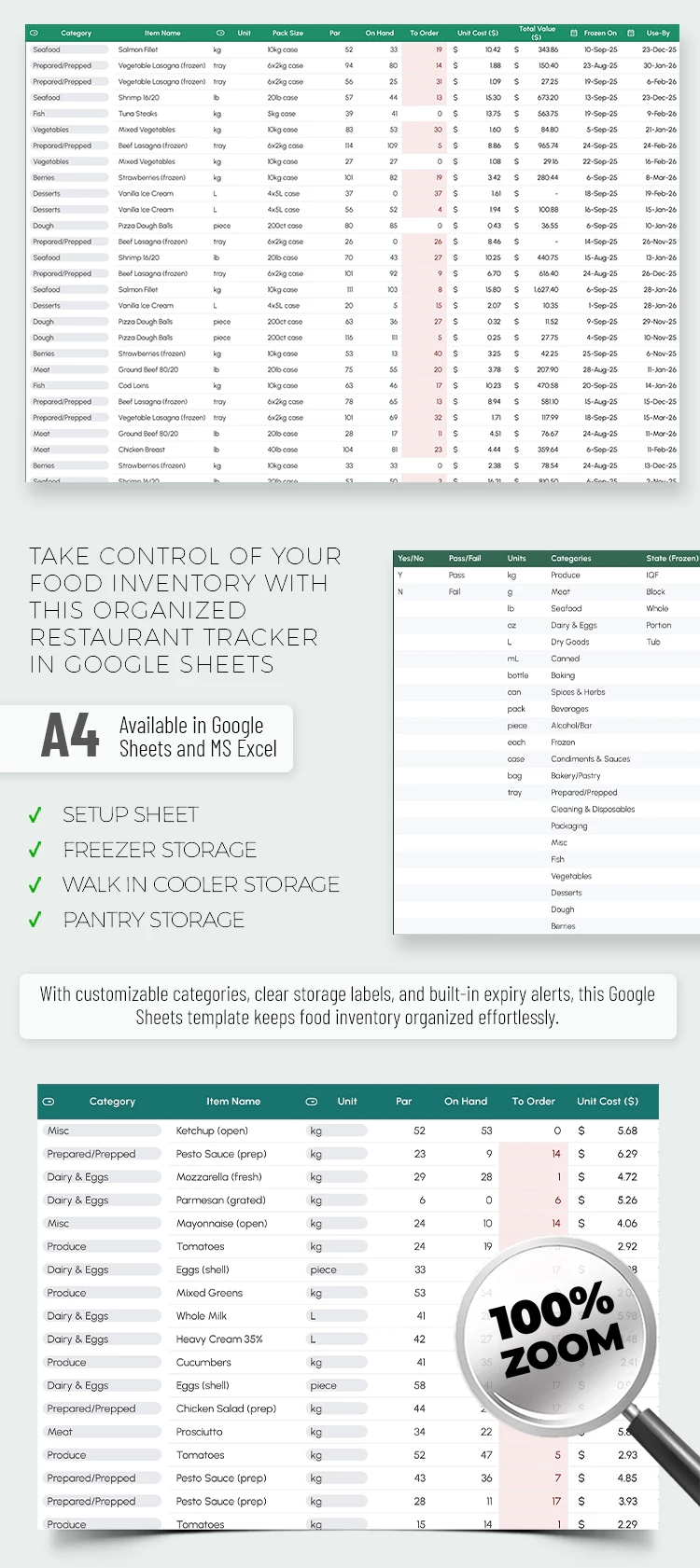
You can start using our most comprehensive Food Inventory Template for Restaurants right now for free. This template allows you to track product availability, determine whether reorders are necessary, specify the vendor for each product, define case dimensions, and much more. Our Excel and Google Sheets inventory template is also straightforward to use.

Freezer, Fridge & Pantry Food Tracker for Restaurants

Even a new administrator or cook can use our template with ease. Thanks to the pre-built structure, clean design, and numerous automated formulas and features, all you need to do is enter the basic data.

To make our restaurant food inventory template indispensable in your kitchen, simply:

  • Fill out the Lists section, where you assign names to the drop-down lists used throughout the other tables.
  • Go through each of the sheets, including Freezer, Walk-in Cooler, and Pantry, and complete each column with the relevant product information.
  • Automatically receive information on reorder quantities, cost, expiration dates, and more.

Don’t waste time creating a professional layout from scratch. Instead, use our ready-made food inventory spreadsheet for restaurants and cafés.

ADVERTISEMENT
Free Template

Download Free Template

Choose your platform and start editing right away
PLATFORM

Google Sheets

Opens in browser

Microsoft Excel

.xlsx
PAPER SIZE
A4 Landscape
Google Sheets – A4 Landscape
No account required • Attribution required

WHAT’S INCLUDED

Detailed setup sheet section
Automated reorder alerts system
Integrated expiry date tracking
Organized freezer, cooler, pantry tabs

Inventory Tips

1
Regularly update inventory to avoid discrepancies
2
Utilize expiry alerts for fresh stock
3
Assign categories for streamlined management
4
Leverage reorder alerts to maintain stock

FAQ

Is this template compatible with Google Sheets and Excel? Yes, it works with both formats seamlessly.
How easy is it to use for beginners? Very easy—user-friendly layout and automated features help you.
Can I customize categories and items? Yes, you can fully customize to fit your needs.
Is this template free to download? Yes, it is completely free to use.
Does it track expiration dates? Yes, it includes built-in expiry alerts.
ADVERTISEMENT

How to Use and Edit This Template

Get Your Document

1

Get Your Document

Click the "Edit Template" button to create your own editable copy in Google Sheets or download for Microsoft Excel
Customize Everything
2

Customize Everything

Easily change colors, fonts, and layouts to match your unique style or brand identity
Add Your Content
3

Add Your Content

Fill in your data, upload images, and replace the placeholder text with your own information
Print, Export, or Share
4

Print, Export, or Share

Print, export as PDF, or share instantly

Related Templates

Recently Viewed