Get unlimited access to 5000+ Templates for Google Docs, Slides and Sheets
Unlimited Access
All Templates

Food Inventory Log Template

Use this free template with Google Docs and Microsoft Word
4.25 (1 reviews)
Last updated Updated June 20, 2026
Created by Vladimir Belyakin
Type Log
ADVERTISEMENT

Template Specification

Format Google Docs, Microsoft Word
Created December 14, 2025
Last Updated June 20, 2026
Community Added to collections by 11 Users
Usage Stats 3 downloads this month

Key Features of This Template

Style Minimalist

About this template

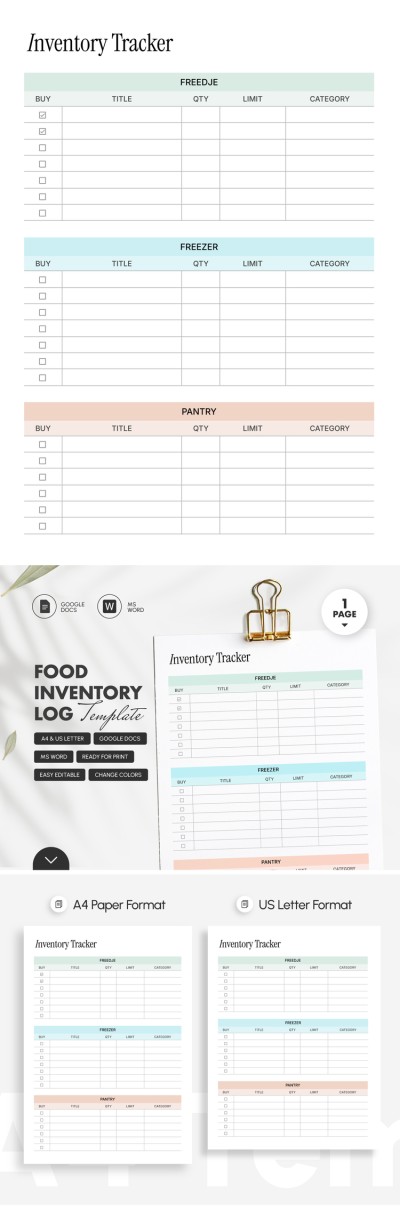
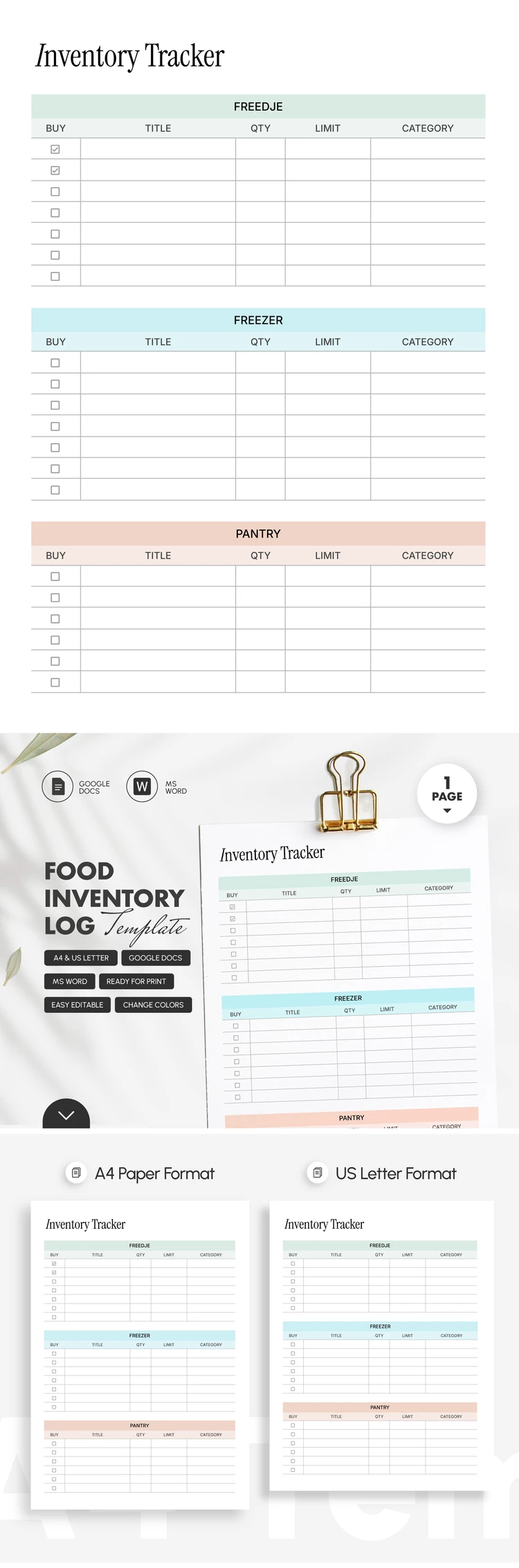
The Food Inventory Log Template is suitable for both home and professional use. You can easily track all the products you need to restock using a convenient table. Our free food inventory template is available in Google Docs and Word formats, making it easy to use and customize.

Create an Efficient Food Inventory

This template is straightforward thanks to a pre-made table divided into main categories. It features three sections: Fridge, Freezer, and Pantry. You can enter up to seven items in each section, which is more than enough for home use.

Track items and key details:

  • Enter the item name, quantity, limit, and category.
  • Use checkboxes for products already purchased or those that need to be restocked.
  • Customize the table categories to suit your current needs.

Also, our inventory log template is both editable and printable. You can make unlimited copies of the form to fill out online or offline on any device. It is ready for high-quality printing in A4 and US Letter formats, and the template can be saved as a PDF.

Find the best inventory templates at the link.

ADVERTISEMENT
Free Template

Download Free Template

Choose your platform and start editing right away
PLATFORM

Google Docs

Opens in browser

Microsoft Word

.docs
PAPER SIZE
A4
US Letter
Google Docs – A4
No account required • Attribution required

WHAT’S INCLUDED

Three sections: Fridge, Freezer, Pantry
Editable table and checkboxes
Customizable header and categories
High-quality print formats available

Inventory Tips

1
Regularly update to avoid food waste
2
Organize items by expiration date
3
Customize categories to match your needs
4
Print copies for easy offline tracking

FAQ

Is it compatible with Google Docs? Yes, it's compatible with both Google Docs and Word.
Is the template easy to use? Yes, it's user-friendly with clear sections.
Can I customize the categories? Absolutely, categories can be adjusted to fit your needs.
Is this template free? Yes, the template is free to download.
Can it track expiration dates? Yes, you can note expiration dates in the comments.
ADVERTISEMENT

How to Use and Edit This Template

Get Your Document

1

Get Your Document

Click the "Edit Template" button to create your own editable copy in Google Docs or download for Microsoft Word
Customize Everything
2

Customize Everything

Easily change colors, fonts, and layouts to match your unique style or brand identity
Add Your Content
3

Add Your Content

Fill in your data, upload images, and replace the placeholder text with your own information
Print, Export, or Share
4

Print, Export, or Share

Print, export as PDF, or share instantly

Related Templates

Recently Viewed