Get unlimited access to 5000+ Templates for Google Docs, Slides and Sheets
Unlimited Access
All Templates
ADVERTISEMENT
ADVERTISEMENT

Editable Home Inventory Spreadsheet

Use this free template with Google Sheets and Microsoft Excel
4.25 (1 reviews)
Last updated Updated June 20, 2026
Created by Natalia Prokhorenko
Type Spreadsheet
ADVERTISEMENT

Template Specification

Format Google Sheets, Microsoft Excel
Created December 26, 2025
Last Updated June 20, 2026
Community Added to collections by 6 Users
Usage Stats 5 downloads this month

Key Features of This Template

Suitable For Personal
Style Professional

About this template

This comprehensive, editable home inventory spreadsheet is perfectly structured to make organizing your belongings a straightforward task. Instead of a blank sheet, you can use a pre-made design divided by rooms and categories. You can also easily fill out our home inventory spreadsheet in Google Sheets and Excel.

Manage Your Property Records Easily

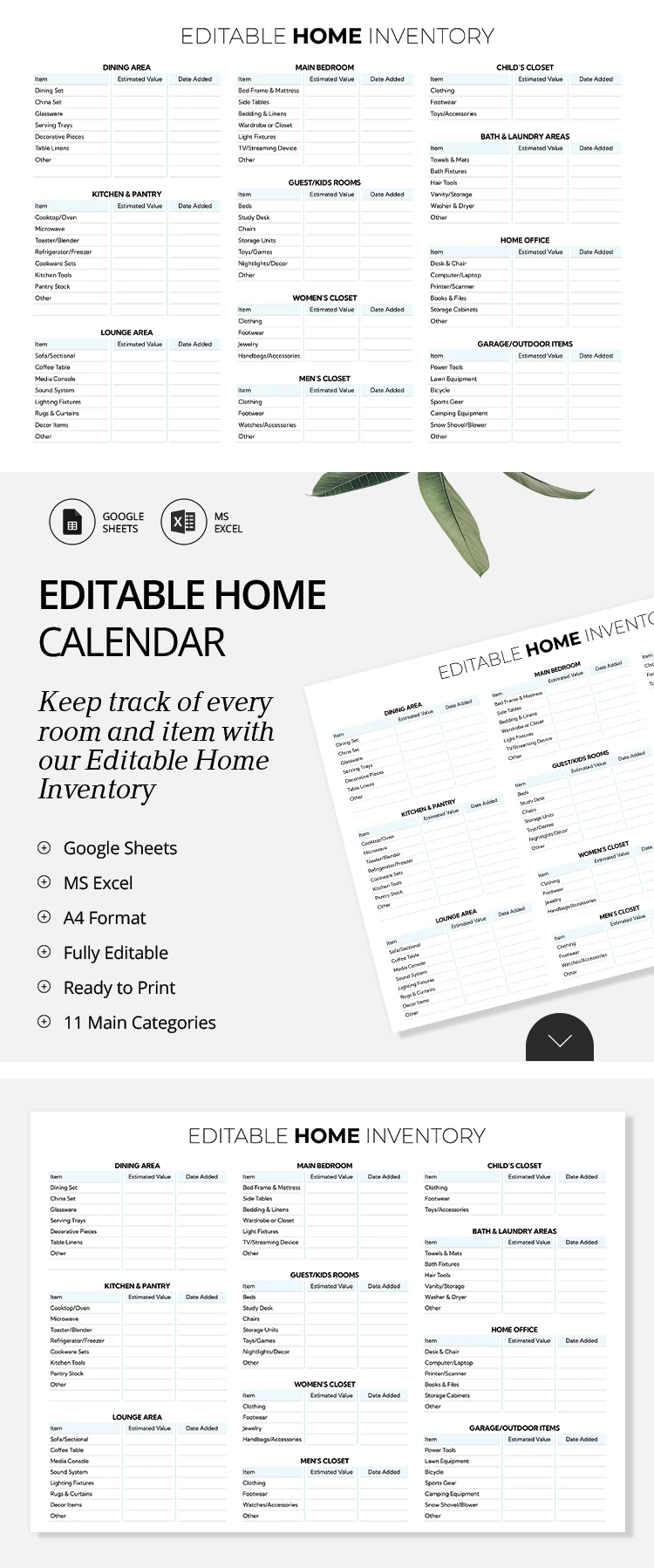
We've structured different blocks on a single sheet, with one section for each room. Type in items from the dining area, kitchen, main bedroom, closet, lounge, home office, and more. There are 11 categories in total, and you can add up to nine items to each. We've even included examples of items that might be in each room.

Of course, this free inventory template is also 100% editable:

  • Delete unnecessary blocks or add more space for items.
  • Rename rooms to match your home's layout.
  • Record each item, its estimated value, and the inventory date.

You can store our Google inventory spreadsheet on any device or in the cloud. Download and try all the features today.

ADVERTISEMENT
Free Template

Download Free Template

Choose your platform and start editing right away
PLATFORM

Google Sheets

Opens in browser

Microsoft Excel

.xlsx
PAPER SIZE
A4 Landscape
Google Sheets – A4 Landscape
No account required • Attribution required

WHAT’S INCLUDED

11 customizable room categories
Estimated value and date columns
Editable sections for each room
Full compatibility with cloud storage

Inventory Tips

1
Update inventory regularly for accuracy.
2
Customize columns to fit your needs.
3
Back up your inventory online.
4
Use estimated value for insurance records.

FAQ

Can I use this in Excel? Yes, it’s compatible with both Excel and Google Sheets.
Is it easy to customize? Absolutely, you can easily add more items and sections.
Is this template free to use? Yes, it's completely free to download and edit.
Do I need any special skills to use it? No special skills are required, just basic Excel or Google Sheets knowledge.
How often should I update the inventory? It's best to update it every few months or after significant purchases.
ADVERTISEMENT

How to Use and Edit This Template

Get Your Document

1

Get Your Document

Click the "Edit Template" button to create your own editable copy in Google Sheets or download for Microsoft Excel
Customize Everything
2

Customize Everything

Easily change colors, fonts, and layouts to match your unique style or brand identity
Add Your Content
3

Add Your Content

Fill in your data, upload images, and replace the placeholder text with your own information
Print, Export, or Share
4

Print, Export, or Share

Print, export as PDF, or share instantly

Related Templates

Recently Viewed