Get unlimited access to 5000+ Templates for Google Docs, Slides and Sheets
Unlimited Access
All Templates

Colorful Food Inventory Template

Use this free template with Google Sheets and Microsoft Excel
4.53 (2 reviews)
Last updated Updated June 18, 2026
Created by Oliver Rodriguez
Type Spreadsheet
ADVERTISEMENT

Template Specification

Format Google Sheets
Created December 23, 2021
Last Updated June 18, 2026
Community Added to collections by 20 Users
Usage Stats 21 downloads this month

Key Features of This Template

Style Colorful

About this template

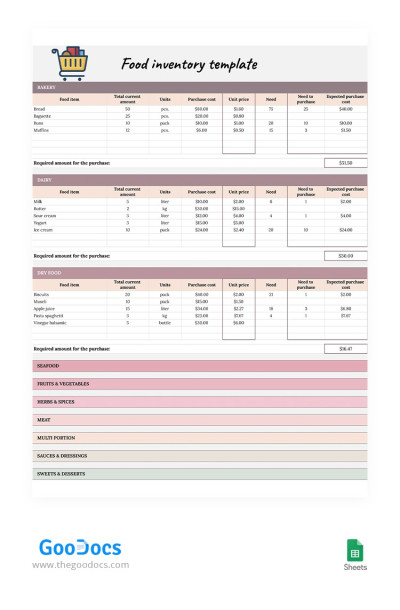
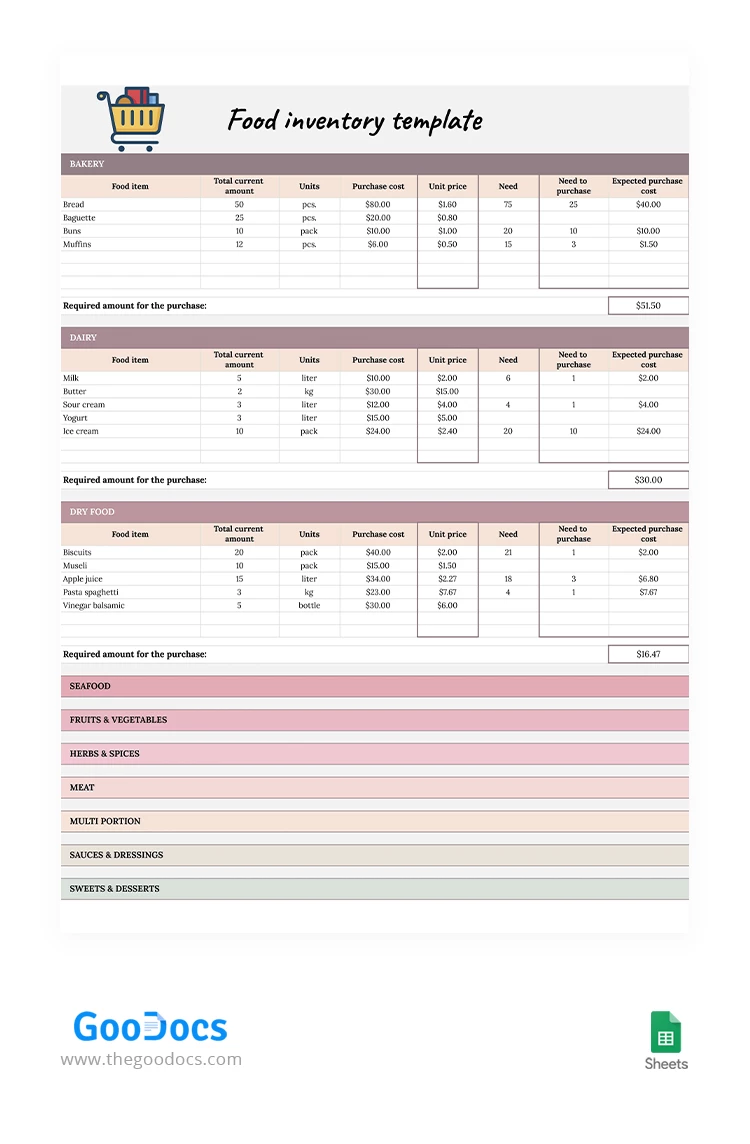
Add a little color and efficiency to routine tasks with our Colorful Food Inventory Template. This spreadsheet is perfect for use in restaurants, cafes, and food warehouses. Its simple and user-friendly structure allows you to fill out information about each item and update it as needed in convenient Google Sheets or Excel formats.

Brighten Up Your Kitchen Inventory Today

Our free inventory spreadsheet template makes management simpler than ever, while also streamlining the reordering process. On the left side of the spreadsheet, you'll need to enter the names of food items, the current total amount, units, and purchase cost. To the right is a calculation section where you can enter the unit price, restock quantity, and expected purchase cost.

Each product category has its own separate table. We've included sections for bakery, dry food, seafood, fruits and vegetables, herbs, meat, and more. Tables can be collapsed and expanded with one click on the plus sign to the left of the category name. Choose a food inventory template for home or business on our website.

ADVERTISEMENT
Free Template

Download Free Template

Choose your platform and start editing right away
PLATFORM

Google Sheets

Opens in browser
PAPER SIZE
US Letter
Google Sheets – US Letter
No account required • Attribution required

WHAT’S INCLUDED

Color-coded sections for easy navigation
Automated purchase calculations
Expandable tables for more categories
Unit price and restock columns

Inventory Tips

1
Regularly update stock levels to prevent shortages.
2
Use color coding for quick category identification.
3
Customize categories to match your inventory needs.
4
Regularly verify unit prices for accuracy.

FAQ

Is this template compatible with Google Sheets? Yes, it works seamlessly with Google Sheets.
Can I use this template in Excel? Absolutely, it is fully compatible with Excel.
Is customizing the template sections easy? Yes, it's designed for easy customization to fit your needs.
Is this template free to use? Yes, it's completely free to download and use.
How do I update the inventory data? Simply enter new amounts in the 'Total current amount' column.
ADVERTISEMENT

How to Use and Edit This Template

Get Your Document

1

Get Your Document

Click the "Edit Template" button to create your own editable copy in Google Sheets or download for Microsoft Excel
Customize Everything
2

Customize Everything

Easily change colors, fonts, and layouts to match your unique style or brand identity
Add Your Content
3

Add Your Content

Fill in your data, upload images, and replace the placeholder text with your own information
Print, Export, or Share
4

Print, Export, or Share

Print, export as PDF, or share instantly

Related Templates

Recently Viewed