Asset Inventory List Template
Use this free template with Google Sheets and Microsoft Excel
Template Specification
Key Features of This Template
About this template
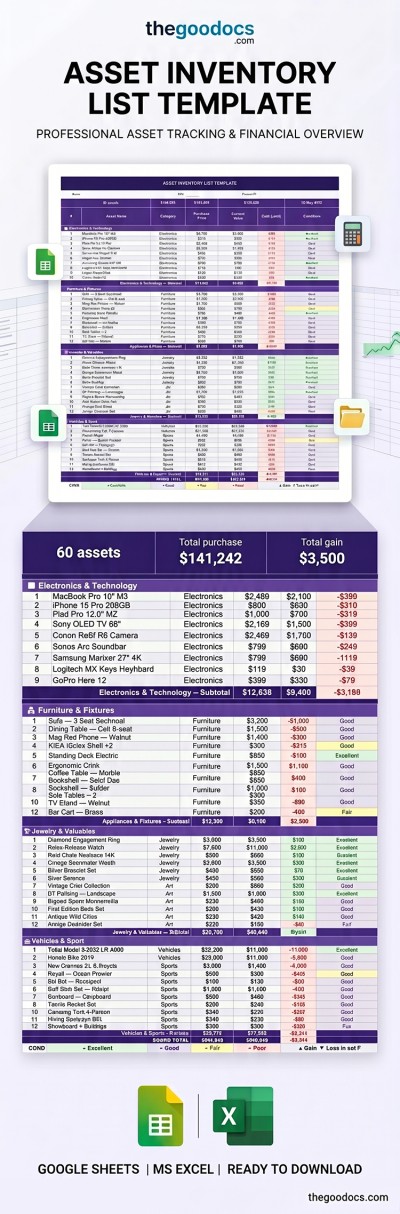
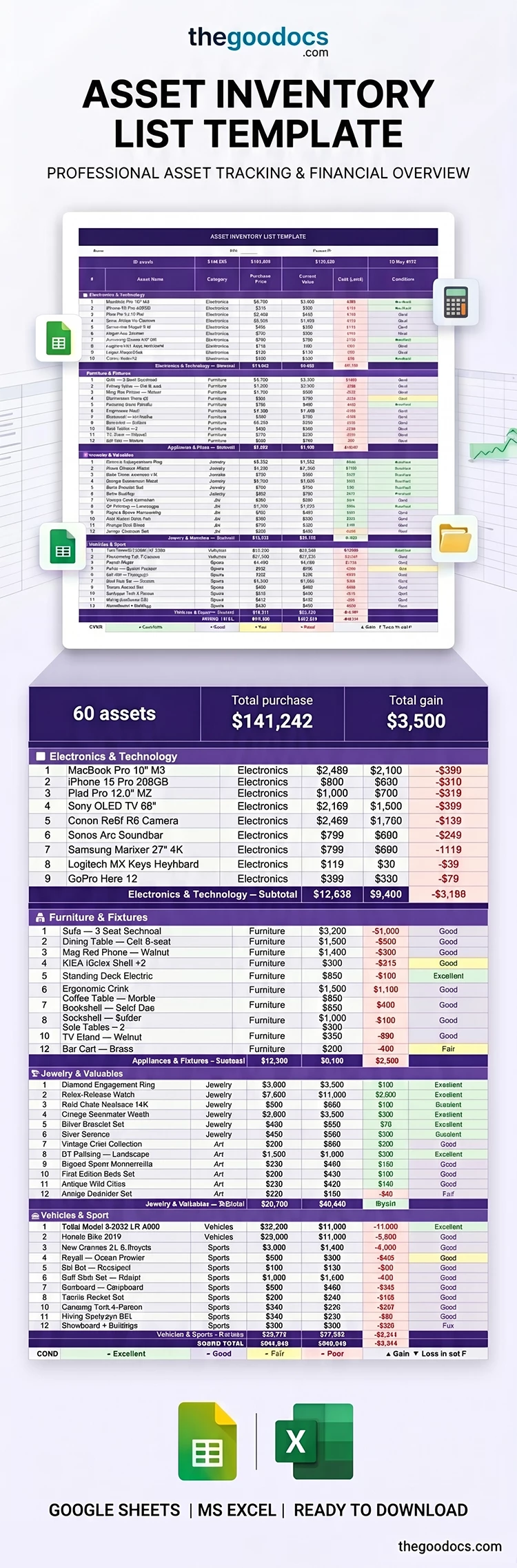
Our comprehensive Asset Inventory List Template allows you to store information about all your business assets in one convenient spreadsheet. Use the pre-made structure, built-in formulas, drop-down lists, and clear categorization of our Excel and Google Sheet inventory template to conduct audits and reconcile data in minutes.
Track Company Property Quickly With This Spreadsheet
You can use the pre-made design with easy-to-read white text on purple table headers, or fully customize the spreadsheet to match your corporate colors. The layout is divided into a header and separate sections for each asset category, including electronics & technology, furniture, appliances, valuables, vehicles, and more. You can easily add more sections or rename and customize existing ones.
More convenient features of our asset inventory list template:
- Instantly fill in all the details for each item, including the purchase price and current value.
- Select the asset condition (excellent, good, fair, or poor) and category (electronics, art, jewelry, sports, etc.) using customizable drop-down lists.
- Get automatic gain/loss calculations for each item, as well as an item counter, total purchase price, and current value in the header.
Store your asset inventory conveniently in a digital format or print it out whenever needed. You're sure to find the perfect inventory list template for Google Sheets on our website.
Download Free Template
Google Sheets
Opens in browserMicrosoft Excel
.xlsxWHAT’S INCLUDED
Inventory Tips
FAQ
How to Use and Edit This Template

Get Your Document

Customize Everything

Add Your Content

Print, Export, or Share
Related Templates
Recently Viewed