
Log in
Sign up
ADVERTISEMENT
ADVERTISEMENT
Pastel Family Tree Chart Template
Use this free template with Google Sheets and Microsoft Excel
4.25 (1 reviews)
•
Last updated
Updated
October 31, 2026
•
Created by
Natalia Prokhorenko
•
Type
Chart
ADVERTISEMENT
Save
Template Specification
Format
Google Sheets
Created
January 14, 2024
Last Updated
October 31, 2026
Community
Added to collections by 16 Users
Usage Stats
8 downloads this month
Key Features of This Template
Suitable For
Family
Layout
Chart Family Tree Templates
About this template
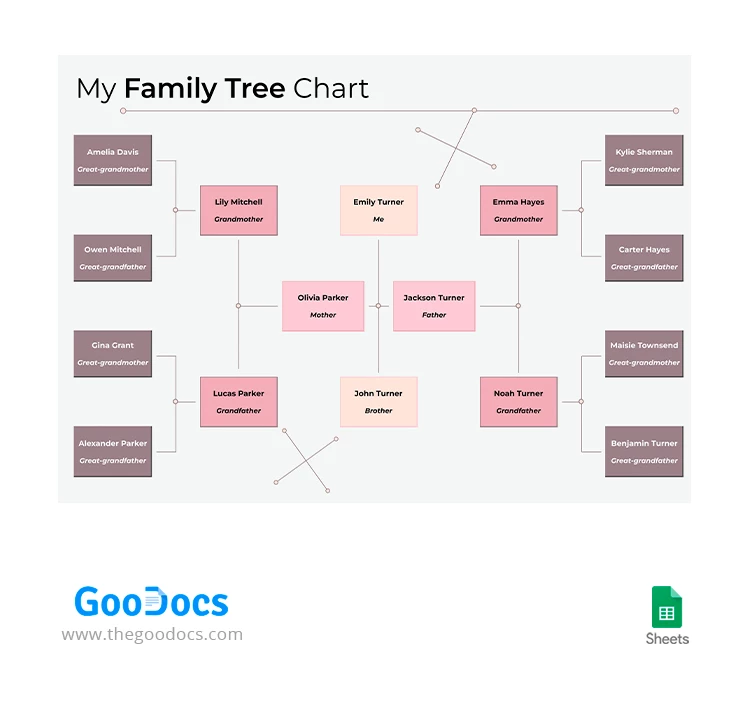
This Pastel Family Tree Chart template is not merely a record! It's a visual masterpiece that transforms your genealogy journey into an aesthetically pleasing experience. Each pastel shade represents a different generation, turning a potentially mundane task into a creative endeavor. But it's not just about the visual appeal as our family tree chart comes with a user-friendly structure, making it easy to input and organize your family details. Ensure that your family tree isn't just a document but a cherished piece of art that reflects your unique heritage.
ADVERTISEMENT
Free Template
Download Free Template
Choose your platform and start editing right away
PLATFORM
Google Sheets
Opens in browser
PAPER SIZE
A4
Google Sheets – A4
No account required • Attribution required
Add to Collection
Facebook
Pinterest
Twitter
Copy link
WHAT’S INCLUDED
Editable family tree chart
Pastel color-coded generations
Auto-updating relationship lines
Printable for easy sharing
Family Tree Tips
1
Use pastel colors for each generation distinction.
2
Double-check names before printing for accuracy.
3
Update relationships promptly with any family changes.
4
Add personal notes to personalize your tree.
FAQ
Is this template compatible with Excel?
Yes, use it in Google Sheets and Microsoft Excel.
How easy is it to customize?
Very easy! Edit names and relationships directly.
Can I change the colors?
Yes, customize the pastel colors as desired.
Is the template free?
Yes, it's free to download and use.
How do the automatic updates work?
Changes automatically reflect relationships when edited.
ADVERTISEMENT
How to Use and Edit This Template

1
Get Your Document
Click the "Edit Template" button to create your own editable copy in Google Sheets or download for Microsoft Excel

2
Customize Everything
Easily change colors, fonts, and layouts to match your unique style or brand identity

3
Add Your Content
Fill in your data, upload images, and replace the placeholder text with your own information

4
Print, Export, or Share
Print, export as PDF, or share instantly
Related Templates
Recently Viewed
Pastel Family Tree Chart
Open in Google Sheets and Microsoft Excel
Pastel Family Tree Chart
Open in Microsoft Excel
Your session has ended!
This may be due to prolonged inactivity or your account being used on another device.
OK
Link copied to clipboard