Get unlimited access to 5000+ Templates for Google Docs, Slides and Sheets
Unlimited Access
All Templates
ADVERTISEMENT
ADVERTISEMENT

Kids Family Tree Template

Use this free template with Google Slides and Microsoft PowerPoint
4.25 (1 reviews)
Last updated Updated August 4, 2026
Created by Nadia Sokolova
Type 3 Generations
ADVERTISEMENT

Template Specification

Format Google Slides, Microsoft PowerPoint
Created October 16, 2025
Last Updated August 4, 2026
Community Added to collections by 0 Users
Usage Stats 65 downloads this month

Key Features of This Template

Suitable For Family
Style Illustrated

About this template

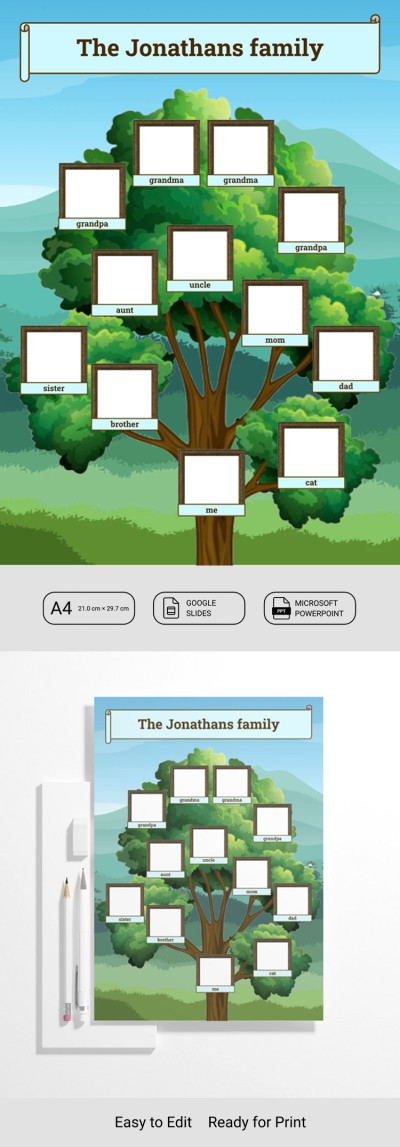
Our Kids Family Tree Template is perfect for a school project or to make a pleasant surprise for your family. Few things bring families closer together than exploring their roots with parents and loved ones. A cartoon background with a tree and mountains is also a go-to design choice for this type of child's project.

Simple Family Tree with Photo Frames

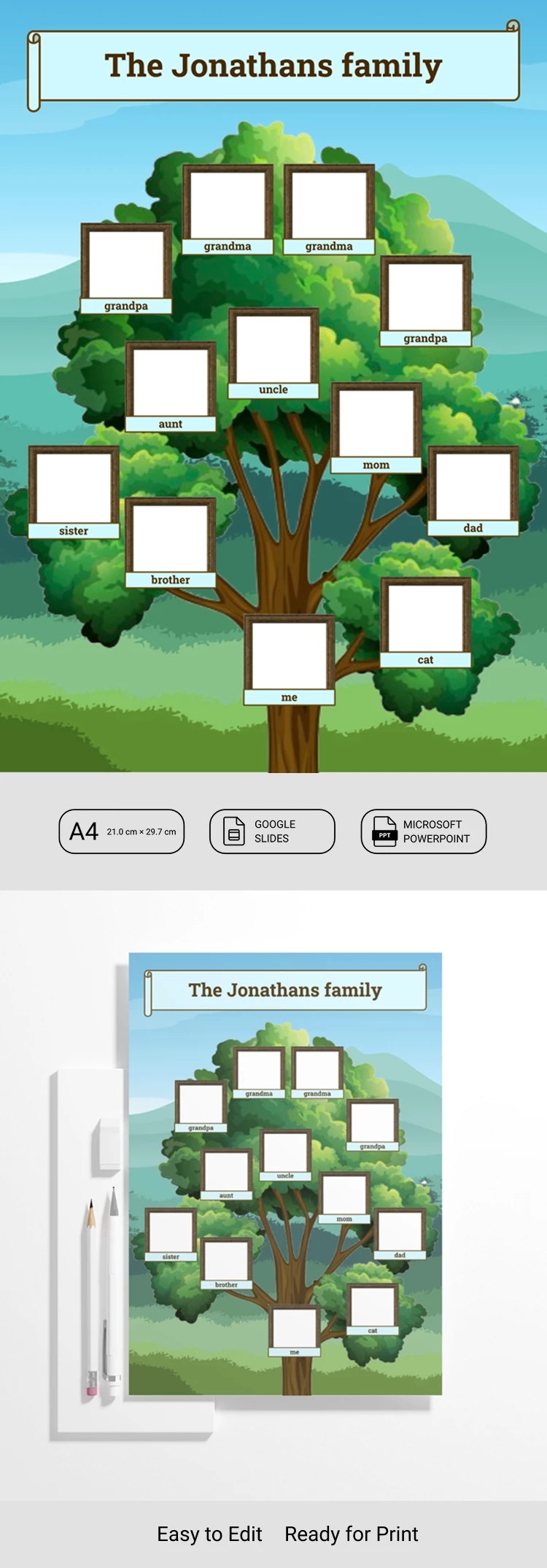
Our family tree template for kids is designed to make creating your project easier and more engaging. We've prepared photo frames and labeled each one. Placeholders are provided for photos of parents, siblings, aunts, uncles, grandparents, and even a pet.

This template for Google Slides and PowerPoint allows you to quickly:

  • Customize the family tree and captions to match your family structure.
  • Remove unnecessary frames or duplicate them to add more members.
  • Share the completed family tree digitally or print it on A4 paper.

Our 3-generation family tree template is available for free now. Click on the link to find more options like this on our website.

ADVERTISEMENT
Free Template

Download Free Template

Choose your platform and start editing right away
PLATFORM

Google Slides

Opens in browser

Microsoft PowerPoint

.pptx
PAPER SIZE
A4
Google Slides – A4
No account required • Attribution required

WHAT’S INCLUDED

Customizable family tree layout
Editable photo placeholders
Vibrant cartoon-style design
A4 print-ready dimensions

Family Tree Tips

1
Replace placeholders with family photos for personalization.
2
Use bright colors to highlight family connections.
3
Adjust captions to suit your family names.
4
Print the tree to share with relatives.

FAQ

Is this template free? Yes, it's completely free to download and use.
Is it compatible with Keynote? No, it's only for Google Slides and Microsoft PowerPoint.
How customizable is this template? You can easily edit slides, colors, and text.
How many slides are included? The template includes one fully customizable slide.
How do I change the slide theme? Modify the theme in Google Slides or PowerPoint via the design tab.
ADVERTISEMENT

How to Use and Edit This Template

Get Your Document

1

Get Your Document

Click the "Edit Template" button to create your own editable copy in Google Slides or download for Microsoft PowerPoint
Customize Everything
2

Customize Everything

Easily change colors, fonts, and layouts to match your unique style or brand identity
Add Your Content
3

Add Your Content

Fill in your data, upload images, and replace the placeholder text with your own information
Print, Export, or Share
4

Print, Export, or Share

Print, export as PDF, or share instantly

Related Templates

Recently Viewed