Get unlimited access to 5000+ Templates for Google Docs, Slides and Sheets
Unlimited Access
All Templates
ADVERTISEMENT
ADVERTISEMENT

Cute Family Tree Template

Use this free template with Google Docs and Microsoft Word
4.38 (2 reviews)
Last updated Updated August 4, 2026
Created by William Harris
Type 3 Generations
ADVERTISEMENT

Template Specification

Format Google Docs
Created October 26, 2021
Last Updated August 4, 2026
Community Added to collections by 0 Users
Usage Stats 1 downloads this month

Key Features of This Template

Suitable For Family

About this template

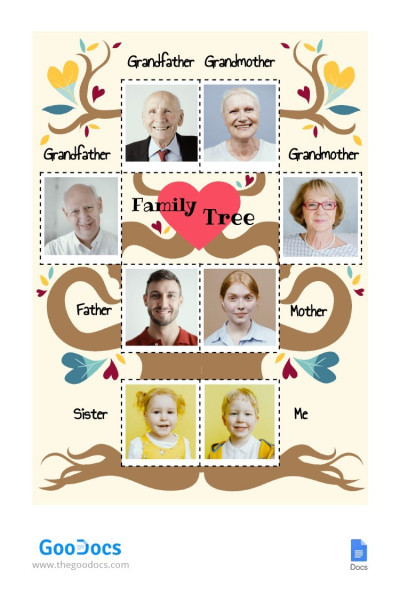
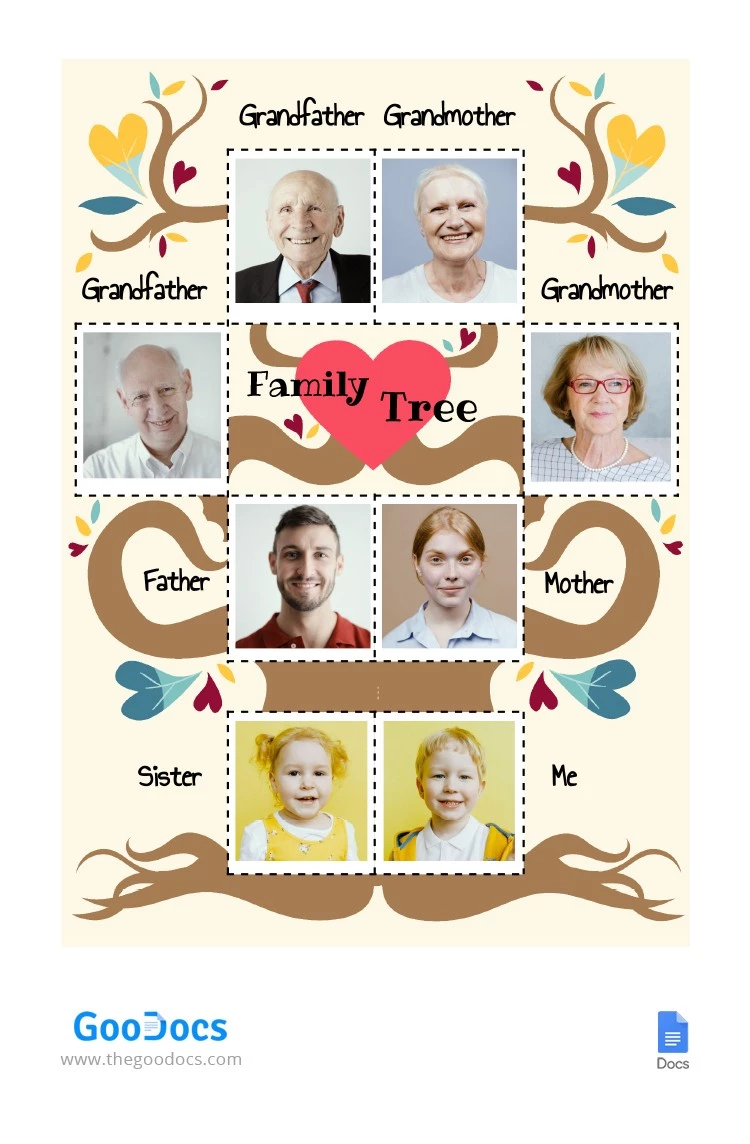
You can easily create a Cute Family Tree using our template. Hearts and a curly tree illustration create a warm and inviting design. The background of this template for a family tree features a graphic tree with branches extending from the children up to their grandparents.

Cute Family Tree for Kids

Our family tree template is perfect for children who want to create a surprise for their family, as well as for parents wanting to introduce them to their family structure.

The layout focuses on immediate family members, with the children at the bottom, their parents above them, and the grandparents at the top. Each person within this 3-generation family tree template has a placeholder for a photo and a name. The bottom section includes space for two children.

You can also customize every element:

  • Choose your favorite fonts.
  • Add more blocks for relatives or remove unnecessary ones.
  • Adjust colors, photo sizes, and other details.

Editing this family tree template for Google Slides is straightforward thanks to the drag-and-drop interface. There are many more unique options on our site; browse our collection to find more templates that suit your style.

ADVERTISEMENT
Free Template

Download Free Template

Choose your platform and start editing right away
PLATFORM

Google Docs

Opens in browser
PAPER SIZE
US Letter
A4
Google Docs – US Letter
No account required • Attribution required

WHAT’S INCLUDED

Customizable family photo placeholders
Editable text for family names
Colorful, heart-themed design elements
Print-ready for easy sharing

Family Tree Tips

1
Add family photos to personalize the tree.
2
Use bright colors to make it more engaging.
3
Update the family tree regularly for accuracy.
4
Include additional relatives for extended connection.

FAQ

Is this template compatible with Google Docs and Microsoft Word? Yes, it's fully compatible with both Google Docs and Microsoft Word.
Is the template easy to use for beginners? Yes, the drag-and-drop interface makes it simple to use.
Can I customize fonts and colors? Absolutely, you can modify fonts and colors to suit your style.
Is this family tree template free? Yes, the template is available for free download.
How can I edit the text? Simply click the text boxes to edit in Google Docs or Microsoft Word.
ADVERTISEMENT

How to Use and Edit This Template

Get Your Document

1

Get Your Document

Click the "Edit Template" button to create your own editable copy in Google Docs or download for Microsoft Word
Customize Everything
2

Customize Everything

Easily change colors, fonts, and layouts to match your unique style or brand identity
Add Your Content
3

Add Your Content

Fill in your data, upload images, and replace the placeholder text with your own information
Print, Export, or Share
4

Print, Export, or Share

Print, export as PDF, or share instantly

Related Templates

Recently Viewed