
Get unlimited access to 5000+ Templates for Google Docs, Slides and Sheets
Unlimited Access
All Templates
ADVERTISEMENT
ADVERTISEMENT

Blank Family Tree Template

Use this free template with Google Slides and Microsoft PowerPoint
4.25 (1 reviews)
Last updated Updated August 4, 2026
Created by Vladimir Belyakin
Type 5 Generations
ADVERTISEMENT

Template Specification

Format Google Slides, Microsoft PowerPoint
Created October 22, 2025
Last Updated August 4, 2026
Community Added to collections by 7 Users
Usage Stats 25 downloads this month

Key Features of This Template

Suitable For Family
Style Simple

About this template

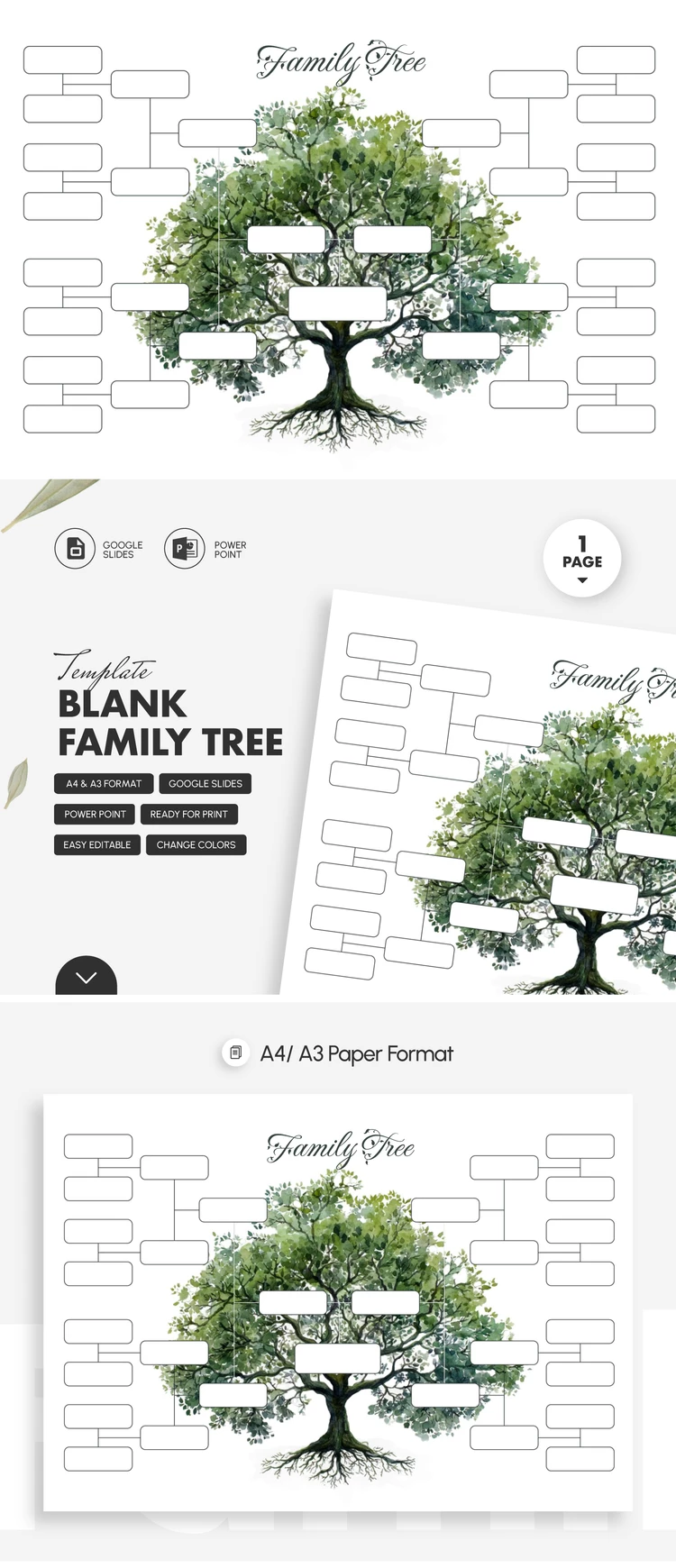
Our Blank Family Tree Template provides a great example of what a family tree should look like. Plus, you can use this premade layout with placeholders for your ancestors' names completely free. Fill it in using Google Slides or PowerPoint, share digitally, or print without restrictions.

DIY Family Tree with Empty Frames

The main elements of our layout are the title, a tree illustration in the background, and empty frames that can be filled in immediately. You can also customize the title by adding your name or leaving it as is. Our family tree Slides template allows for full customization, so you can choose your own fonts and add new illustrations or text.

The cool features don't end there:

  • Customize the size of each frame using a simple drag-and-drop interface.
  • Select a frame and click "Delete" if you don't need it.
  • Add details for all your relatives, including great-great-grandparents.

Our template is perfect for both digital and printed formats. We've prepared print settings for A4 and A3 sizes, so you can choose the one you need before downloading.

Download your free family tree template from our website!

ADVERTISEMENT
Free Template

Download Free Template

Choose your platform and start editing right away
PLATFORM

Google Slides

Opens in browser

Microsoft PowerPoint

.pptx
PAPER SIZE
A4 Landscape
A3 Landscape
Google Slides – A4 Landscape
No account required • Attribution required

WHAT’S INCLUDED

Editable family tree slide layout
Customizable color themes and fonts
Image and text placeholders
Printable in A4 and A3

Family Tree Tips

1
Use placeholders to easily add names
2
Customize fonts to match your style
3
Utilize color themes for cohesion
4
Print in A3 for easier visibility

FAQ

Is it compatible with my software? Yes, it works with Google Slides and Microsoft PowerPoint.
Can I easily edit the template? Yes, it features editable placeholders and text boxes.
Is this template free to use? Yes, you can download and use it for free.
How do I change the color theme? Select a color theme in Google Slides or Microsoft PowerPoint.
How many slides are included? The template includes a single editable slide.
ADVERTISEMENT

How to Use and Edit This Template

Get Your Document

1

Get Your Document

Click the "Edit Template" button to create your own editable copy in Google Slides or download for Microsoft PowerPoint
Customize Everything
2

Customize Everything

Easily change colors, fonts, and layouts to match your unique style or brand identity
Add Your Content
3

Add Your Content

Fill in your data, upload images, and replace the placeholder text with your own information
Print, Export, or Share
4

Print, Export, or Share

Print, export as PDF, or share instantly

Related Templates

Recently Viewed


