
Thegoodocs.com
Business card Templates
Roofing Business Card Templates
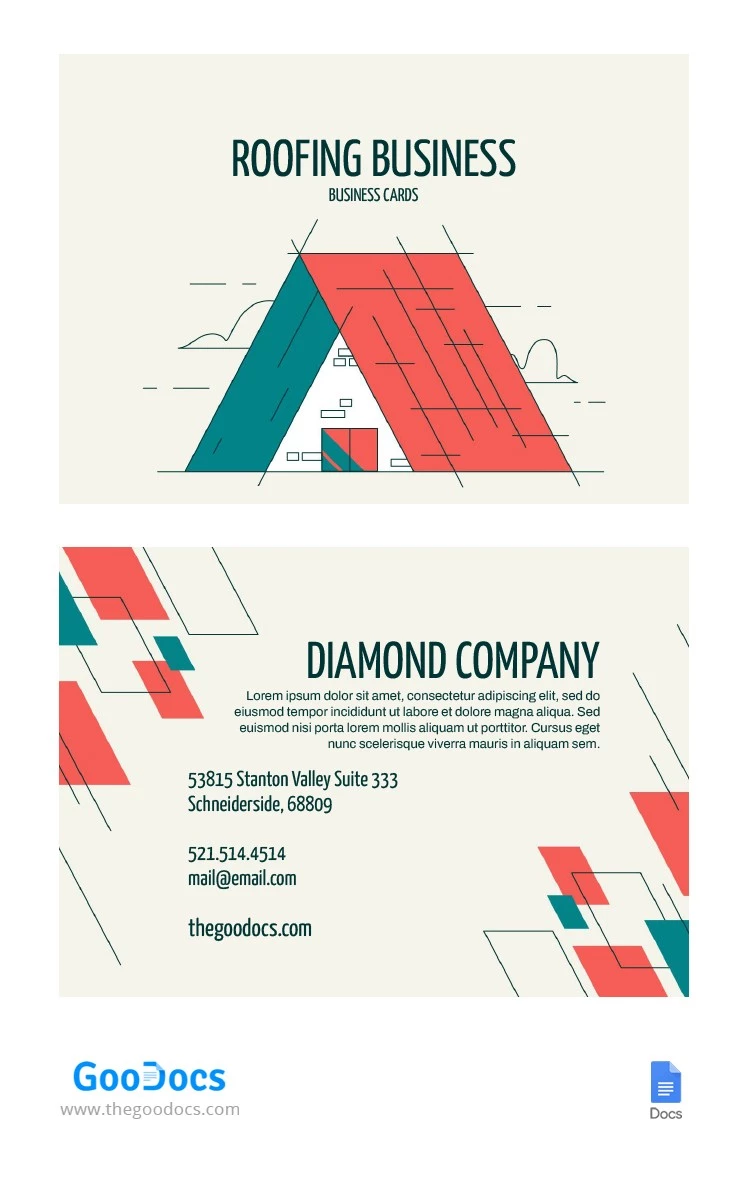
Linear Roofing Business Card Template
Log in
Sign up
ADVERTISEMENT
ADVERTISEMENT
Linear Roofing Business Card Template
Use this free template with Google Docs and Microsoft Word
4.17 (2 reviews)
•
Last updated
Updated
October 24, 2026
•
Created by
Daniel Mitchell
ADVERTISEMENT
Save
Template Specification
Format
Google Docs
Created
April 10, 2023
Last Updated
October 24, 2026
Community
Added to collections by 4 Users
Usage Stats
2 downloads this month
About this template
Such a modern business card design for your roofing company will attract the attention of customers! And you do not need to spend time and money to get a free copy of the Google Docs template. You can get started right now. Customize any design elements, and add contact details, office location, and other info.
ADVERTISEMENT
Free Template
Download Free Template
Choose your platform and start editing right away
PLATFORM
Google Docs
Opens in browser
PAPER SIZE
A5
Google Docs – A5
No account required • Attribution required
Add to Collection
Facebook
Pinterest
Twitter
Copy link
WHAT’S INCLUDED
Modern double-sided business card layout
Customizable text and color scheme
Professional geometric design elements
Print-ready standard business card dimensions
Business card Tips
1
Customize colors and fonts to match your brand identity.
2
Update contact information regularly for accuracy.
3
Print on high-quality card stock for a professional finish.
4
Use clear and concise text for better readability.
FAQ
Is this template compatible with Word?
Yes, it's compatible with Google Docs and Microsoft Word.
How easy is it to customize?
It's easy to edit text and adjust design elements.
Do I need to pay to download?
No, it's completely free to download and use.
What sizes are included in the template?
Standard business card dimensions are included.
Can I change the text style?
Yes, text styles are fully editable in Google Docs and Word.
ADVERTISEMENT
How to Use and Edit This Template

1
Get Your Document
Click the "Edit Template" button to create your own editable copy in Google Docs or download for Microsoft Word

2
Customize Everything
Easily change colors, fonts, and layouts to match your unique style or brand identity

3
Add Your Content
Fill in your data, upload images, and replace the placeholder text with your own information

4
Print, Export, or Share
Print, export as PDF, or share instantly
Related Templates
Recently Viewed
Linear Roofing Business Card
Open in Google Docs and Microsoft Word
Linear Roofing Business Card
Open in Microsoft Word
Your session has ended!
This may be due to prolonged inactivity or your account being used on another device.
OK
Link copied to clipboard