Yearly Business Expense Tracker Template
Use this free template with Google Sheets and Microsoft Excel
Template Specification
Key Features of This Template
About this template
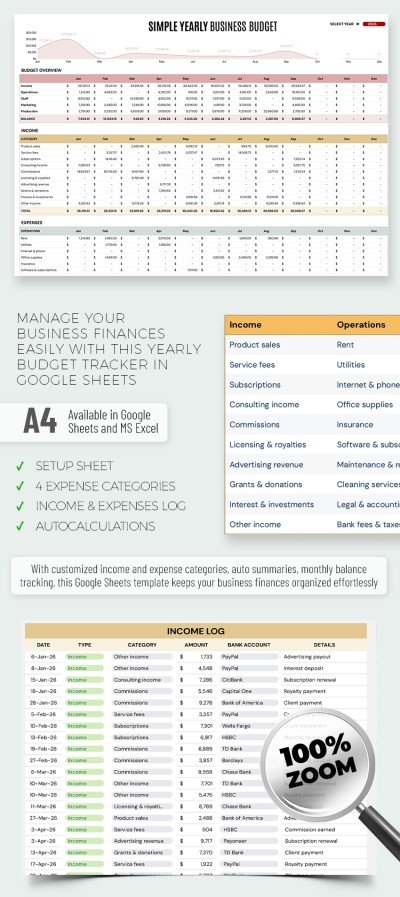
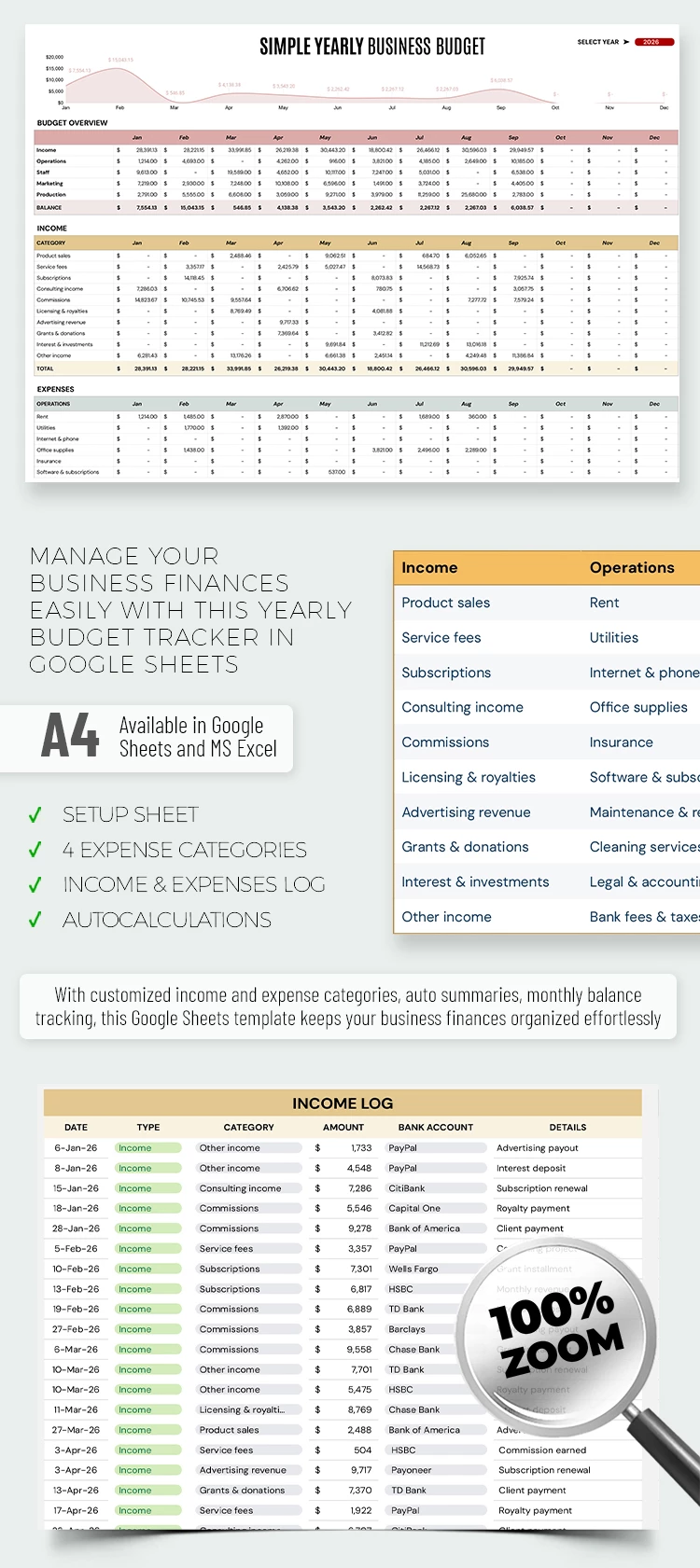
Use our Yearly Business Expense Tracker Template to record and manage your operational costs and income. With just one spreadsheet, you can create a complete overview of every expense and revenue category for your company. Our Google Sheets and Excel expense tracker template comes with built-in formulas, automatic charts, drop-down lists, and more.
Use Our Modern Business Income & Expense Layout
This spreadsheet template features three distinct sheets. Let's start with the Setup sheet, where you can customize your drop-down lists. It contains a table with columns for Income, Operations, Staff, Marketing, Production, and Bank Accounts. Each column populates a separate drop-down list, which you can customize by replacing the items on this page.
The Transaction Log sheet allows you to track every transaction across your business's various bank accounts. Here, you can select types, categories, and statuses from pre-configured drop-down lists. Then, all that remains is to enter the amount of each transaction.
The Monthly Budget sheet offers:
- Three separate categories, including budget overview, income, and expenses.
- Additional sections for the income and expenses categories, with values automatically pulled from the Transaction Log sheet.
- A chart showing the company's balance automatically based on the values entered in the tables.
By the way, the budget overview automatically pulls data for all income and expense subcategories. All totals are calculated automatically. Fill out this tracker template and see how easy managing your finances can be today!
Download Free Template
Google Sheets
Opens in browserMicrosoft Excel
.xlsxWHAT’S INCLUDED
Tracker Tips
FAQ
How to Use and Edit This Template

Get Your Document

Customize Everything

Add Your Content

Print, Export, or Share
Related Templates
Recently Viewed