Office Inventory List Template
Use this free template with Google Sheets and Microsoft Excel
Template Specification
Key Features of This Template
About this template
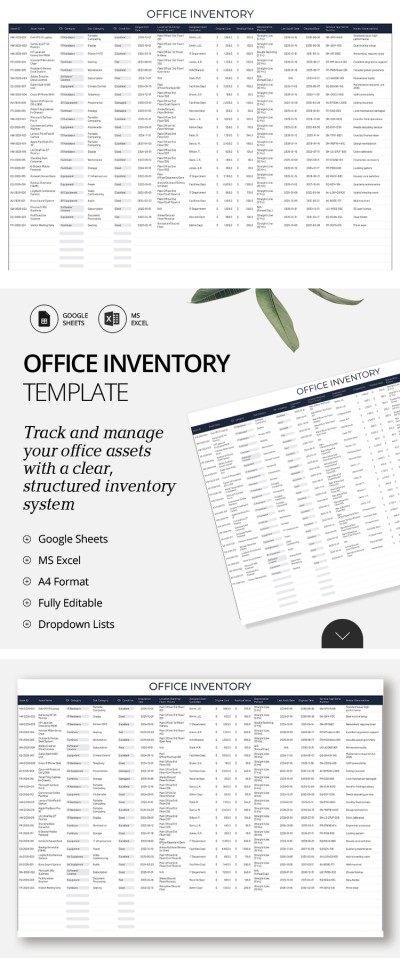
The Office Inventory List Template is a must-have spreadsheet that will help you manage all your office supplies in one place. Record furniture, software, licenses, and any equipment using a professionally organized document. Our Excel and Google Sheets inventory template is fully editable and features a simple interface for work and more.
Manage Your Office Assets Easily
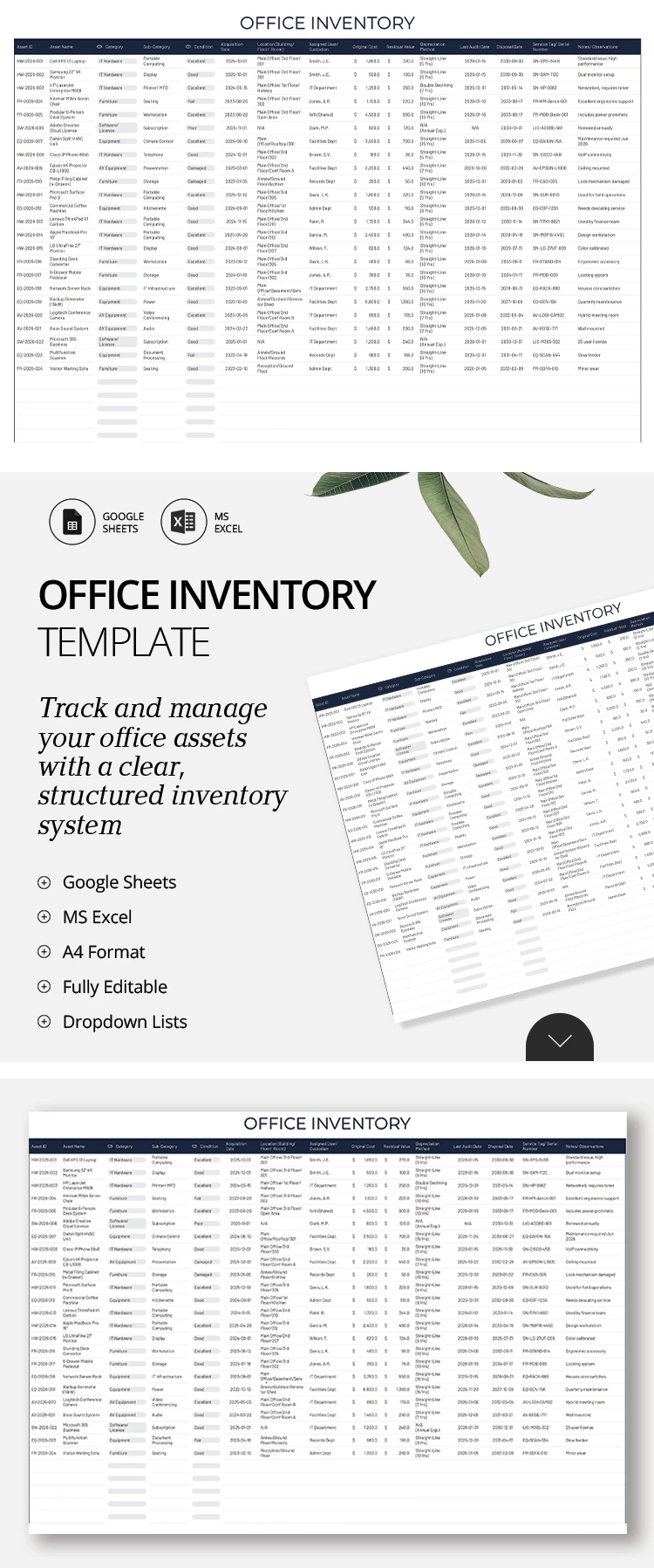
The entire template is divided into two parts: a header and a main table for your entries. In the header section, you can specify the company name or office location, or leave the default title. 15 columns for recording important details about office items and equipment are already included.
All you need to do is add your items with their ID, name, acquisition date, location, assigned users, audit and disposal dates, notes, and more.
This inventory list template in Google Sheets also offers:
- Pre-built editable drop-down lists for categories (IT Hardware, AV Equipment, Office Equipment, Networking, etc.) and the condition of each item (Excellent, Good, Needs Repair).
- The ability to fill out items in the cloud on different devices at the same time.
- Rows for an unlimited number of items in your office.
Even better, you can start using our office inventory template for free today. Experience all the benefits of the spreadsheet for yourself.
Download Free Template
Google Sheets
Opens in browserMicrosoft Excel
.xlsxWHAT’S INCLUDED
Inventory Tips
FAQ
How to Use and Edit This Template

Get Your Document

Customize Everything

Add Your Content

Print, Export, or Share
Related Templates
Recently Viewed