Simple Event Planning Budget Tracker Template
Use this free template with Google Sheets and Microsoft Excel
Template Specification
Key Features of This Template
About this template
Use our Simple Event Planning Budget Tracker Template to arrange your event’s revenue and expenses in advance. This spreadsheet also helps you track all costs, get automatic calculations for key metrics, and even generate charts. There’s no need to set anything up from scratch, because our Excel and Google Sheets budget template includes the features you may need.
Your Go-To Event Planning Budget Template
Get a complete overview of your event’s planned and actual costs and profits in a single spreadsheet.
This event budget template includes:
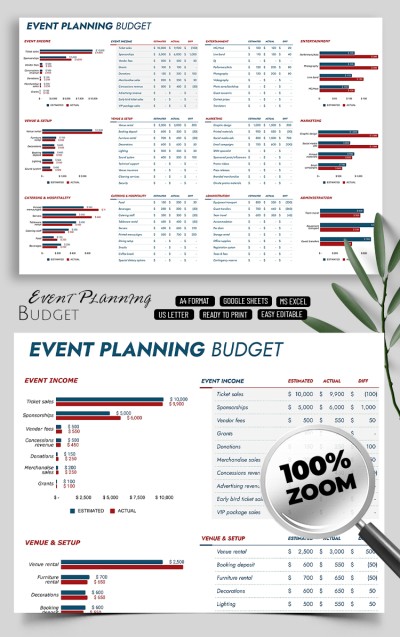
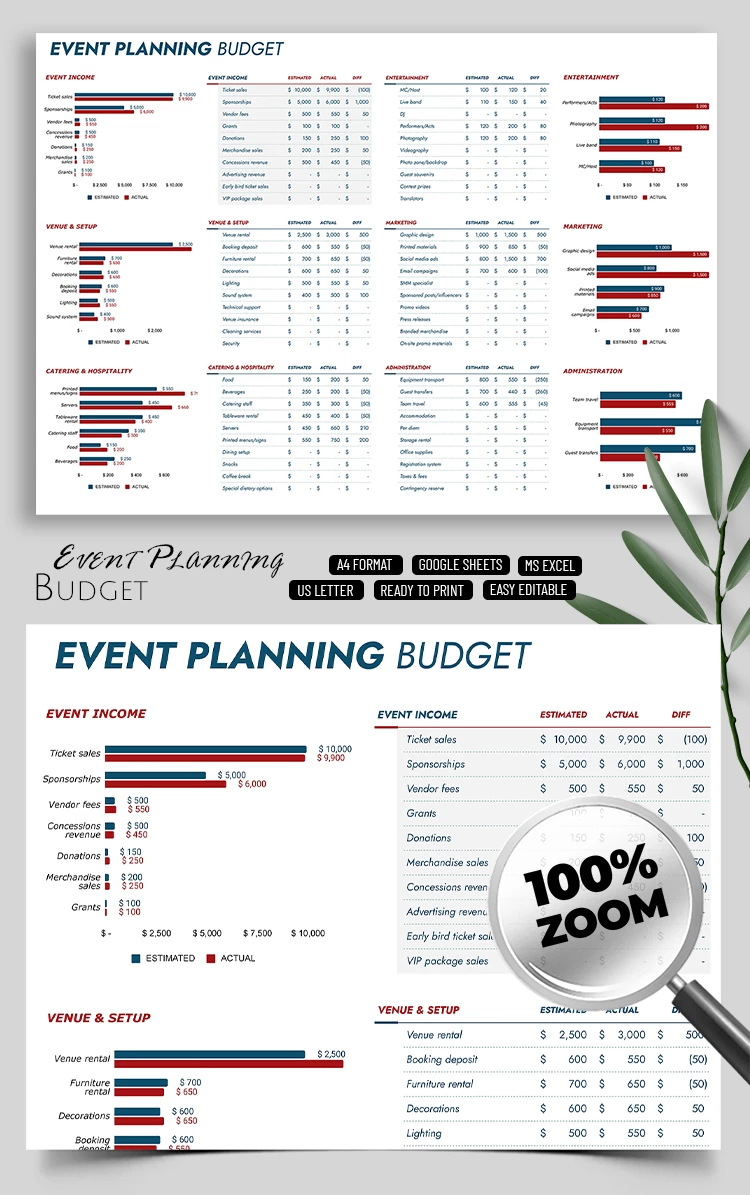
- Three bar charts showing estimated versus actual venue & setup, catering & hospitality costs, and revenue.
- Three additional bar charts comparing budgeted and actual costs for entertainment, marketing, and event administration.
- Six tables for entering all your income and expenses by pre-defined categories.
To use this template, enter your budgeted and actual costs. The difference will be calculated automatically, and the charts will update instantly. You don’t need any special skills to use the template; just enter the data. And if you want to simplify creating other budgets, check out the weekly paycheck budget template category.
How to Use and Edit This Template

Get Your Document

Customize Everything

Add Your Content

Print, Export, or Share
Related Templates
Recently Viewed