Get unlimited access to 5000+ Templates for Google Docs, Slides and Sheets
Unlimited Access
ADVERTISEMENT
ADVERTISEMENT

Cash Envelope Budget Planner | Printable & Digital Budgeting System

Use this free template with Google Sheets and Microsoft Excel
4.25 (1 reviews)
Last updated Updated July 9, 2026
Created by Natalia Prokhorenko
Type Envelope, Simple
ADVERTISEMENT

Template Specification

Format Google Sheets, Microsoft Excel
Created September 8, 2025
Last Updated July 9, 2026
Community Added to collections by 4 Users
Usage Stats 3 downloads this month

Key Features of This Template

About this template

Our Cash Envelope Budget Planner template takes funding allocation to a new level. While paper envelopes are a thing of the past, the envelope budgeting system has proven itself over the years. Now you can use a digital version with the advanced features offered by Google Sheets and Excel.

Use a Time-Tested Financial Planning Method

We've redesigned and improved this approach, making it much easier to use and more relevant to today's financial climate, where cash has become a secondary concern.

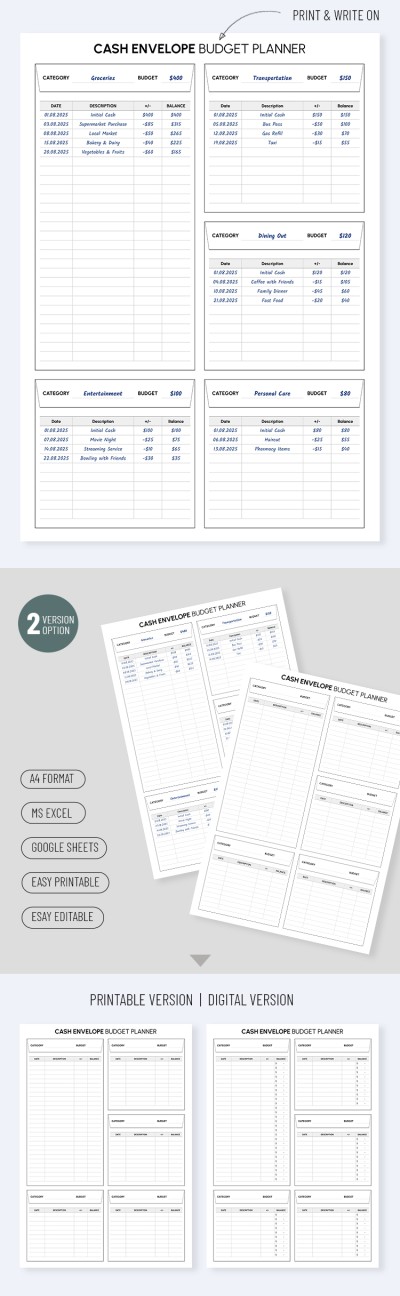
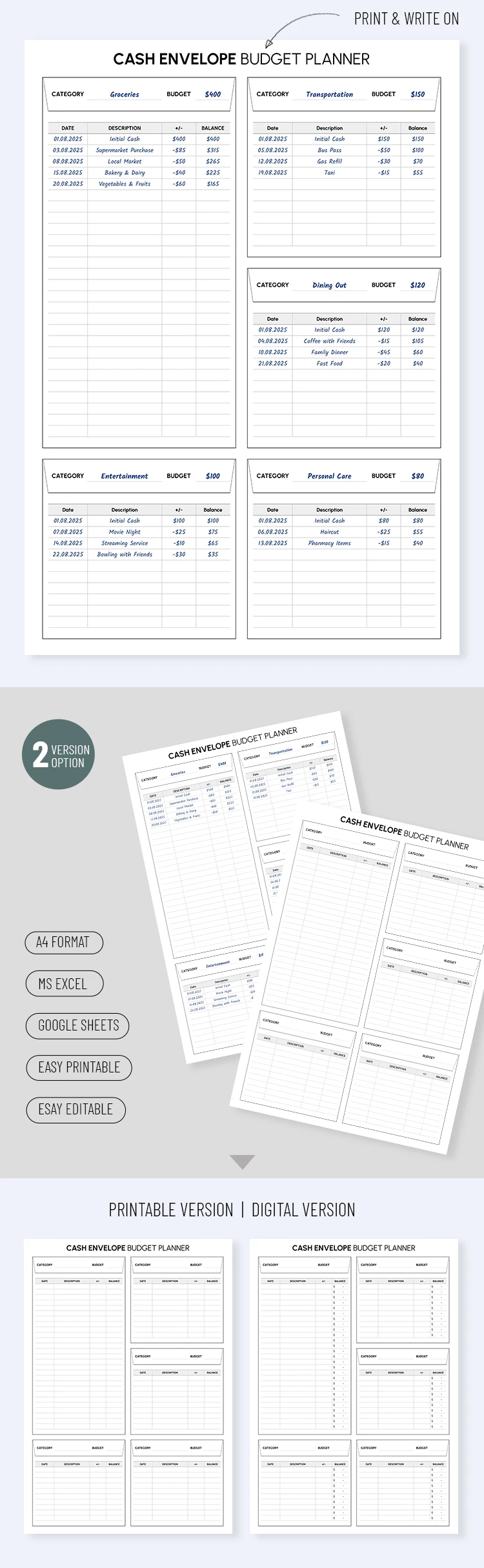
Our budget envelope template includes a layout with five separate "envelopes" - categories for which you can enter names (food, bills, utilities, loan payments, etc.). For each envelope, you can set a budget amount; once that amount is used up, you can no longer spend money on that expense category.

You can also record all expenditures for each envelope, including dates, descriptions, budget adjustments (plus or minus), and the expense amount. There are two budget versions inside the file, one for digital use and one for printing in A4 format with all settings enabled. Try the envelope budgeting method for free, or find a budget template that suits your needs.

ADVERTISEMENT
Free Template

Download Free Template

Choose your platform and start editing right away
PLATFORM

Google Sheets

Opens in browser

Microsoft Excel

.xlsx
PAPER SIZE
A4
Google Sheets – A4
No account required • Attribution required

WHAT’S INCLUDED

5 customizable expense categories
Printable and digital versions included
Easy-to-use tracking layout
Supports both Google Sheets and Excel

Budget Tips

1
Update your expenses immediately to stay on track.
2
Review your budget weekly for better management.
3
Customize categories to fit personal spending habits.
4
Use the digital version for automatic calculations.

FAQ

Is this compatible with Google Sheets? Yes, it's designed for both Google Sheets and Excel.
Is the template easy to use? Absolutely, it's user-friendly with a clear layout.
Can I customize the categories? Yes, you can easily personalize the expense categories.
Is this template free? Yes, it's available for free download.
Is it suitable for personal finance? Yes, it helps manage personal budgeting effectively.
ADVERTISEMENT

How to Use and Edit This Template

Get Your Document

1

Get Your Document

Click the "Edit Template" button to create your own editable copy in Google Sheets or download for Microsoft Excel
Customize Everything
2

Customize Everything

Easily change colors, fonts, and layouts to match your unique style or brand identity
Add Your Content
3

Add Your Content

Fill in your data, upload images, and replace the placeholder text with your own information
Print, Export, or Share
4

Print, Export, or Share

Print, export as PDF, or share instantly

Related Templates

Recently Viewed