Cute School Newsletter Template
Use this free template with Google Slides and Microsoft PowerPoint
Template Specification
Key Features of This Template
About this template
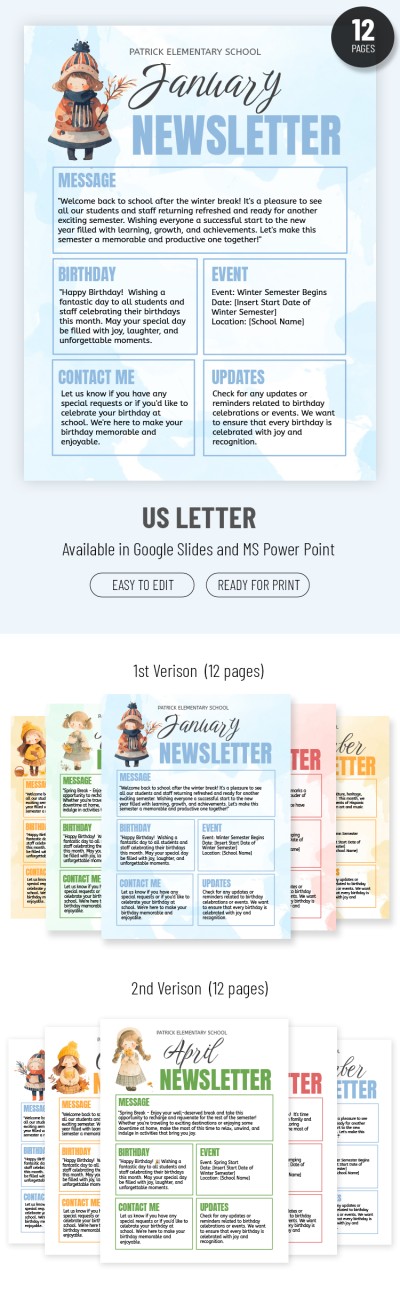
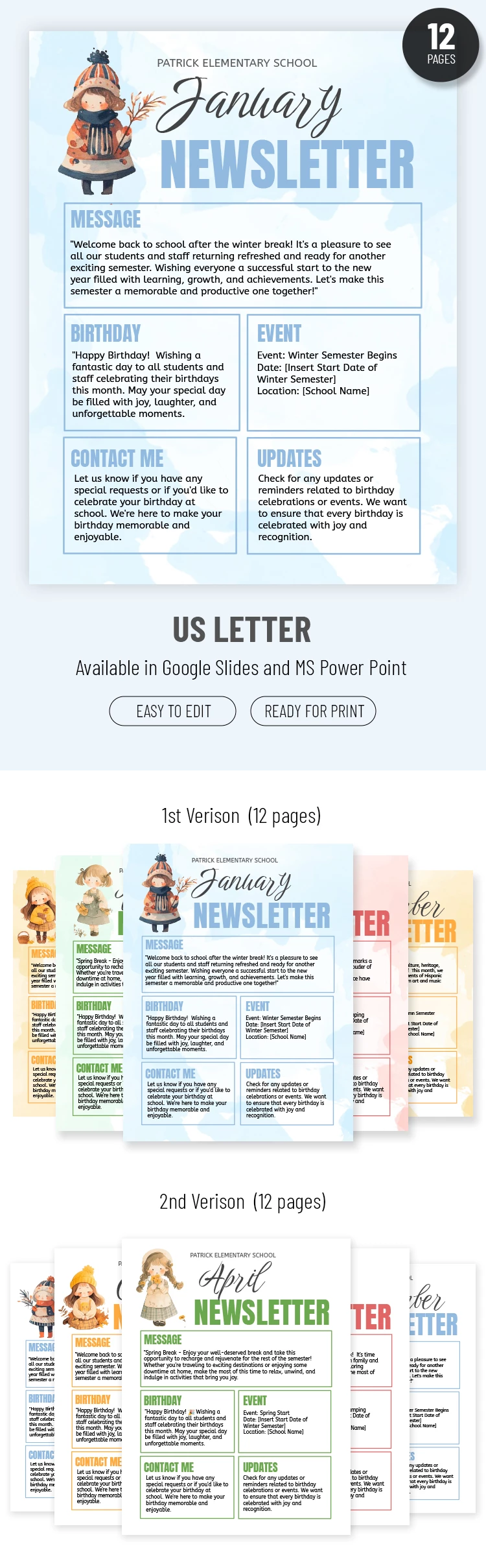
Our School Newsletter Template is perfect for teachers who want to keep students and parents updated in style! An eye-catching design, fun graphic elements, and color-coded palettes for all four seasons make this newsletter template a great choice for any classroom.
Design For 12 Months
This school newsletter template is designed for monthly updates. However, you can use it even more often: biweekly or every week.
To keep children and their parents updated, we've included several exciting details:
- Color-coded designs for different times of the year. For example, we chose a white and blue palette for winter, green for spring, coral for summer, and orange for autumn.
- An illustration of a girl in seasonal outfits. It's cold in winter, so she's wearing a coat and hat, but in summer, a simple dress is enough!
Ready-Made Structure for Your News
The layout includes sections for your main message, separate blocks for student birthdays, events, and updates, and a contact section to show parents how to stay in touch. A simple design, a convenient arrangement of blocks, and the ability to edit the Google Slide newsletter template make it an indispensable tool!
How to Use and Edit This Template

Get Your Document

Customize Everything

Add Your Content

Print, Export, or Share
Related Templates
Recently Viewed