ADVERTISEMENT
ADVERTISEMENT
Wedding Agenda Template
Use this free template with Google Docs and Microsoft Word
ADVERTISEMENT
Template Specification
Format
Google Docs, Microsoft Word
Created
June 22, 2024
Last Updated
October 3, 2026
Community
Added to collections by 6 Users
Usage Stats
5 downloads this month
About this template
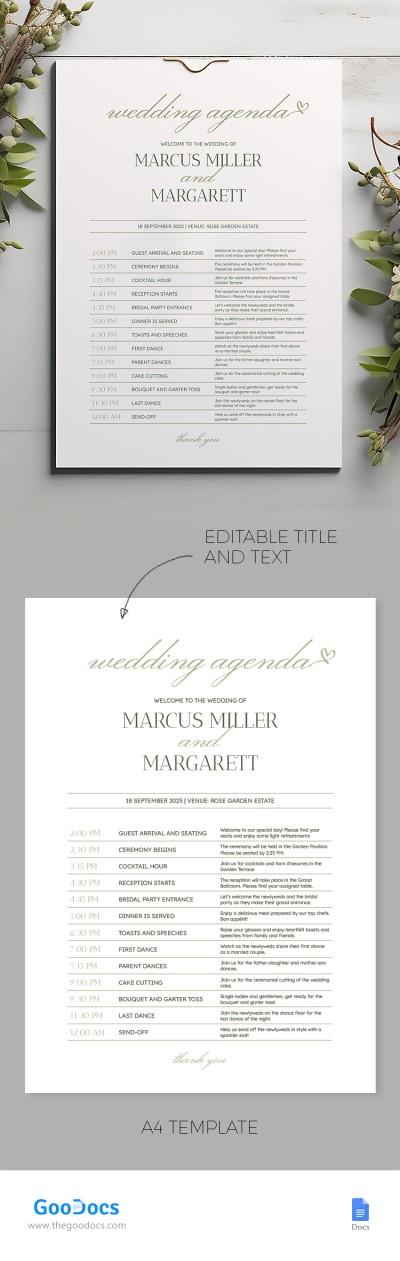
Our elegantly styled Wedding Agenda Template will help you create an announcement for your special occasion and share it with all your guests. The eye-pleasing design and 100% editable and printable format make this form a versatile option for couples and agencies.
Welcome to the Wedding Form
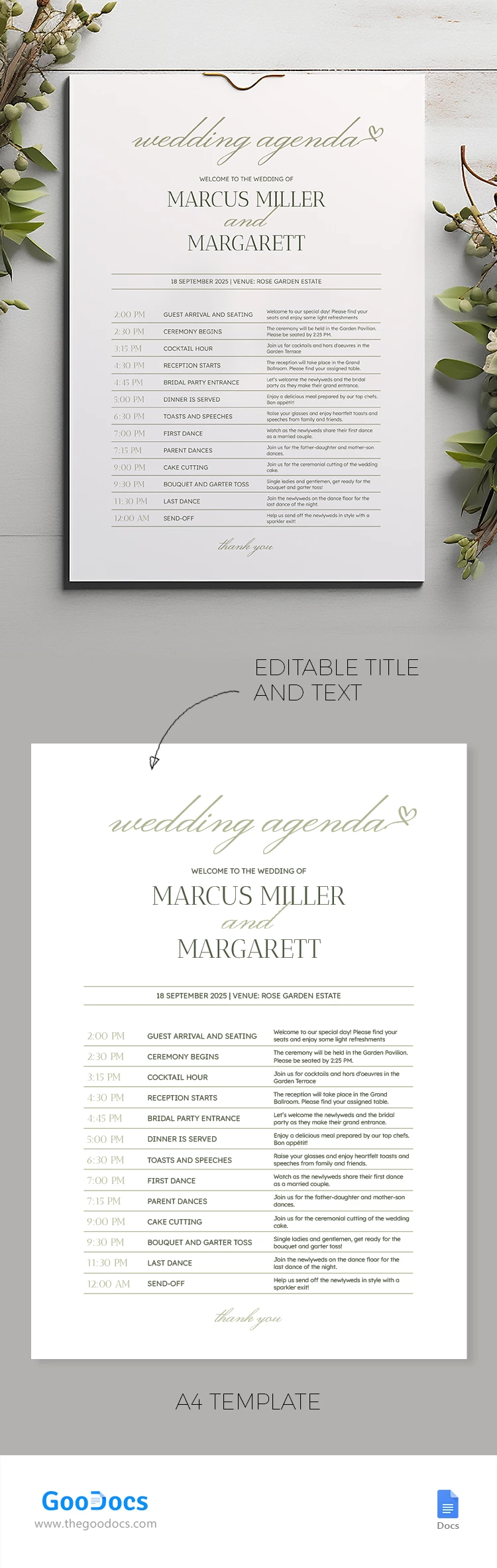
This one-page agenda template in Word and Google Docs will be indispensable for people who want to amaze everyone invited. The form includes all the placeholders that are needed to inform about the celebration schedule.
- Header section: you can specify a title, for example, “Welcome to the wedding of” and write down names. There is also a section to fill in the date and venue.
- Main table: This section consists of 13 adjustable points that you can fill out. Add time, event, and descriptions to the table.
Here, you will find hundreds of agenda templates for any task, from weddings to business meetings.
ADVERTISEMENT
Free Template
Download Free Template
Choose your platform and start editing right away
PLATFORM
PAPER SIZE
A4
No account required • Attribution required
WHAT’S INCLUDED
Editable title and text
Customizable event timing sections
Printable A4 format design
Venue and date placeholder
Agenda Tips
Personalize text to match your wedding theme
Double-check details like time and venue
Print on high-quality paper for elegance
Update changes immediately to avoid confusion
FAQ
Is this template compatible with Google Docs?
Yes, you can use it in Google Docs or Microsoft Word.
How easy is it to customize?
The template allows easy editing of text and sections.
Can I use this template for free?
Yes, the template is available for free download.
Is printing included in the download?
No, you need to print it separately after customization.
Can I edit the event times and descriptions?
Yes, all event times and descriptions are fully editable.
ADVERTISEMENT
How to Use and Edit This Template

Get Your Document
Click the "Edit Template" button to create your own editable copy in Google Docs or download for Microsoft Word

Customize Everything
Easily change colors, fonts, and layouts to match your unique style or brand identity

Add Your Content
Fill in your data, upload images, and replace the placeholder text with your own information

Print, Export, or Share
Print, export as PDF, or share instantly