Get unlimited access to 5000+ Templates for Google Docs, Slides and Sheets
Unlimited Access
ADVERTISEMENT
ADVERTISEMENT

White Personal Monthly Budget Planner Template

Use this free template with Google Sheets and Microsoft Excel
4.25 (1 reviews)
Last updated Updated July 9, 2026
Created by Natalia Prokhorenko
Type Monthly, Simple
ADVERTISEMENT

Template Specification

Format Google Sheets, Microsoft Excel
Created May 11, 2024
Last Updated July 9, 2026
Community Added to collections by 11 Users
Usage Stats 2 downloads this month

Key Features of This Template

Budget Period Monthly Budget Templates
Suitable For Personal

About this template

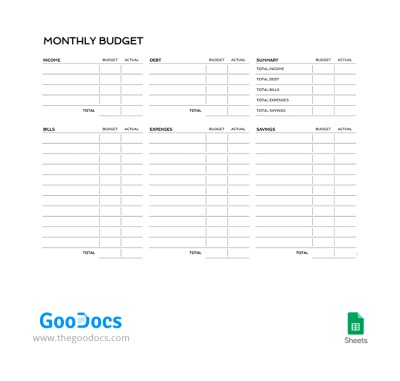
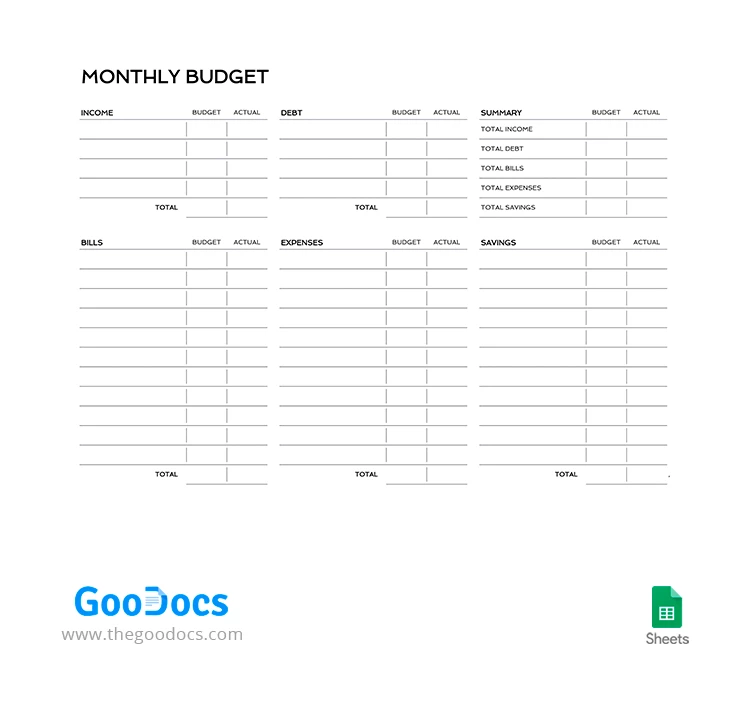
Your monthly budget is completely safe with this Personal Monthly Budget Planner template! A convenient format in Google Sheets with automatic formulas, a ready-to-use form, and the ability to use it in digital and printed formats - these are only part of the advantages that await.

Simple Black and White Personal Budget Form

Our budget planner template in Google Sheets features everything you need for efficient money management.

Using our tool, you can:

  • Track all your sources of income.
  • Properly distribute funds between fixed expenses, bills, savings, and debts.
  • Receive monthly statistics on total income, debts, bills, and savings.

Customize Your Budget Spreadsheet

Working with Google Sheets is straightforward, and the ability to add formulas will help reduce the time for calculations. Want to use a physical copy? Just print this form on any home printer and use it!

Don't forget to check out our collection of ready-to-use budget templates!

ADVERTISEMENT
Free Template

Download Free Template

Choose your platform and start editing right away
PLATFORM

Google Sheets

Opens in browser

Microsoft Excel

.xlsx
PAPER SIZE
A4
Google Sheets – A4
No account required • Attribution required

WHAT’S INCLUDED

Income, bills, expenses, savings sections
Automatic calculations and summaries
Editable budget and actual columns
Printable and ready-to-use format

Budget Tips

1
Update the template at the end of every month.
2
Set realistic budget goals for each category.
3
Review actual vs. budget to improve spending habits.
4
Customize categories to fit your specific needs.

FAQ

Is this template compatible with Excel? Yes, you can download it for use in Excel.
Is Google Sheets free to use? Yes, Google Sheets is free with a Google account.
Can I customize the categories? Yes, categories are fully customizable to suit your needs.
Are there pre-set formulas for calculations? Yes, it includes automatic formulas for ease of use.
Is this template available in other languages? The template itself is in English, but you can translate content as needed.
ADVERTISEMENT

How to Use and Edit This Template

Get Your Document

1

Get Your Document

Click the "Edit Template" button to create your own editable copy in Google Sheets or download for Microsoft Excel
Customize Everything
2

Customize Everything

Easily change colors, fonts, and layouts to match your unique style or brand identity
Add Your Content
3

Add Your Content

Fill in your data, upload images, and replace the placeholder text with your own information
Print, Export, or Share
4

Print, Export, or Share

Print, export as PDF, or share instantly

Related Templates

Recently Viewed