Get unlimited access to 5000+ Templates for Google Docs, Slides and Sheets
Unlimited Access
ADVERTISEMENT
ADVERTISEMENT

Lilac Weekly Personal Budget Template

Use this free template with Google Sheets and Microsoft Excel
4.25 (1 reviews)
Last updated Updated July 11, 2026
Created by Natalia Prokhorenko
Type Weekly
ADVERTISEMENT

Template Specification

Format Google Sheets
Created July 25, 2024
Last Updated July 11, 2026
Community Added to collections by 18 Users
Usage Stats 13 downloads this month

Key Features of This Template

Budget Period Weekly Budget Templates
Suitable For Personal

About this template

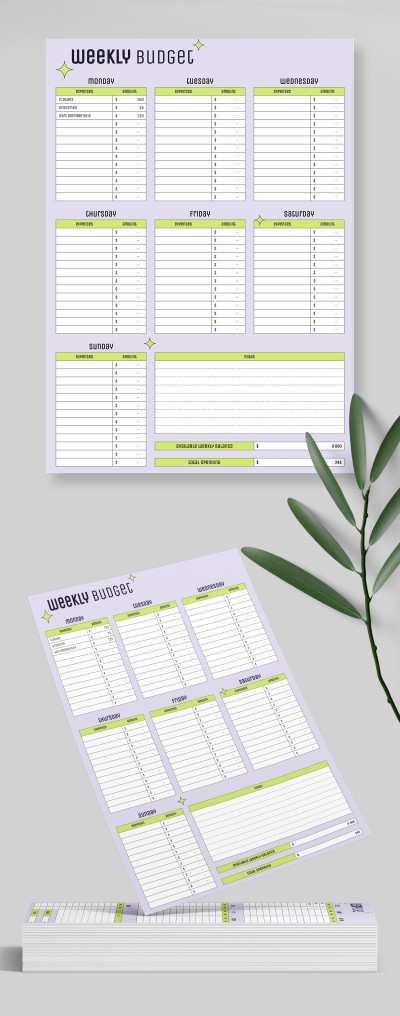
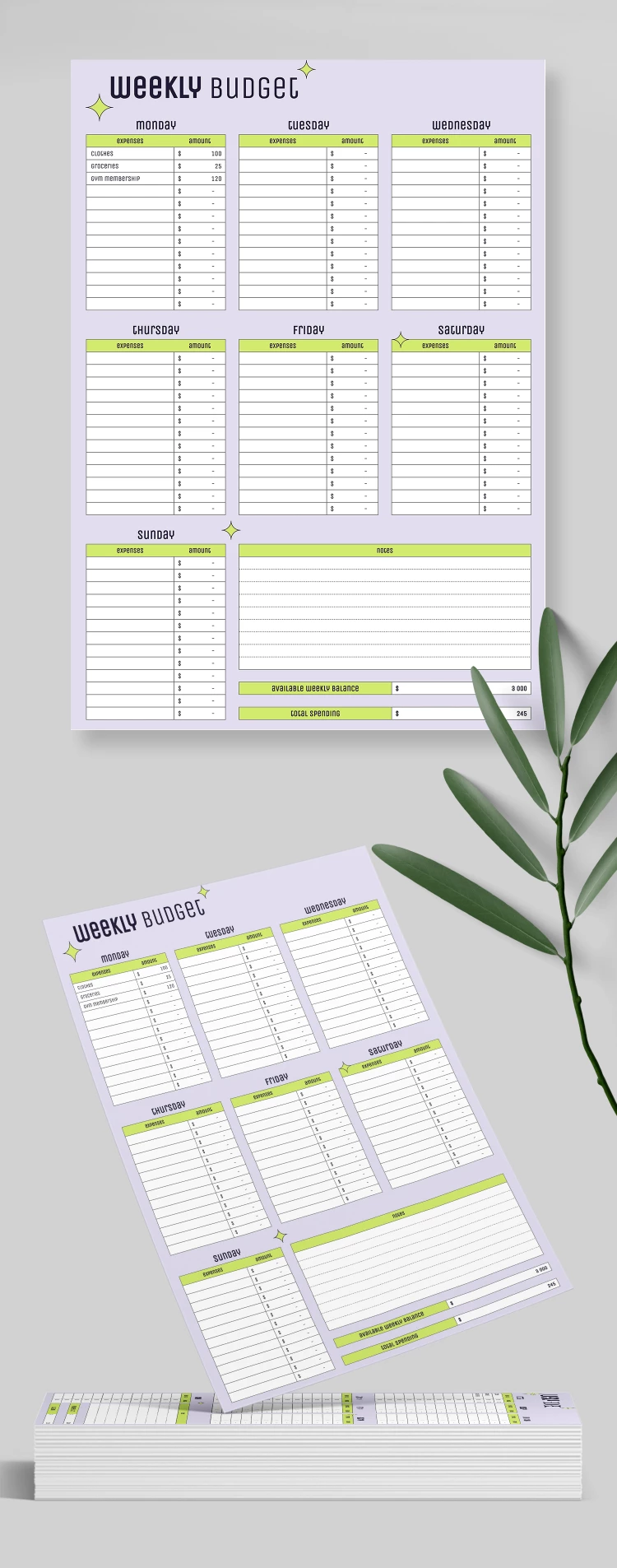
Our Lilac Weekly Budget Template features everything you need for effective budgeting! This option is perfect for those who want to organize their expenses for each day of the week.

Eye-Pleasing Design

The lilac background is perfect for our personal budget spreadsheet. This template also includes bright green headers for each day and additional graphic elements on the background. So, you can quickly find the necessary table or information from the lists.

Unique and Professional Structure

Our weekly budget template in Excel and Google Sheets is divided into many sections. Each day of the week, from Monday to Sunday, has its table. These spreadsheets include 12 cells for expense categories and their amounts.

Additionally, there is a table for notes in the lower right corner. Under it, you will find Available Weekly Balance and Total Spending fields with ready-made functions.

Find universal and specialized budget templates only with us!

ADVERTISEMENT
Free Template

Download Free Template

Choose your platform and start editing right away
PLATFORM

Google Sheets

Opens in browser
PAPER SIZE
A4
Google Sheets – A4
No account required • Attribution required

WHAT’S INCLUDED

Weekly tracking for daily expenses
Space for 12 expense categories
Notes section for financial insights
Automated balance and spending totals

Budget Tips

1
Record expenses daily to track your spending accurately.
2
Use the notes section for unplanned expenses.
3
Regularly adjust categories to reflect lifestyle changes.
4
Review weekly spending to identify saving opportunities.

FAQ

Is this template compatible with both Google Sheets and Excel? Yes, it's fully compatible with both applications.
Is the template beginner-friendly? Absolutely! It's designed for ease of use with clear sections.
Can I customize the categories in this template? Yes, you can easily edit categories to suit your needs.
Is this template free to download? Yes, it is completely free to download.
How often should I update my budget with this template? Update it daily for the most accurate tracking.
ADVERTISEMENT

How to Use and Edit This Template

Get Your Document

1

Get Your Document

Click the "Edit Template" button to create your own editable copy in Google Sheets or download for Microsoft Excel
Customize Everything
2

Customize Everything

Easily change colors, fonts, and layouts to match your unique style or brand identity
Add Your Content
3

Add Your Content

Fill in your data, upload images, and replace the placeholder text with your own information
Print, Export, or Share
4

Print, Export, or Share

Print, export as PDF, or share instantly

Related Templates

Recently Viewed