Get unlimited access to 5000+ Templates for Google Docs, Slides and Sheets
Unlimited Access

Board Meeting Agenda Template

Use this free template with Google Docs and Microsoft Word
4.25 (1 reviews)
Last updated Updated June 30, 2026

Template Specification

Format Google Docs, Microsoft Word
Created June 19, 2024
Last Updated June 30, 2026
Community Added to collections by 17 Users
Usage Stats 8 downloads this month

About this template

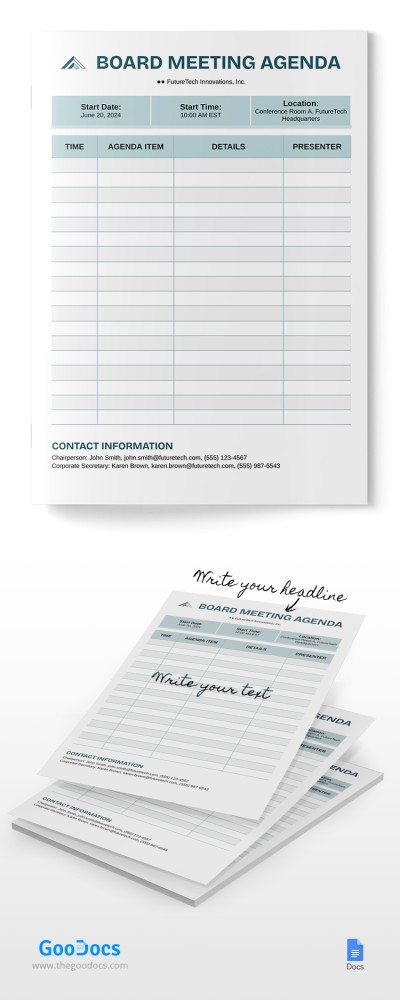
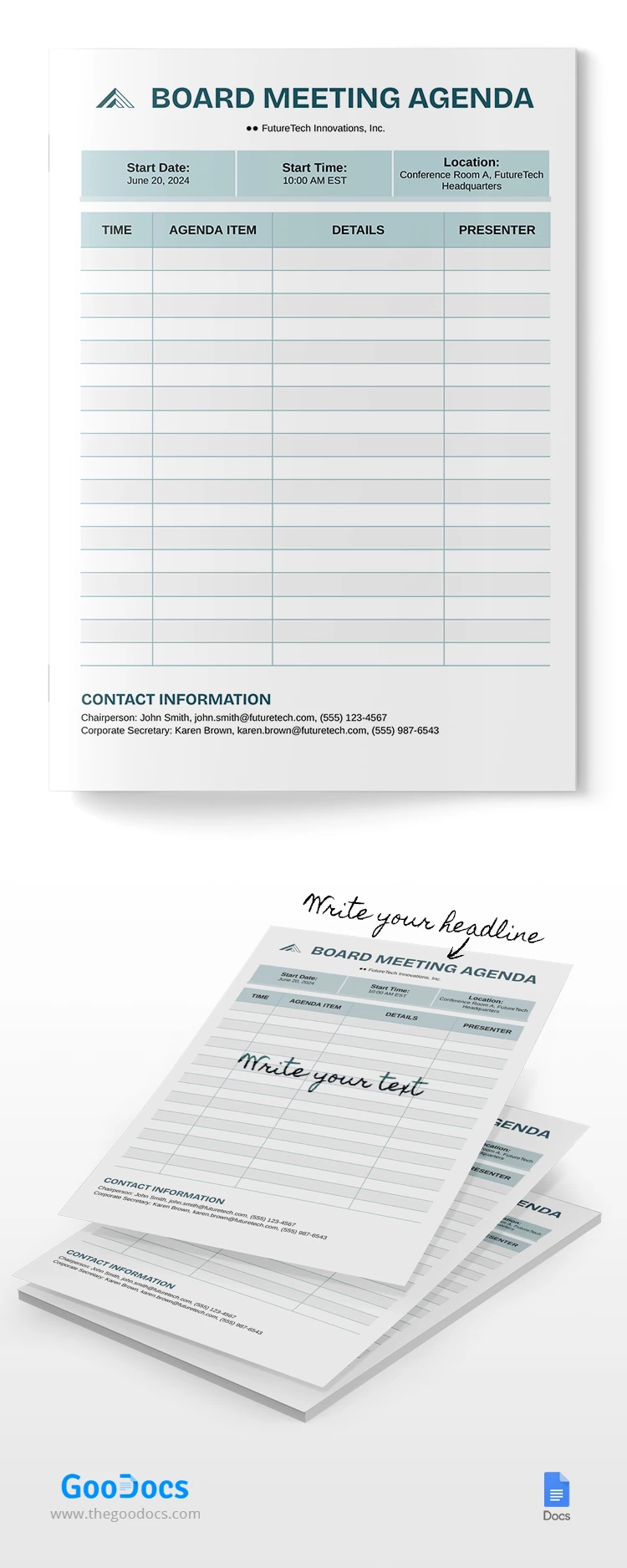
Our Board Meeting Agenda template will help organize effective company representative discussions. A customizable design and ready-made structure will save time and allow you to debate the most essential topics.

Dark Green Color Palette

This sample board meeting agenda features placeholders for the company's name, logo, and title. Pleasing dark green shades are used for the title, table dividing lines, and header fields.

Use Online or After Printing

You can utilize our template in Google Docs and Word on any corporate device (check out more agenda templates in Google Slides). Or, you can print a needed number of copies in A4 size. The general structure of this form consists of four sections. 

They include a header for the title of the meeting and the name of the company, a separate block for the start date, place, and location of the meeting, a table, and a placeholder for contact information. The table consists of four columns: time, agenda item, details, and presenter.

On our website, you will find even more up-to-date agenda templates for meetings of any level.

Free Template

Download Free Template

Choose your platform and start editing right away
PLATFORM

Google Docs

Opens in browser

Microsoft Word

.docs
PAPER SIZE
A4
Google Docs – A4
No account required • Attribution required

WHAT’S INCLUDED

Customizable agenda table with details
Pre-filled contact information section
Header for meeting specifics
Space for company name and logo

Agenda Tips

1
Add agenda items sequentially for clarity
2
Customize contact info for direct communication
3
Print copies for each participant
4
Use digital version for last-minute edits

FAQ

Is this template compatible with Word? Yes, it can be used in Google Docs and Word.
Is the template easy to customize? Yes, you can easily edit text and sections.
Do I need to pay for this template? No, it’s free to use and download.
Can I use it on mobile devices? Yes, it's accessible on mobile through Google Docs app.
How do I add my company logo? Click the placeholder to insert your logo image.
ADVERTISEMENT

How to Use and Edit This Template

Get Your Document

1

Get Your Document

Click the "Edit Template" button to create your own editable copy in Google Docs or download for Microsoft Word
Customize Everything
2

Customize Everything

Easily change colors, fonts, and layouts to match your unique style or brand identity
Add Your Content
3

Add Your Content

Fill in your data, upload images, and replace the placeholder text with your own information
Print, Export, or Share
4

Print, Export, or Share

Print, export as PDF, or share instantly

Related Templates

Recently Viewed