Get unlimited access to 5000+ Templates for Google Docs, Slides and Sheets
Unlimited Access
ADVERTISEMENT
ADVERTISEMENT

Travel to Paris School Project Brochure Template

Use this free template with Google Slides and Microsoft PowerPoint
4.25 (1 reviews)
Last updated Updated July 11, 2026
Type Trifold, Cute, Portrait, A4 / US Letter
ADVERTISEMENT

Template Specification

Format Google Slides, Microsoft PowerPoint
Created December 17, 2024
Last Updated July 11, 2026
Community Added to collections by 4 Users
Usage Stats 29 downloads this month

Key Features of This Template

Suitable For Students , Teachers

About this template

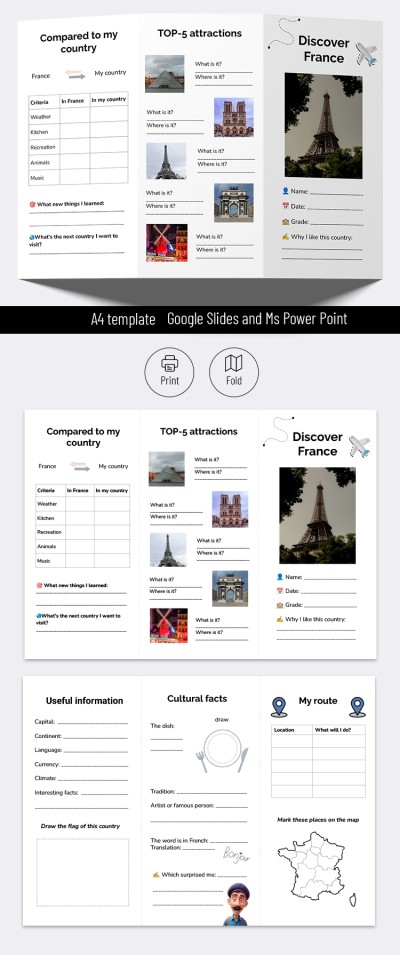
Check out our Travel to Paris School Project Brochure Template. It will make your project stand out from the rest! We offer a unique editable blank that can be printed or presented digitally.

Best Sample for a School Project

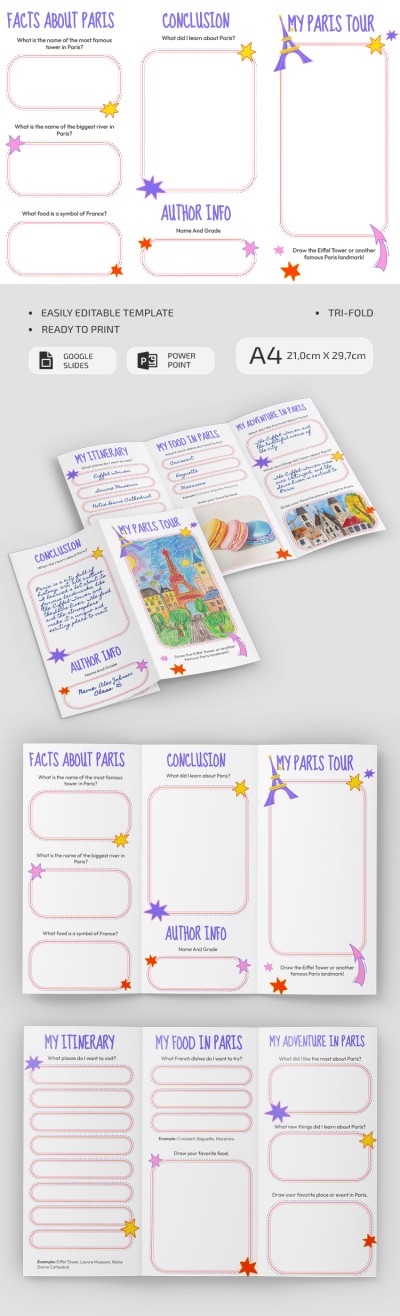
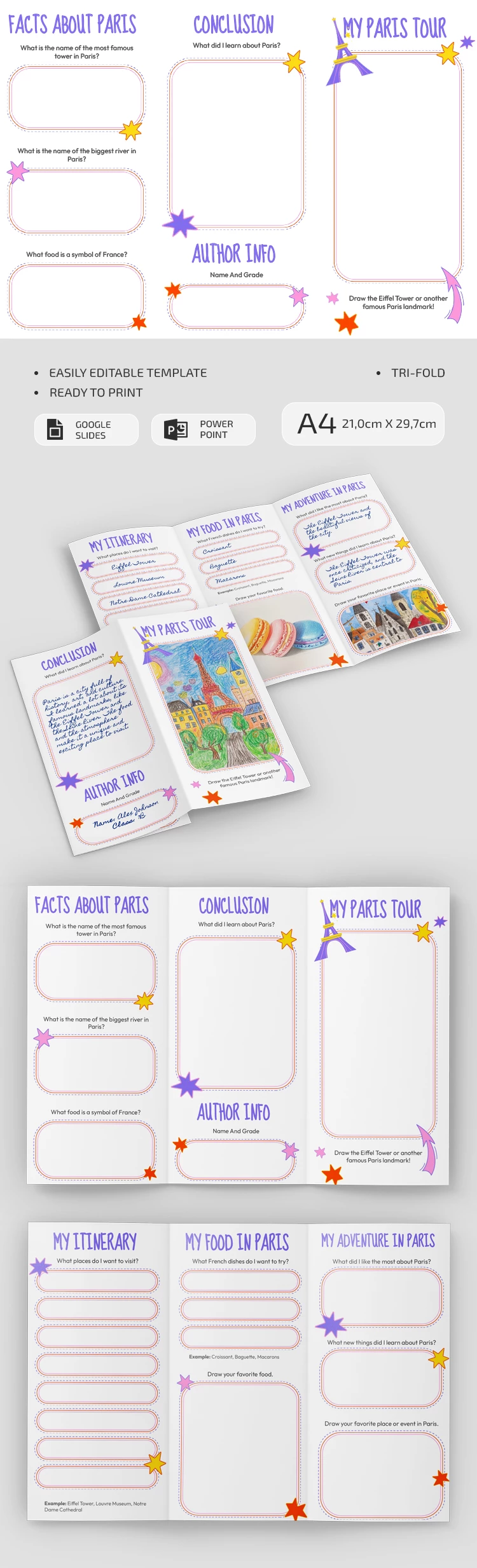
With the brochure template in Google Slides and PowerPoint formats, you can present what is worth seeing in Paris. An eye-catching design with purple headings, stars of different colors, and frames for each section will help structure and deliver any information.

Universal & Editable Form

This pamphlet template is editable, so customizing it in Google Slides or PowerPoint format is straightforward. You can add text to ready-made blocks in the sections, such as Facts About Paris (name of the biggest river, food, famous sights), My Paris Tour, Author Info, Itinerary, Adventures, and Conclusion. Our brochure template is also perfect for composing a personal itinerary for a trip to Paris. Need more inspirational brochure ideas for school project? Explore our libraries!

ADVERTISEMENT
Free Template

Download Free Template

Choose your platform and start editing right away
PLATFORM

Google Slides

Opens in browser

Microsoft PowerPoint

.pptx
PAPER SIZE
A4
Google Slides – A4
Duplicate to Google Classroom
No account required • Attribution required

WHAT’S INCLUDED

Editable sections for personalization
Colorful design with themed graphics
Pre-made blocks for easy input
Printable and digital presentation options

Brochures & Pamphlet Tips

1
Customize each section to fit your project needs
2
Use images to enhance visual appeal
3
Practice your presentation for smooth delivery
4
Incorporate personal experiences for authentic storytelling

FAQ

Is this template compatible with Google Slides? Yes, it is compatible with Google Slides and PowerPoint.
Is it easy to customize? Yes, you can easily edit text and images.
Is this template free? Yes, it is free to download and use.
Can I use this template for other projects? Absolutely, it can be adapted for various educational projects.
Do I need any special software? No special software needed, just Google Slides or PowerPoint.
ADVERTISEMENT

How to Use and Edit This Template

Get Your Document

1

Get Your Document

Click the "Edit Template" button to create your own editable copy in Google Slides or download for Microsoft PowerPoint
Customize Everything
2

Customize Everything

Easily change colors, fonts, and layouts to match your unique style or brand identity
Add Your Content
3

Add Your Content

Fill in your data, upload images, and replace the placeholder text with your own information
Print, Export, or Share
4

Print, Export, or Share

Print, export as PDF, or share instantly

Related Templates

Recently Viewed