ADVERTISEMENT
ADVERTISEMENT
2024 White Monthly Calendar Template
Use this free template with Google Slides and Microsoft PowerPoint
4.25 (1 reviews)
•
Last updated
Updated
October 17, 2026
•
Created by
Vladimir Belyakin
•
Type
2024, Monthly
ADVERTISEMENT
Template Specification
Format
Google Slides, Microsoft PowerPoint
Created
May 25, 2024
Last Updated
October 17, 2026
Community
Added to collections by 1 Users
Usage Stats
1 downloads this month
Key Features of This Template
Period
Monthly Calendar Templates
About this template
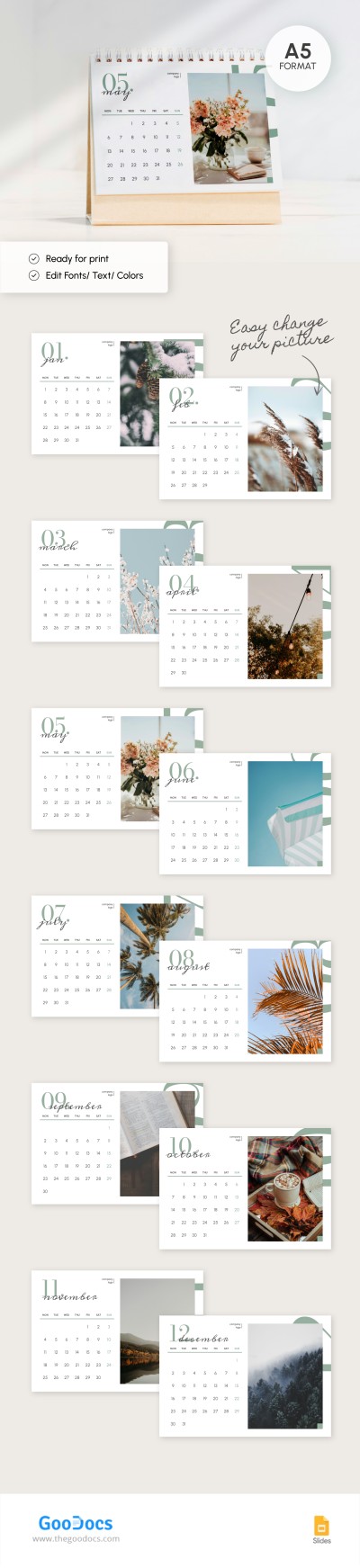
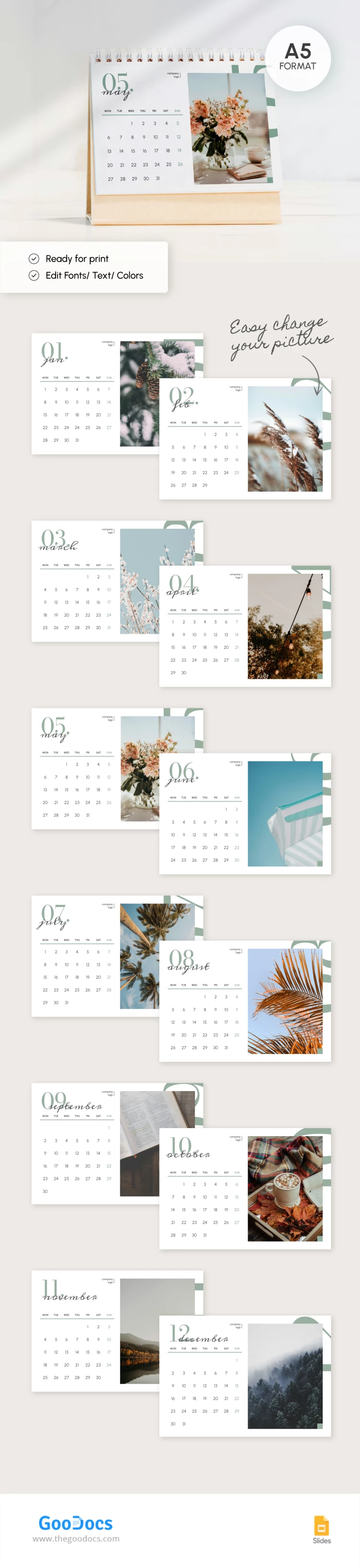
Our Monthly Calendar template will decorate any home or office. Use this ready-made 2024 calendar in digital or printed A5 format.
Personalized Design for Every Month
Each month has distinctive holidays and features, which we have embodied in this form.
For example:
- In January, you will look at a Christmas tree with cones.
- In June, you will find a beach umbrella against the blue sky.
- In August, you will look at the leaves of a tropical bush beginning to turn yellow.
Additional Branding Space
Anyone can personalize this 2024 monthly calendar template, even without special skills in working with Google Slides. We have left a placeholder for your company logo.
The template does not provide additional space for notes or daily routines - this is a traditional option that can be found in any company or home.
Enjoy modern and eye-catching calendar template designs for free with TheGoodocs!
ADVERTISEMENT
Free Template
Download Free Template
Choose your platform and start editing right away
PLATFORM
PAPER SIZE
A5
No account required • Attribution required
WHAT’S INCLUDED
12 customizable monthly calendar slides
Editable font and color options
Image and text placeholders
A5 format for easy printing
Calendar Tips
Replace photos with personal images for customization.
Adjust font colors to match your brand style.
Add important dates directly on each slide.
Print each month individually for a quick desk calendar.
FAQ
Is this template compatible with other software?
No, it's only compatible with Google Slides and Microsoft PowerPoint.
Can I easily customize this template?
Yes, you can quickly edit text, colors, and images.
Is this template free to use?
Yes, you can use it for free in either Google Slides or Microsoft PowerPoint.
How many slides are included?
There are 12 slides, one for each month.
How do I change the slide theme?
Use the slide master to change the theme colors and fonts globally.
ADVERTISEMENT
How to Use and Edit This Template

Get Your Document
Click the "Edit Template" button to create your own editable copy in Google Slides or download for Microsoft PowerPoint

Customize Everything
Easily change colors, fonts, and layouts to match your unique style or brand identity

Add Your Content
Fill in your data, upload images, and replace the placeholder text with your own information

Print, Export, or Share
Print, export as PDF, or share instantly