Get unlimited access to 5000+ Templates for Google Docs, Slides and Sheets
Unlimited Access
ADVERTISEMENT
ADVERTISEMENT

Perfect Hotel Brochure Template

Use this free template with Google Slides and Microsoft PowerPoint
4.25 (1 reviews)
Last updated Updated July 11, 2026
Created by Vladimir Belyakin
Type Trifold, Elegant, Portrait, A4 / US Letter
ADVERTISEMENT

Template Specification

Format Google Slides, Microsoft PowerPoint
Created December 8, 2024
Last Updated July 11, 2026
Community Added to collections by 5 Users
Usage Stats 2 downloads this month

Key Features of This Template

About this template

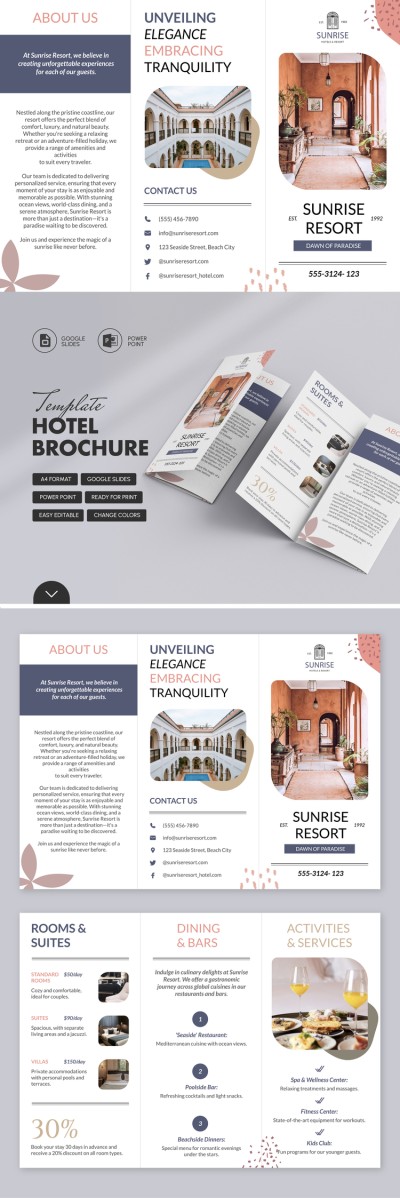
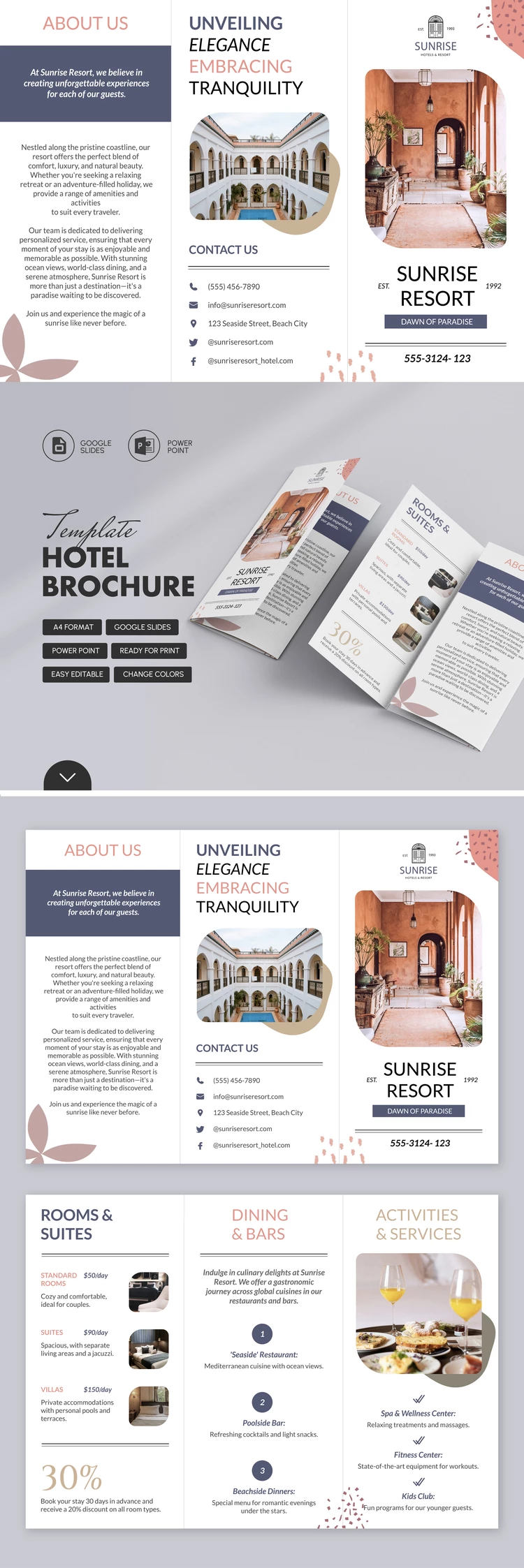
Rest assured that your guests will receive structured information with our Perfect Hotel Brochure Template! The trifold layout allows you to save space and reveal all the details of your offer.

Professional Premade Structure

The double-sided brochure has six sections: About Us, Contacts, Cover, Rooms & Suites, Dining Bars, Activities & Services. Do you want to focus more on the rooms or additional amenities? This template is editable, so you can easily replace any block with the one you need.

All key details are highlighted in lists so potential guests can quickly find the required information.

Eye-Pleasing Design with Placeholders for Images

In addition to text, you can use ready-made placeholders for photos and add photographs of the rooms, restaurant, spa (optional), reception, etc. In addition, the brochure template in Google Slides and PowerPoint is easy to use, and you do not need any additional skills or software. Start using this tool today for free.

ADVERTISEMENT
Free Template

Download Free Template

Choose your platform and start editing right away
PLATFORM

Google Slides

Opens in browser

Microsoft PowerPoint

.pptx
PAPER SIZE
A4
Google Slides – A4
No account required • Attribution required

WHAT’S INCLUDED

Six customizable brochure sections
Editable text and image placeholders
Trifold layout for easy display
Ready for print or digital use

Brochures & Pamphlet Tips

1
Personalize text to fit your hotel's unique offerings.
2
Use high-quality images to enhance visual appeal.
3
Highlight exclusive deals in bold for visibility.
4
Proofread all content before distributing.

FAQ

Is this template compatible with Google Slides and PowerPoint? Yes, it works seamlessly with both platforms.
How easy is it to customize? Very easy; simply replace text and images as needed.
Is the brochure template free to use? Yes, you can use it free of charge.
Can I print the brochure directly? Yes, it's print-ready for convenience.
Can I add more sections to the brochure? Yes, you can add or remove sections easily.
ADVERTISEMENT

How to Use and Edit This Template

Get Your Document

1

Get Your Document

Click the "Edit Template" button to create your own editable copy in Google Slides or download for Microsoft PowerPoint
Customize Everything
2

Customize Everything

Easily change colors, fonts, and layouts to match your unique style or brand identity
Add Your Content
3

Add Your Content

Fill in your data, upload images, and replace the placeholder text with your own information
Print, Export, or Share
4

Print, Export, or Share

Print, export as PDF, or share instantly

Related Templates

Recently Viewed